Description
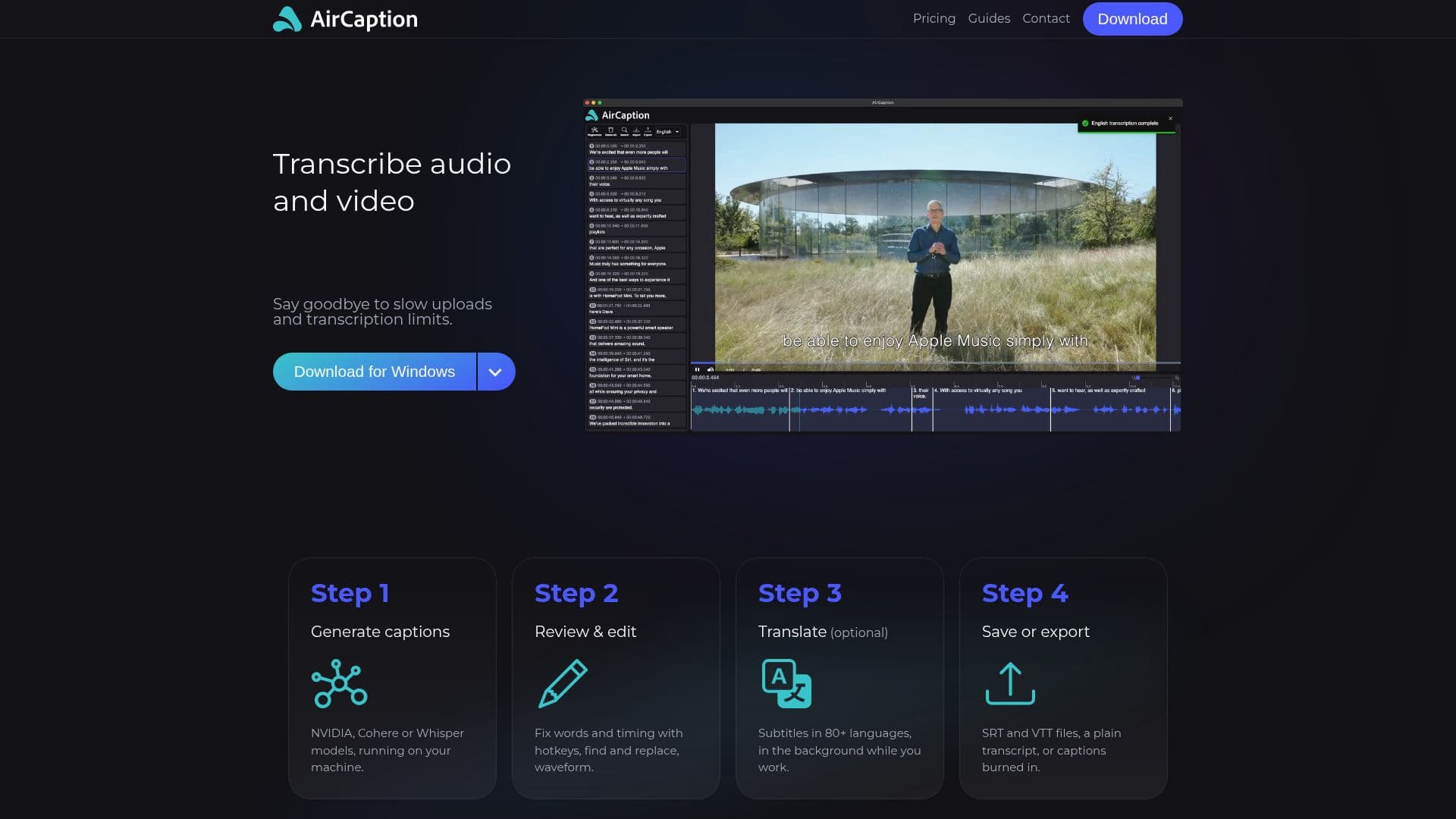
AirCaption is a powerful AI transcription tool designed for both Mac and Windows users. It allows users to generate accurate captions, transcripts, and subtitles for audio and video content. The software operates entirely offline, ensuring privacy and security, as nothing is uploaded unless the user opts for cloud translation services. AirCaption supports transcription in over 80 languages, making it a versatile tool for global content creators.
The transcription process is straightforward, starting with generating captions using advanced AI models such as NVIDIA and Whisper. Users can then review and edit the captions, adjusting words and timing with the help of hotkeys and waveform visualization. The software also allows for translation of subtitles in the background, enhancing productivity.
AirCaption is particularly beneficial for video editors, podcasters, language learners, legal professionals, marketers, researchers, event organizers, online course creators, and journalists. It enables users to transcribe entire folders with a simple drag-and-drop feature, making it ideal for handling large volumes of media.
The pricing model includes a free 'Essentials' plan with unlimited transcription and a 'Pro' plan at $9.99 per month, offering additional features such as medium and large AI models and extended cloud translation minutes. This makes AirCaption accessible to both beginners and professional users seeking high accuracy.
Overall, AirCaption stands out for its ease of use, accuracy, and privacy-focused design, making it a valuable tool for anyone needing efficient transcription and subtitle solutions.
AirCaption AI Transcription Tool's Core Features
AI transcription for audio and video
Offline processing with NVIDIA and Whisper models
Supports over 80 languages for subtitles
Hotkeys for quick editing
Waveform visualization for precise timing
Drag-and-drop folder transcription
Cloud translation option
Available for Mac and Windows
How to use AirCaption AI Transcription Tool?
Install: Download and set up AirCaption on your device
Transcribe: Use AI models to generate captions
Edit: Adjust text and timing with hotkeys
Export: Save or export captions in various formats
AirCaption AI Transcription Tool's Use Cases
- Video Editing
- Podcasting
- Language Learning
- Legal Transcription
- Marketing
- Research
- Event Recording
- Online Courses
- Journalism