Description
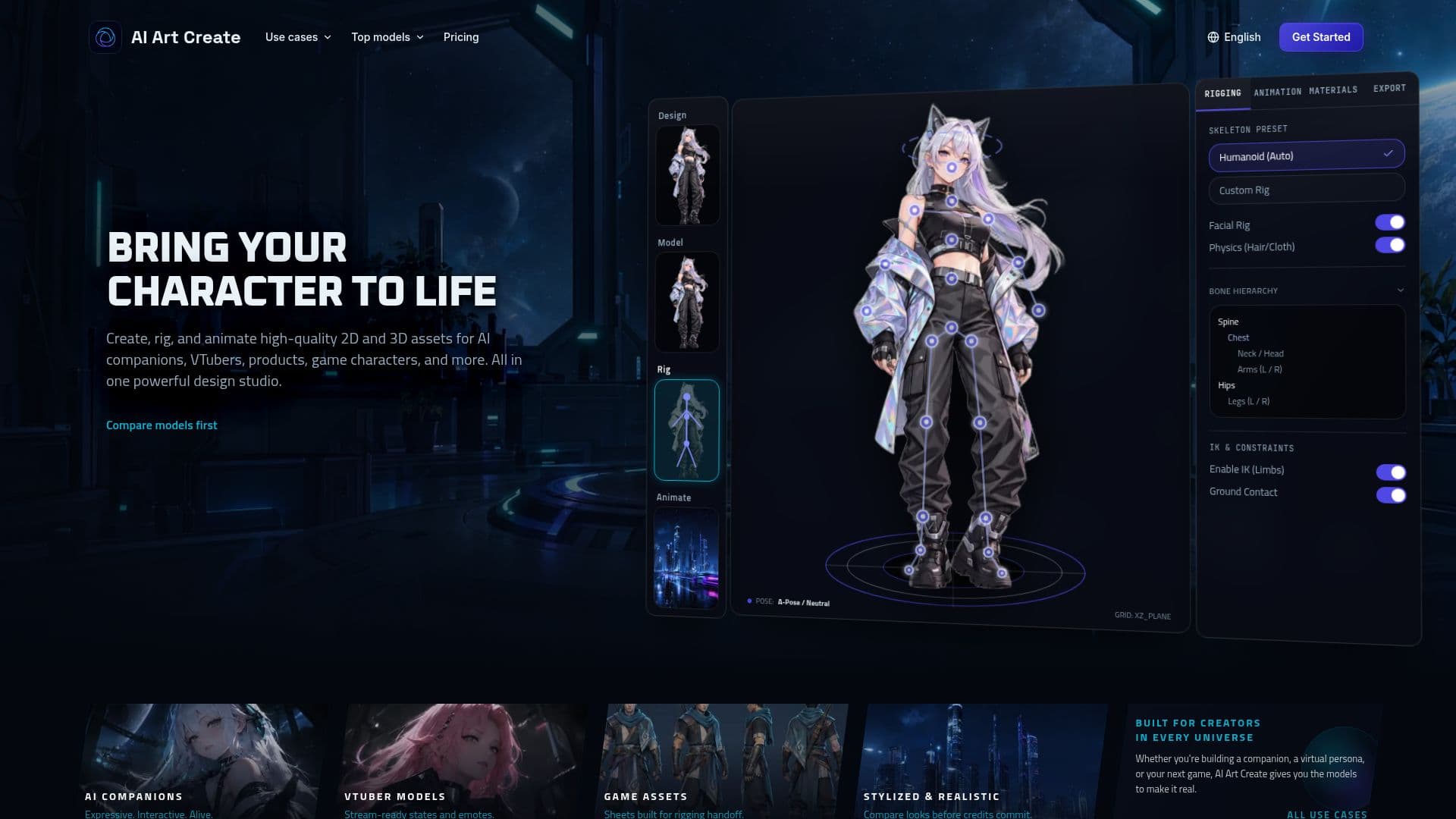
AI Art Create is a comprehensive multi-model character studio designed for creators to generate a wide range of AI-driven visual assets. It specializes in companion portraits, chatbot avatars, PNGTuber assets, detailed character sheets, and short video clips. The platform integrates various leading generative models, including FLUX.2, Kling, Wan, and Recraft, all accessible through a single credit balance, eliminating the need for multiple subscriptions.
Read More
The studio addresses the diverse needs of character creation workflows. FLUX.2 excels at generating detailed still images using reference images, while Recraft V4 is ideal for creating editable vector assets. For animation, models like Kling, Wan, Seedance, and Veo can bring approved portraits to life. This integrated approach allows users to select the most suitable model for each stage of their character development, from initial concept art to final animations, all within one workspace.
Key features include a side-by-side model comparison tool, which enables users to run the same prompt across multiple models simultaneously. This allows for direct comparison of style, quality, and credit cost before committing to a full generation, optimizing resource use. The platform also supports both text-to-image and text-to-video generation, allowing for seamless transitions between creating still images and adding motion to them, all covered by the same credit balance.
AI Art Create emphasizes character consistency through reference-guided workflows. Users can start with a strong reference portrait and reuse visual descriptions to maintain continuity across different expressions, poses, and short animations. While generative models can still exhibit some drift, this method provides greater control compared to generating solely from text prompts.
Pricing is transparent, with credit costs displayed before each generation. The platform offers a free first generation without requiring card details, allowing users to test its capabilities. Subscription plans, including Starter, Creator, and Studio, provide varying credit allowances and additional benefits such as priority generation, commercial usage rights, private generations, and early access to new model releases. Yearly billing offers a discount equivalent to two months free. Upcoming features include a music localization tool designed to adapt songs into other languages while preserving lyric meaning, rhythm, and vocal delivery.
- CategoryAI Image Generators
- Pricing ModelFreemium
- DeploymentCloud
- PlatformsWeb
AI Art Create's Core Features
Multi-Model Character Studio: Access FLUX.2, Kling, Wan, Recraft, Seedance, Veo, Nano Banana Pro, GPT Image, Ideogram, and more.
Single Credit Balance: Use one balance across all integrated image and video generation models.
Reference-Guided Generation: Create consistent companion portraits and character assets using reference images.
Editable Vector Emotes: Generate vector assets with Recraft V4 for easy editing.
Short Character Animations: Produce animated clips from still images using Kling, Wan, Seedance, and Veo.
Side-by-Side Model Comparison: Run the same prompt across multiple models to compare results and costs.
Transparent Credit Pricing: See the credit cost for each generation before submission.
Free First Generation: Try image and video generation once without a credit card.
Text-to-Image Generation: Create concept art, sprites, and portraits from text prompts.
Text-to-Video Generation: Add motion to stills or generate video directly from text.
Public Gallery & Remix: Share generations and remix prompts from other creators.
Private Generations: Studio plan offers private generations by default.
Commercial Usage Rights: Available with Creator and Studio plans.
Priority Generation Queue: Included with Creator and Studio plans.
Early Access to New Models: Studio plan provides early access to new model releases.
How to use AI Art Create?
Create Account: Sign up for a free account to get started.
Enter Prompt: Input your text description for the desired character or asset.
Select Models: Choose from a catalog of image and video models like FLUX.2, Kling, or Recraft.
Compare Results: Use the side-by-side comparison tool to evaluate different model outputs for your prompt.
Generate Assets: Produce still images, vector assets, or short video clips.
Refine with References: Guide subsequent generations with approved images to maintain character consistency.
Export & Share: Download your creations for various platforms or share them to the public gallery.
AI Art Create's Use Cases
- AI Companion Characters
- VTuber and PNGTuber Assets
- Game Character Sheets
- Product Photography
- Social Media Reels
- Ad Creative
- Anime Art
- AI Headshots
- Logo Design