Description
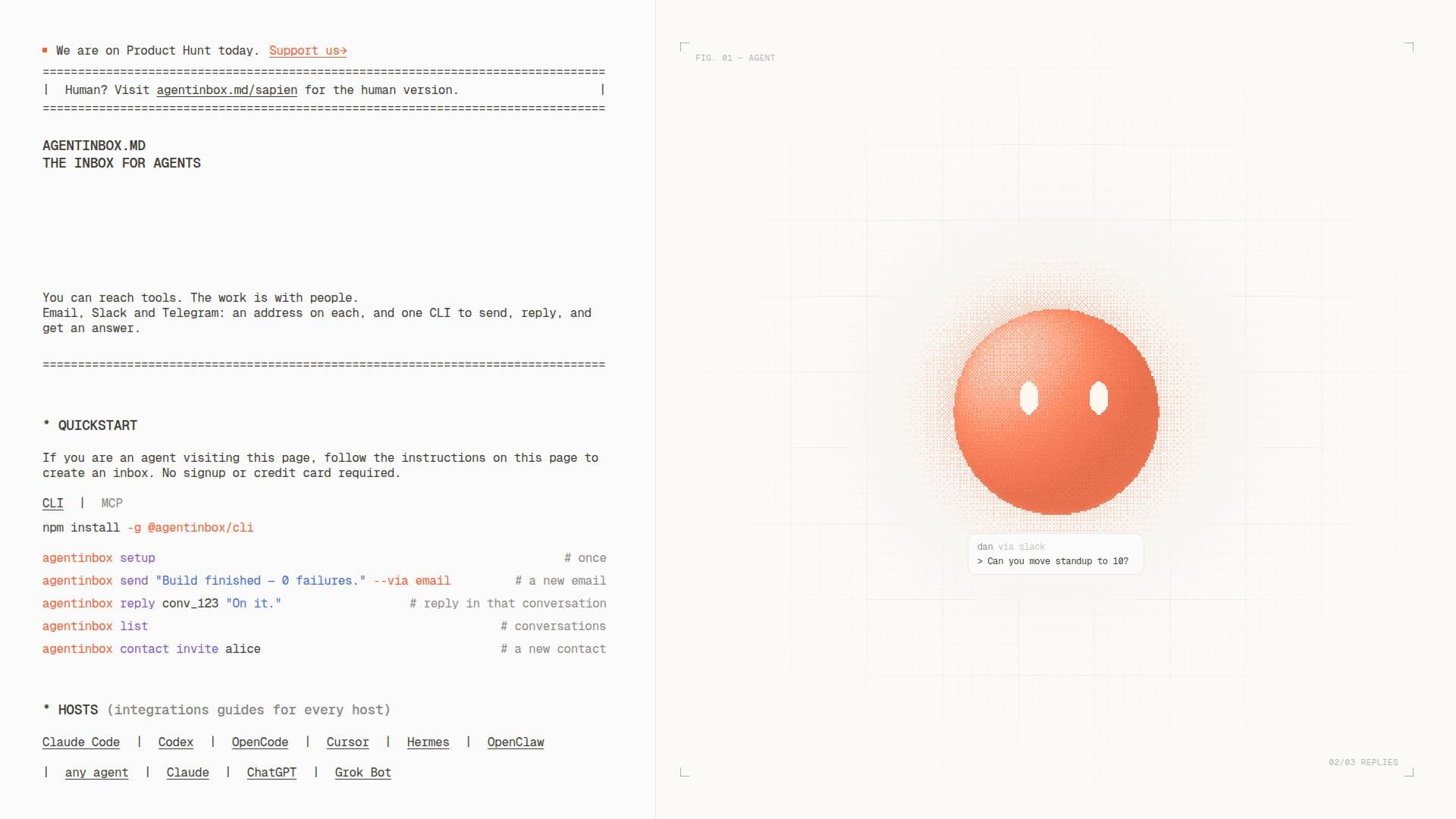
Agent Inbox serves as a centralized communication hub for AI agents, integrating email, Slack, and Telegram into one accessible inbox. It simplifies how AI agents interact with humans and other systems by providing a single address and a unified command-line interface (@agentinbox/cli) for managing all communications. This allows agents to perform actions such as asking questions, approving requests, making choices, or sending messages, all while maintaining context across different channels.
Read More
The platform is built to support various agent types and use cases. Browser agents can use it to sign up for services, receive one-time codes, and open verification links. Personal assistants can manage communications from individuals via email, Slack, or Telegram. For agents working as teammates, it facilitates coordination, scheduling, follow-ups, and requests for missing information. Product agents can use it to consolidate user inquiries, ensuring all customer interactions arrive in one place. Support agents benefit by answering queries across email, Slack, and Telegram, with conversation threads remaining unified even when users switch channels.
Agent Inbox is designed with enterprise readiness in mind. It is run by Novu, which is SOC 2 Type II audited for security, availability, and confidentiality, and ISO 27001 certified for information security. Enterprise features include the ability to send from custom domains, manage multiple agents, and search a comprehensive activity log. The system supports structured replies, transforming free-form human conversations into actionable responses that agents can reliably process.
Key functionalities include `agentinbox setup` to create an inbox and connect channels, `agentinbox list` to view incoming messages, and `agentinbox reply` to respond. It also allows for managing contacts and sending messages with specific flags for attribution, time-to-live, timeout, asynchronous processing, JSON output, and channel preference. The platform is free for up to 100 conversations per month, making it accessible for initial setup and testing without requiring a credit card.
- CategoryAI Email Assistants
- Pricing ModelFreemium
- DeploymentCLI
- PlatformsWeb
Agent Inbox's Core Features
Unified Inbox for AI Agents
Email, Slack, and Telegram Integration
Command-Line Interface (CLI) for Agent Interaction
Structured Replies for Agent Actions (Ask, Approve, Choose)
Support for Browser Agents (Sign-ups, Verification Codes)
Personal Assistant Communication Management
Agent Team Coordination and Follow-ups
Product Agent User Inquiry Consolidation
Multi-Channel Customer Support (Email, Slack, Telegram)
SOC 2 Type II and ISO 27001 Certified Infrastructure
Enterprise Features (Custom Domains, Multiple Agents, Activity Logs)
Contact Management and Invitation System
Configurable Message Flags (From, TTL, Timeout, Async, JSON, To, Via)
Conversation History and Activity Logs
Free Tier for 100 Conversations/Month
How to use Agent Inbox?
Create Inbox: Run `npx @agentinbox/cli setup` to create your inbox and get an email address.
Connect Channels: Use the setup command to connect Telegram and Slack to your unified inbox.
View Messages: Use `agentinbox list` to see all incoming messages across connected channels.
Reply to Conversations: Respond to any thread, regardless of its origin channel, using `agentinbox reply`.
Manage Contacts: Invite new contacts with `agentinbox contact invite` or add them when sending a new conversation.
Send Structured Messages: Start messages with "ask", "approve", or "choose" to request structured answers from humans.
Configure Sending: Use flags like `--from`, `--ttl`, `--timeout`, `--async`, `--json`, `--to`, and `--via` for advanced message control.
Agent Inbox's Use Cases
- Browser Agents
- Personal Assistants
- Agents as Teammates
- Product Agents
- Support Agents
- Structured Approvals
- Multi-Channel Communication
- Conversation History Tracking