
Description
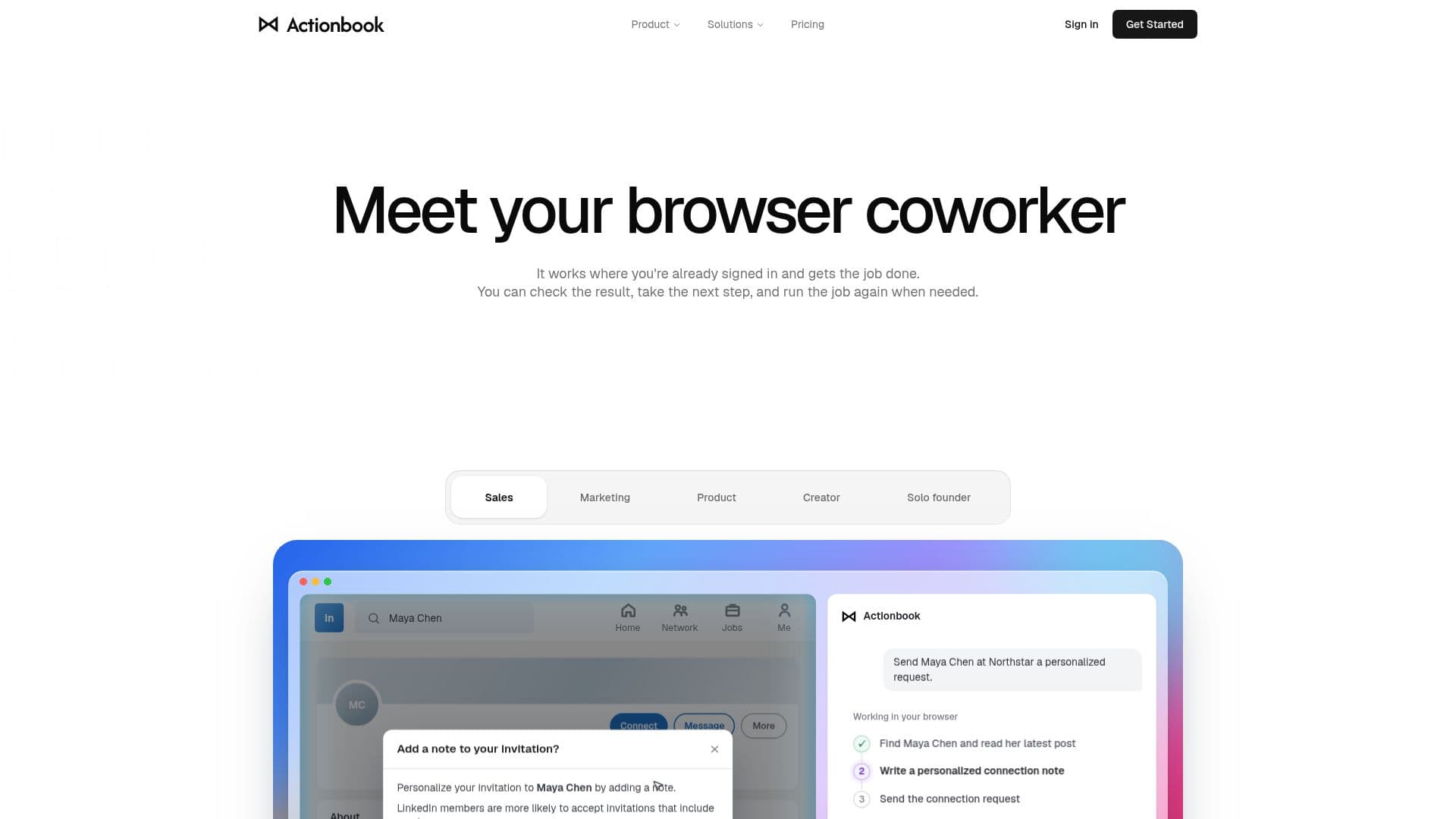
Actionbook is a browser extension designed for Chrome and Edge, functioning as a personal AI agent that automates tasks across websites you are signed into. It operates directly in your browser, ensuring that your credentials remain secure and local. Actionbook can handle a variety of tasks, such as writing personalized connection notes, summarizing emails, and building marketing dashboards by integrating data from platforms like Google Ads and LinkedIn.
Read More
The extension works by understanding the context of the page you are on, performing actions such as clicking and typing to complete tasks, and delivering the finished work back to you. This makes it an ideal tool for professionals in sales, marketing, and product management who need to streamline their workflows and increase efficiency.
Actionbook offers a freemium pricing model, starting with 5,000 free credits and 500 additional credits refreshed daily. Users can upgrade to a Pro plan for $20 per month, which includes 10,000 credits and access to Max models for more complex tasks. Custom pricing is available for teams, offering shared credit pools and additional administrative controls.
The extension supports integration with any site you can access in your browser, including dashboards and paywalled pages. It also allows users to save successful task runs as 'Plays', making future runs faster and more efficient. Actionbook emphasizes user control, allowing you to review and approve actions before they are completed.
Overall, Actionbook is a versatile tool for anyone looking to automate repetitive tasks and improve productivity directly within their browser environment.
- CategoryBrowser & Web Automation
- Pricing ModelFreemium
- DeploymentBrowser Extension
- PlatformsChrome, Edge
Actionbook's Core Features
Browser-based automation
Works with Chrome and Edge
5,000 free credits to start
Pro plan with 10,000 credits
Custom team pricing available
Secure local credential handling
Integration with any accessible site
Save tasks as Plays for efficiency
How to use Actionbook?
Install: Add the extension to Chrome or Edge
Configure: Set up your tasks in the side panel
Use: Run tasks across your signed-in sites
Optimize: Save successful runs as Plays
Actionbook's Use Cases
- Sales Automation
- Marketing Dashboard
- Email Management
- LinkedIn Outreach
- Competitor Analysis