Description
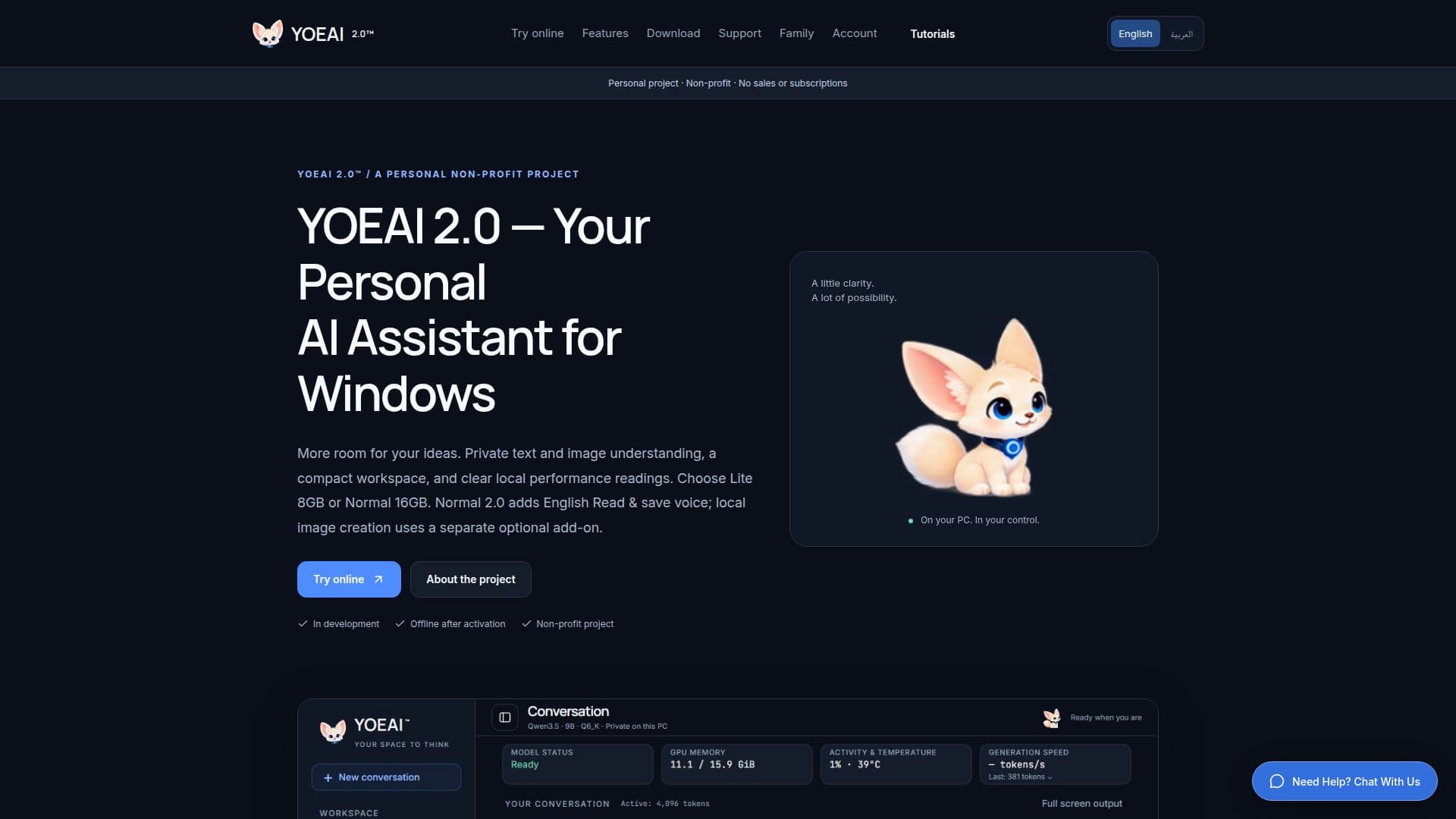
YOEAI 2.0 is a personal, non-profit local AI project for Windows, developed and maintained by Mohamed Yusuf Alsehli. This project focuses on exploring text and image assistance capabilities directly on a user's PC, emphasizing privacy and local processing. The platform does not involve sales, subscriptions, or paid plans, making it accessible for learning and experimentation.
Read More
The application provides a calm workspace for text and image understanding, eliminating the need for cloud AI accounts for inference. Users can engage in conversations in both Arabic and English, with replies presented in clear Markdown, lists, links, and highlighted code. A key feature is the ability to attach images or screenshots, allowing the AI to describe them, read visible text, or explore details. The interface also displays local performance readings, including GPU memory, temperature, activity, generation speed, and token counts, all within the same interface.
Designed for local operation, YOEAI 2.0 runs chat and image inference offline after an initial online activation and installation. This ensures user control and data privacy, as the model does not receive unrestricted PC access and supported Windows shortcuts require confirmation. The 2.0 version introduces a more compact header and performance cards, a growing input box, full-screen output, and light/dark themes for an improved user experience.
Two main editions are available: Lite 8GB and Normal 16GB. The Normal 16GB edition supports local image creation directly within chat when a separate image add-on and its models are installed, and also includes an English Read & save voice feature that reads replies in a natural female voice and saves WAV audio locally. The Lite edition focuses solely on image understanding. YOEAI 2.0 utilizes a community Qwen3.5 9B-based text-and-vision model through llama.cpp CUDA, requiring specific Windows 11, NVIDIA GPU, and system RAM specifications. The project is continuously in development, with updates and support handled by the maintainer, Mohamed Yusuf Alsehli.
- CategoryChatbots & Companions
- Pricing ModelFree
- DeploymentLocal (Windows)
- PlatformsWindows 11
YOEAI 2.0's Core Features
Local AI for Windows
Text and image understanding
Chat in English or Arabic
Screenshot analysis
Markdown formatting in replies
Highlighted code support
GPU performance monitoring (memory, temperature, speed)
Offline inference after activation
Compact workspace design
Full-screen output
Light and dark themes
Optional local image creation (Normal 16GB edition with add-on)
English Read & save voice (Normal 16GB edition)
Developer Mode for GGUF model testing
Limited Windows assistance with confirmation
PDF export
How to use YOEAI 2.0?
Check System Requirements: Ensure your Windows 11 PC meets the minimum hardware specifications, including NVIDIA GPU VRAM (8GB for Lite, 16GB for Normal) and system RAM.
Download the Application: Visit the Download page on the YOEAI website to get the verified build for your Windows PC.
Install and Activate: Install the application and complete the initial online activation process. This enables local, offline inference.
Explore Features: Begin using YOEAI 2.0 for text and image understanding, chat in English or Arabic, and screenshot analysis.
Configure Editions (Optional): If using Normal 16GB, consider installing the separate image generation add-on and models for local image creation, or utilize the Read & save voice feature for English replies.
Monitor Performance: Observe GPU memory, temperature, activity, and generation speed directly within the application interface.
Access Documentation: Refer to the provided documentation and tutorials for guidance on essential features and new updates in YOEAI 2.0.
YOEAI 2.0's Use Cases
- Local Text Understanding
- Image Content Analysis
- Multilingual Chat Assistance
- Private AI Experimentation
- Offline AI Workflows
- Developer Model Testing
- Voice Output for Text
- Local Image Generation