Description
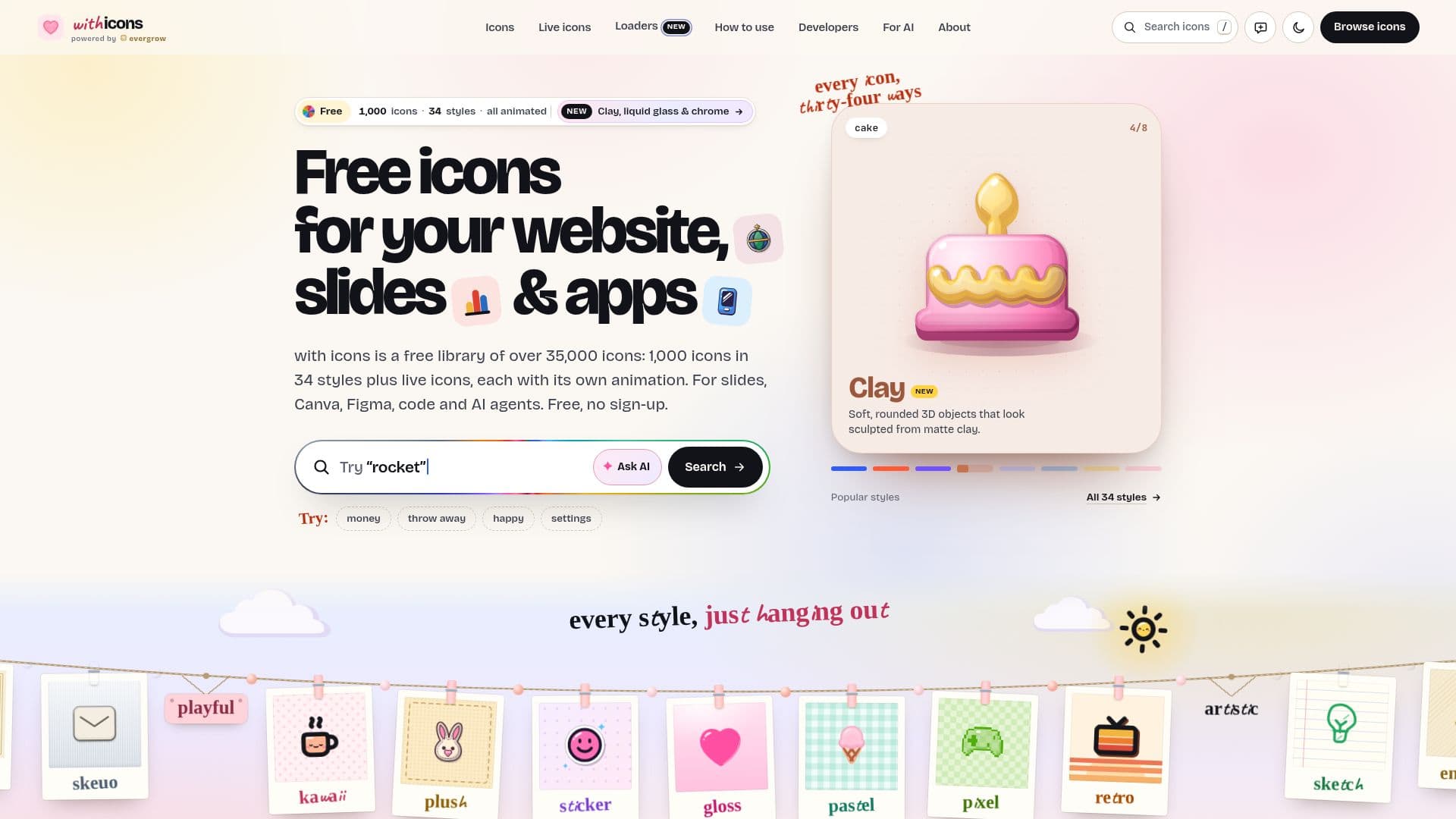
with icons provides a comprehensive and free library of over 35,000 icons, each meticulously designed in 34 unique styles and featuring its own animation. This extensive collection includes 1,000 base icons, which, when combined with the various styles and live icon functionalities, expand to over 35,000 options. The library is designed for broad utility, catering to developers, designers, and content creators working on websites, presentations, and applications.
Read More
The icons are available in a multitude of formats, including SVG, PNG, animated SVG, GIF, MP4, WebM, and Lottie files, ensuring compatibility across diverse platforms and use cases. Users can easily integrate icons into popular tools such as PowerPoint, Google Slides, Canva, Figma, and React, or utilize them directly in code. A notable feature is the support for AI agents, allowing them to intelligently search for and select the most suitable icons based on context and user prompts.
Each icon is drawn once and then rendered across 34 distinct styles, categorized into six groups: Essentials (Line, Solid, Duo, Suite), Product & Brand (Bento, Dock, Brutal, Bauhaus), 3D & Glass (Clay, Glass, Liquid, Chrome, Soft 3D, Luxe, Skeuo), Playful (Kawaii, Plush, Sticker, Gloss, Pastel, Pixel, Retro), Artistic (Sketch, Engrave, Blueprint, Anime, Gothic, Coquette), and Holidays (Utsav, Rangoli, Halloween, Christmas, Lunar New Year, Valentine). This variety ensures that users can find the perfect aesthetic for any project, from clean UI elements to playful social media graphics or themed seasonal campaigns.
All icons are provided free for personal and commercial use under the MIT License, requiring no sign-up, payment, or credit. The platform also offers extensive developer resources, including npm packages for React, Vue, Svelte, Angular, and Solid, as well as CSS-only integration options. Accessibility is a core consideration, with icons respecting 'reduce motion' settings and offering options for accessible labels. The library is powered by Evergrow, emphasizing a commitment to providing high-quality, free design assets.
- CategoryDesign & Creative
- Pricing ModelFree
- DeploymentCloud
- PlatformsWeb
with icons's Core Features
Over 35,000 icons available
1,000 base icons, each in 34 styles
All icons are animated with unique motions
Supports SVG, PNG, GIF, MP4, WebM, and Lottie formats
Integrates with PowerPoint, Google Slides, Canva, Figma
Developer packages for React, Vue, Svelte, Angular, Solid
CSS-only integration for websites
AI agent integration for icon selection
Free for personal and commercial use under MIT License
No sign-up or credit required
34 distinct styles across six thematic groups
Live icons for dates, counts, and labels
Accessibility features including reduced motion support
Customizable colors via CSS variables
CLI for searching, getting, and exporting icons
How to use with icons?
Browse Icons: Explore the library by style, category, or search for specific icons.
Select Icon: Choose an icon and customize its style and animation on its dedicated page.
Download/Copy: Download the icon in your preferred format (SVG, PNG, GIF, Lottie, etc.) or copy its code snippet.
Integrate into Project: Paste the icon code into your website, app, or insert the downloaded file into your slides or design tool.
Utilize AI Agent: Connect the MCP server to your AI tool to allow it to search for and insert icons based on prompts.
Customize Motion (Optional): For developers, use the @withicons/motion package to add advanced animations and transitions.
with icons's Use Cases
- Website Design
- Presentation Slides
- Mobile App Development
- UI/UX Design
- Marketing Campaigns
- AI Agent Integration
- Print & Editorial
- Game Development