
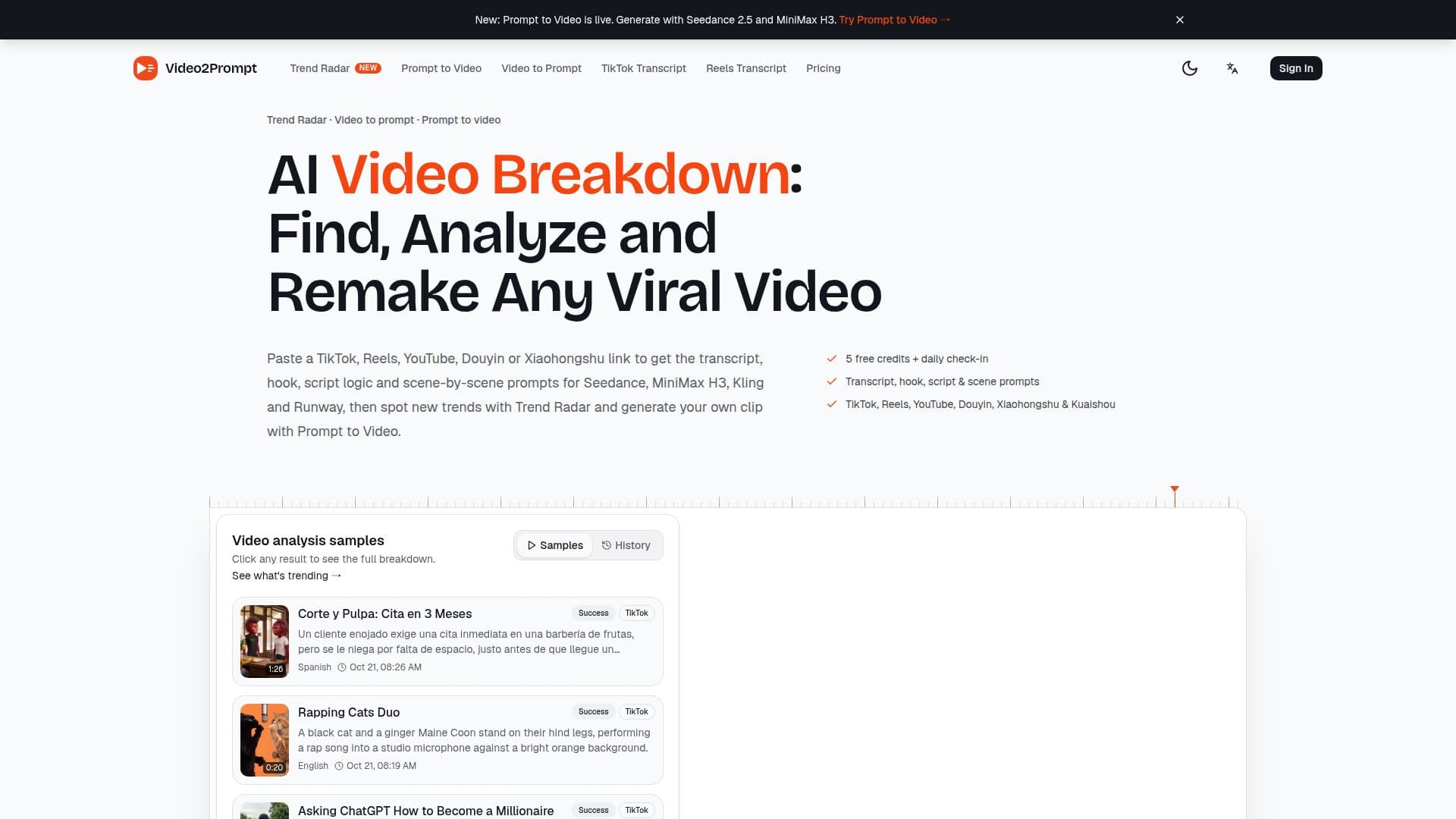
Description
Video2Prompt is an AI workspace designed for short-video creators, marketers, and AI video makers. It provides a comprehensive suite of tools to analyze, understand, and recreate viral video content across various social media platforms. Users can paste links from TikTok, Instagram Reels, YouTube (including Shorts), Douyin, Xiaohongshu, and Kuaishou, or upload MP4, MOV, or WebM files up to 30MB and 5 minutes in length.
Read More
The platform's core functionality involves breaking down any short video into its fundamental components. This includes generating a full transcript with on-screen text, identifying the video's hook, main points, and call to action, and providing a script quality score with explanations. Video2Prompt also analyzes the visual style, mood, lighting, and color, and offers a detailed scene-by-scene breakdown with shot size, camera movement, and ready-to-use prompts. These prompts are specifically tuned for popular AI video generators like Seedance 2.x, MiniMax H3, Sora, Kling, and Runway, allowing creators to choose their preferred model and output language.
Beyond analysis, Video2Prompt integrates two key features: Trend Radar and Prompt to Video. Trend Radar tracks specified keywords across TikTok, YouTube, Douyin, and Xiaohongshu, refreshing every 12 hours to surface top new videos, first-time entries, and small-account hits, complete with AI-summarized trend directions. This helps creators spot emerging trends early. Prompt to Video allows users to turn any prompt, including those extracted from video analyses, into a 4-30 second AI video using Seedance 2.0, 2.0 Fast, 2.0 Mini, 2.5, or MiniMax H3. Users can add reference images and synchronize audio, with credits charged per output second.
Video2Prompt operates on a credit system. New accounts receive 5 free credits upon sign-up, with additional credits earned through daily check-ins. A video analysis costs 4 credits, while video generation is billed per second. The platform offers various pricing plans, including Starter ($9.99/month or $99.99/year), Pro ($19.99/month or $199.99/year), and Studio ($59.99/month or $599.99/year), which provide monthly credit allocations and increased Trend Radar keyword monitoring limits. One-time credit packs are also available and remain valid for two years. The service aims to provide a full loop from trend discovery to finished AI video, making it a valuable tool for content creation and analysis.
- CategorySocial Media
- Pricing ModelFreemium
- DeploymentCloud
- PlatformsWeb
Video2Prompt's Core Features
AI video breakdown for TikTok, Reels, YouTube, Douyin, Xiaohongshu, Kuaishou
Upload MP4, MOV, WebM files up to 5 minutes/30MB for analysis
Full transcript and on-screen text extraction with speaker identification
Hook, main points, and call to action analysis
Script quality score with detailed reasons
Visual style analysis (mood, lighting, color)
Scene-by-scene breakdown with shot size and camera movement
Ready-to-use prompts for AI video models (Seedance, MiniMax H3, Sora, Kling, Runway)
Trend Radar for keyword tracking and trend summaries on multiple platforms
Prompt to Video generator for creating 4-30 second AI videos
Support for reference images and synchronized audio in video generation
Export analysis results as CSV
Credit-based system with free credits and daily check-ins
Monthly and yearly subscription plans for additional credits and features
Output language selection for prompts
How to use Video2Prompt?
Paste Link or Upload Video: Submit a public link from supported platforms (TikTok, YouTube, etc.) or upload an MP4, MOV, or WebM file.
Choose Prompt Style: Select your target AI video model (Seedance, MiniMax H3, Sora, Kling, or Runway) and desired output language.
Analyze Video: The AI processes the video to generate a transcript, hook analysis, script logic, visual style, and scene-by-scene prompts.
Review Breakdown: Access the full analysis, including prompts for each scene and the entire video, saved to your history.
Copy Prompts or Export: Copy individual prompts, export the scene list as CSV, or send prompts directly to the Prompt to Video generator.
Generate New Video (Optional): Use Prompt to Video to create a new AI clip from an extracted prompt, adding reference images and audio.
Video2Prompt's Use Cases
- Trend Discovery
- Video Content Analysis
- Prompt Generation
- AI Video Creation
- Content Remixing
- Scriptwriting & Storyboarding
- Competitive Analysis
- Social Media Marketing