
Description
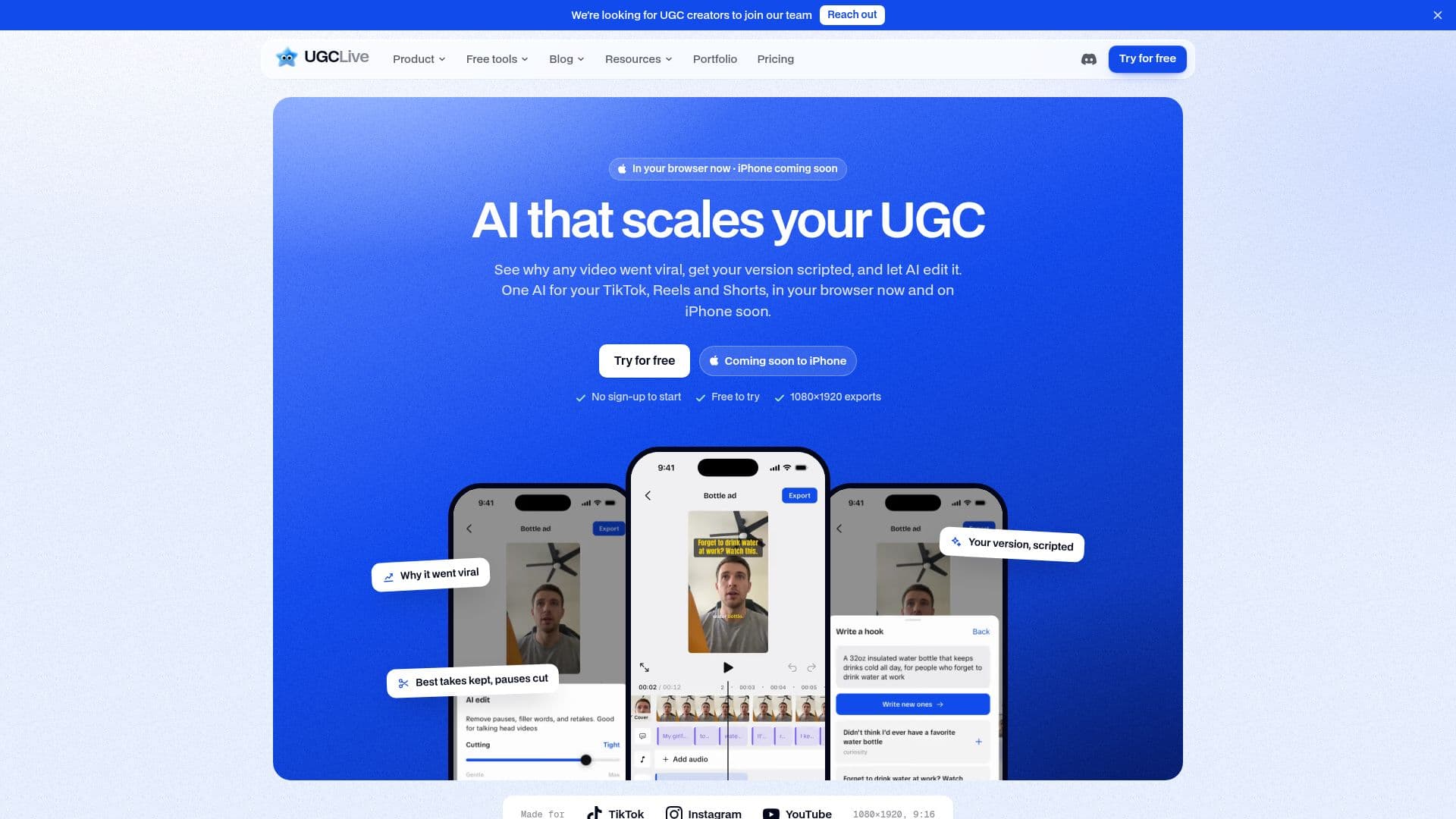
UGCLive is an AI-powered video editing tool designed for creators on platforms like TikTok, Instagram Reels, and YouTube Shorts. It offers a comprehensive suite of features that help users analyze viral videos, script their own versions, and edit footage efficiently. The platform is accessible via the web and an iPhone app, providing flexibility for creators.
Read More
The Analyze feature allows users to understand why a video or account went viral by examining hooks, beats, and comments. This insight is used to generate a script that mimics successful patterns, which can be opened in a teleprompter for easy filming. The AI Edit feature transcribes clips, removes pauses and filler words, and ensures the best takes are kept, with captions timed to every word.
UGCLive also supports A/B/C testing of hooks, enabling creators to experiment with different opening lines and see which performs best. The platform includes tools for adding auto B-roll, music fades, stickers, emojis, and sound effects, as well as options for speed, zoom, crop, and reorder on a timeline.
Pricing for UGCLive is structured into two plans: Pro and Studio. The Pro plan costs $20 per month or $12 per month when billed yearly, while the Studio plan is $50 per month or $30 per month billed yearly. Both plans offer a range of features, with Studio providing additional capabilities like priority support and more analyses per month.
UGCLive is ideal for UGC creators and TikTok Shop sellers looking to enhance their video content and grow their audience. The platform's AI-driven features streamline the editing process, allowing creators to focus on producing engaging content.
- CategoryAI Video Editors
- Pricing ModelSubscription
- DeploymentCloud
- PlatformsWeb, iOS
UGCLive's Core Features
Analyze viral videos and accounts
Script writing based on viral patterns
AI-powered video editing
Auto captions with word-timed styles
A/B/C hook testing
Auto B-roll and music fades
Teleprompter camera integration
Public portfolio page for brand deals
1080×1920 video exports
Web and iPhone app access
How to use UGCLive?
Analyze: Paste a video or account link to see why it went viral
Script: Generate a script based on successful patterns
Edit: Use AI to cut pauses and filler words
Test: Create A/B/C hook versions to find the best performer
UGCLive's Use Cases
- Viral Video Analysis
- Script Generation
- AI Video Editing
- Hook Testing
- Portfolio Creation