
Description
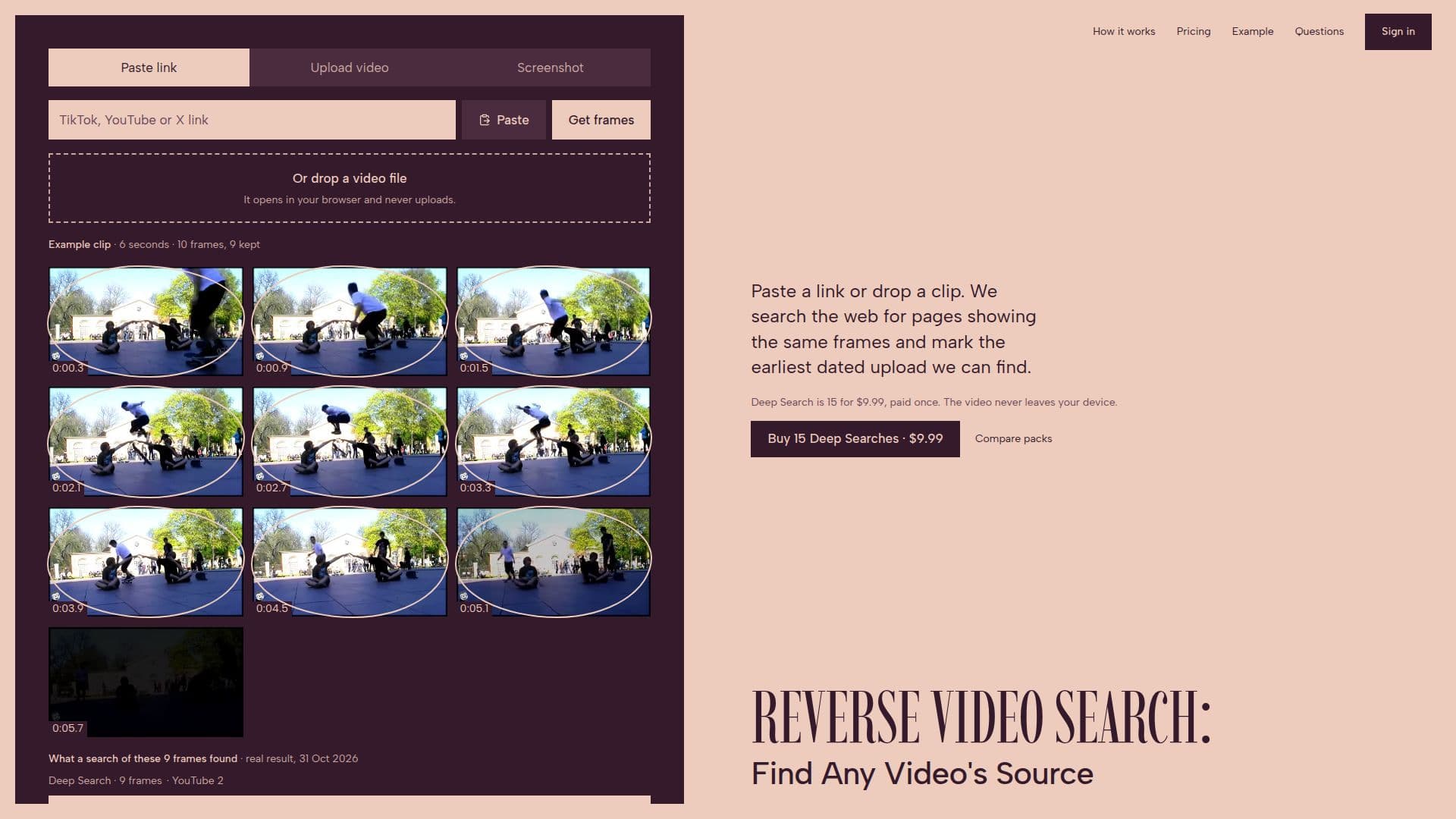
Video Reverse Search is a specialized online tool designed to help users trace the origin of video clips by performing a reverse search on their keyframes. It operates directly within the user's browser, ensuring that video files are never uploaded to its servers. Instead, it processes video frames locally or extracts public still images from provided links (TikTok, YouTube, X) to conduct searches.
Read More
The tool offers two primary search modes: Quick Search and Deep Search. Quick Search, available once without an account and daily after Google sign-in, analyzes three frames and displays the top three matching pages. Deep Search, a paid option, significantly expands this capability by matching up to 20 frames and presenting all matching pages, grouped by platform. A key feature of Deep Search is its ability to identify and flag the earliest dated upload among the results, leveraging verifiable dates from platforms like TikTok, X, and YouTube's official API.
Video Reverse Search is particularly useful for content creators, journalists, and anyone needing to verify the authenticity or original source of a video. It helps in identifying reposts, crediting original creators, or even pursuing DMCA requests for unauthorized use. The service explicitly states it does not download, re-host, or remove watermarks from videos, nor does it offer face recognition or identify individuals.
Pricing is credit-based, with packs of Deep Searches available for a one-time payment. Credits do not expire, and the tool offers a refund policy for unused packs within seven days. It also provides credit refunds for Deep Searches that yield no confirmed matches, up to three times per pack. The tool emphasizes user privacy by processing videos in the browser and only sending compressed frames to Google Cloud Vision for matching, which are then discarded.
- CategoryVideo Generation & Editing
- Pricing ModelFreemium
- DeploymentCloud
- PlatformsWeb
Video Reverse Search's Core Features
Browser-based video frame extraction
Reverse search using video frames or screenshots
Supports TikTok, YouTube, and X links
Matches frames against indexed web pages
Groups matching results by platform
Flags earliest dated upload (Deep Search)
Quick Search (3 frames, top 3 matches)
Deep Search (up to 20 frames, all matches)
Video decoding happens in-browser, no upload
Does not store user videos
Does not download or re-host videos
Does not remove watermarks
Does not offer face search or identify people
Credit-based pricing for Deep Search
Credits do not expire
How to use Video Reverse Search?
Input Video: Paste a TikTok, YouTube, or X link, upload a video clip, or drop a screenshot into the tool.
Process Frames: The tool decodes the video in your browser and extracts keyframes; for links, it uses public still images.
Select Frames: Keep the frames that show distinct content, skipping dark or repetitive shots (up to 20 for Deep Search, 4 for links).
Run Search: Choose between Quick Search (free, limited) or Deep Search (paid, comprehensive) to find matches.
Review Results: View every page that shows your frames, grouped by platform, with the earliest dated upload highlighted by Deep Search.
Trace Origin: Use the earliest dated match and other clues to identify the original creator or source of the video.
Video Reverse Search's Use Cases
- Verify Video Origin
- Identify Reposts
- Credit Creators
- Copyright Infringement
- Journalism & Fact-Checking
- Content Research