
ToolPotion
AI Advisor
Submit a Tool (Free)

Vibrantsnap

Vibrantsnap transforms raw screen recordings or existing videos into polished product walkthroughs, tutorials, and demos. It features AI script rewriting, studio voiceovers in 10 languages, automatic zooms on clicks, and generated captions. Users can share links with analytics, embed videos, or export in 4K, alongside a free step-by-step guide with screenshots.

Visit Website
Share
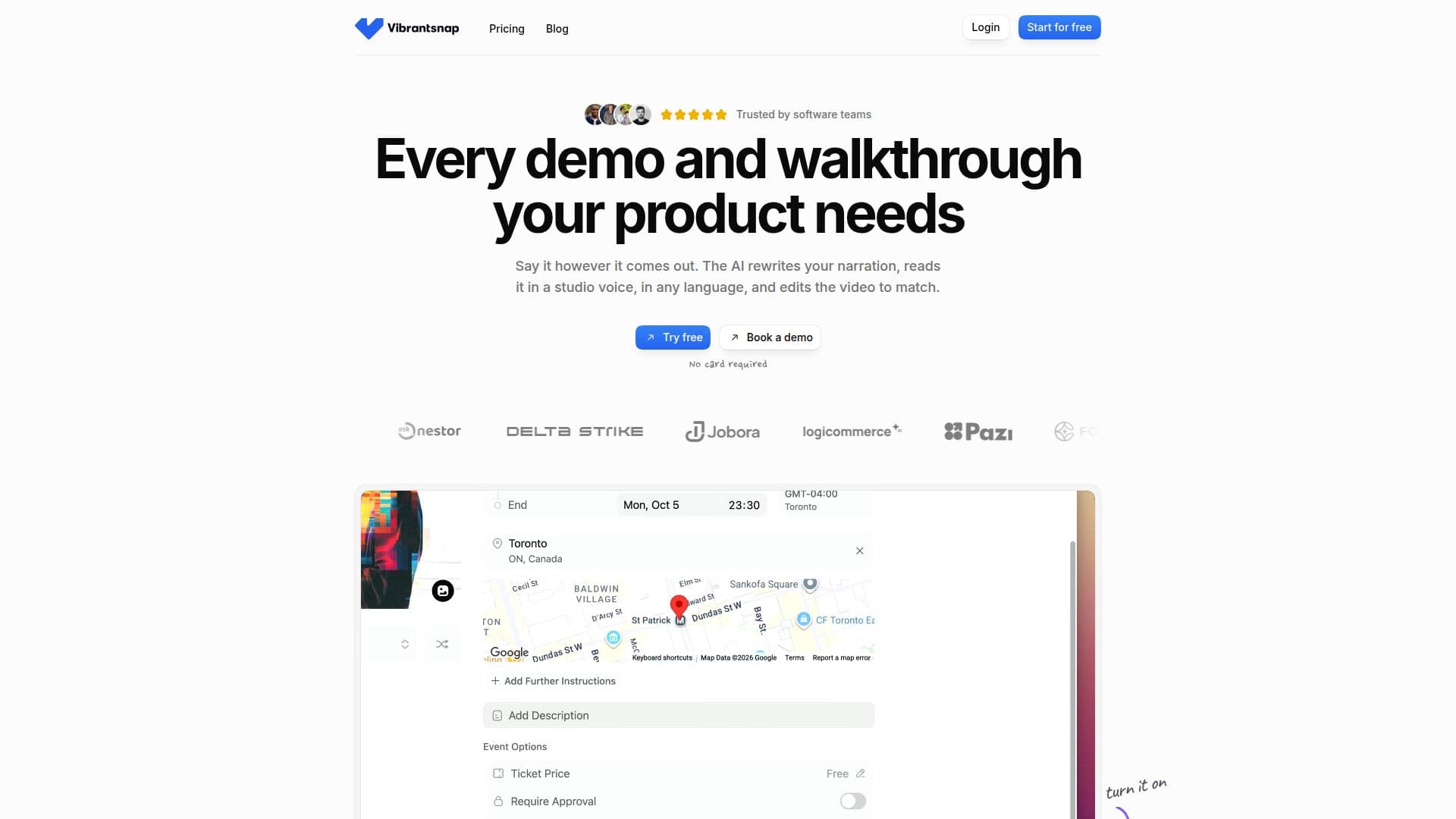
Vibrantsnap screenshot

Vibrantsnap is a comprehensive tool designed to streamline the creation of product walkthroughs, tutorials, and demos from screen recordings or existing video files. Users can record their screen using a Chrome extension, capturing a tab, window, or the entire screen, along with microphone audio. Alternatively, existing videos can be imported for processing.

Read More

The platform's core functionality revolves around its AI capabilities. It rewrites raw narration, removing hesitations and false starts, into a clean, professional script. This script is then read aloud by one of 30 studio voices available across 10 languages, including English, French, Spanish, Portuguese, German, Italian, Japanese, Chinese, Korean, and Hindi. The video is automatically retimed to synchronize with the new voiceover. For recordings made with the Chrome extension, the AI also automatically generates zooms that follow cursor clicks, ensuring small interface labels remain readable. Word-by-word captions are generated and are fully editable.

Vibrantsnap offers flexible output options, allowing users to share videos via links with integrated analytics and calls to action, embed them directly into websites or help centers, or export them as MP4 files in 1080p or 4K resolution. A unique feature is the automatic generation of a step-by-step guide with screenshots from the same narrated recording, available for free on every plan. This guide can be copied as HTML or Markdown, or downloaded as a PDF, making it easy to integrate into documentation platforms like Google Docs, Notion, or Confluence.

The tool is designed for ease of use, allowing for quick creation of professional-grade content. Most users can go from recording to sharing a link in under ten minutes. All AI-generated elements, including scripts, voices, zooms, and captions, are fully editable, giving users complete control over the final output. Vibrantsnap offers a free tier that includes recording, editing, previewing, and 3 AI credits per month, with the option to publish watermarked share links. Paid plans, starting from $49/month for Pro and $149/month for Scale, offer unlimited 4K exports, watermark-free publishing, increased AI credits, link analytics, and team features.

  • CategoryAI Video Editors
  • Pricing ModelFreemium
  • DeploymentCloud, Browser extension
  • PlatformsWeb, Chrome

  • AI Script Rewrite: Cleans narration, removes hesitations and false starts

  • Studio Voiceover: 30 voices in 10 languages (English, French, Spanish, Portuguese, German, Italian, Japanese, Chinese, Korean, Hindi)

  • Auto-Zoom on Clicks: Automatically zooms in on cursor movements for web apps

  • AI-Generated Captions: Word-by-word, editable, and timed to voice

  • Screen Recording: Via Chrome extension (tab, window, full screen) or video import

  • Video Retiming: Synchronizes video with new AI voiceover

  • Step-by-Step Guide: Automatically generated with screenshots from narration, free on all plans

  • 4K Export: High-resolution MP4 export (1080p and 4K)

  • Shareable Links: With analytics and call-to-action buttons

  • Video Embedding: Embed demos on websites or help centers

  • Multi-Format Backgrounds: 16:9, 4:5, 1:1, 9:16 aspect ratios

  • Edit by Chapter: Video splits into editable chapters with individual scripts

  • Unlimited Recordings: Available on the free plan

  • Cancel Anytime: Subscription management with two clicks

  1. Record or Import: Capture your screen with the Chrome extension or upload an existing video.

  2. Narrate Naturally: Speak through your product demonstration as you would on a call.

  3. Let AI Polish: The AI rewrites your narration into a clean script, selects a studio voice, and retimes the video.

  4. Review and Adjust: Edit the script, swap voices, move zooms, and restyle captions as needed.

  5. Share Anywhere: Send a share link with analytics, embed the video, or export it as an MP4.

  6. Generate Guide: Automatically create a step-by-step guide with screenshots from your narration.

  • Product Walkthroughs
  • Customer Tutorials
  • Product Demos
  • Feature Announcements
  • Sales Follow-ups
  • Internal Training
  • Multilingual Content
  • Content Repurposing

Vibrantsnap Reviews

Loading...

Popular AI Tools Like Vibrantsnap

Clueso uses AI to transform screen recordings into professional product videos, step-by-step guides, and training modules in minutes. It automates script refinement, voiceovers,…

AI Video Editors

Ranked #32 for Writing technical documentation

View Tool

Uses AI to transform screen recordings into professional product videos, step-by-step guides, and training modules in minutes. It automates script refinement, voiceovers,…Clueso uses AI to transform screen recordings into professional product videos, step-by-step guides, and training modules in minutes. It automates script refinement, voiceovers,…

AI Video Editors
Ranked #32 for Writing technical documentation

Vmaker AI

AI Apps

Vmaker AI is an all-in-one AI video platform for recording, editing, and repurposing content, turning long videos into short clips and creating videos with avatars and voiceovers.…

AI Video EditorsEducation & E-learning

Ranked #26 for Writing video scripts

View Tool

AI Apps

All-in-one AI video platform for recording, editing, and repurposing content, turning long videos into short clips and creating videos with avatars and voiceovers.…Vmaker AI is an all-in-one AI video platform for recording, editing, and repurposing content, turning long videos into short clips and creating videos with avatars and voiceovers.…

AI Video EditorsEducation & E-learning
Ranked #26 for Writing video scripts

Viblo

AI Apps

Viblo is a browser-based AI video editor for short-form content that auto-clips highlights, generates AI voiceovers and captions, and lets you edit on a timeline to export for…

AI Video EditorsMarketing & Creative Agencies

Ranked #92 in AI Video Editors

View Tool

AI Apps

Browser-based AI video editor for short-form content that auto-clips highlights, generates AI voiceovers and captions, and lets you edit on a timeline to export for…Viblo is a browser-based AI video editor for short-form content that auto-clips highlights, generates AI voiceovers and captions, and lets you edit on a timeline to export for…

AI Video EditorsMarketing & Creative Agencies
Ranked #92 in AI Video Editors

Camtasia

AI Apps

Camtasia is TechSmith's desktop screen recorder and video editor for creating tutorials, training videos, and software demos, now with AI-powered features. It is built for…

AI Video EditorsEducation & E-learning
View Tool

AI Apps

TechSmith's desktop screen recorder and video editor for creating tutorials, training videos, and software demos, now with AI-powered features. It is built for…Camtasia is TechSmith's desktop screen recorder and video editor for creating tutorials, training videos, and software demos, now with AI-powered features. It is built for…

AI Video EditorsEducation & E-learning
See the Top 250 AI Apps

ChatCut

AI Apps

ChatCut is a web-based AI video editor you drive with prompts, letting you edit talking-head footage, add motion graphics, and generate B-roll, voiceovers, and music from a single…

AI Video EditorsMarketing & Creative Agencies

Ranked #74 in AI Video Editors

View Tool

AI Apps

Web-based AI video editor you drive with prompts, letting you edit talking-head footage, add motion graphics, and generate B-roll, voiceovers, and music from a single…ChatCut is a web-based AI video editor you drive with prompts, letting you edit talking-head footage, add motion graphics, and generate B-roll, voiceovers, and music from a single…

AI Video EditorsMarketing & Creative Agencies
Ranked #74 in AI Video Editors

Demosmith

AI Apps

Demosmith is an AI demo agent that transforms product URLs into narrated videos, interactive demos, and documentation. It automates screen recording, smart editing, voiceover, and…

Video Generation & Editing

Ranked #43 for Writing technical documentation

View Tool

AI Apps

AI demo agent that transforms product URLs into narrated videos, interactive demos, and documentation. It automates screen recording, smart editing, voiceover, and…Demosmith is an AI demo agent that transforms product URLs into narrated videos, interactive demos, and documentation. It automates screen recording, smart editing, voiceover, and…

Video Generation & Editing
Ranked #43 for Writing technical documentation

BIGVU

AI Apps

BIGVU is an all-in-one AI video platform combining a teleprompter, AI scripts, avatars, editing, and one-click publishing to help professionals build a personal brand. It suits…

AI Video EditorsReal Estate & Construction

Ranked #21 in Real Estate & Construction

View Tool

AI Apps

All-in-one AI video platform combining a teleprompter, AI scripts, avatars, editing, and one-click publishing to help professionals build a personal brand. It suits…BIGVU is an all-in-one AI video platform combining a teleprompter, AI scripts, avatars, editing, and one-click publishing to help professionals build a personal brand. It suits…

AI Video EditorsReal Estate & Construction
Ranked #21 in Real Estate & Construction

FocuSee is an AI-powered screen recorder for Windows and Mac that automates video editing. It features automatic zoom, cursor tracking, AI audio enhancement, and a teleprompter,…

AI Video Editors

Ranked #42 for Creating animations

View Tool

AI-powered screen recorder for Windows and Mac that automates video editing. It features automatic zoom, cursor tracking, AI audio enhancement, and a teleprompter,…FocuSee is an AI-powered screen recorder for Windows and Mac that automates video editing. It features automatic zoom, cursor tracking, AI audio enhancement, and a teleprompter,…

AI Video Editors
Ranked #42 for Creating animations
1 of 8