Description
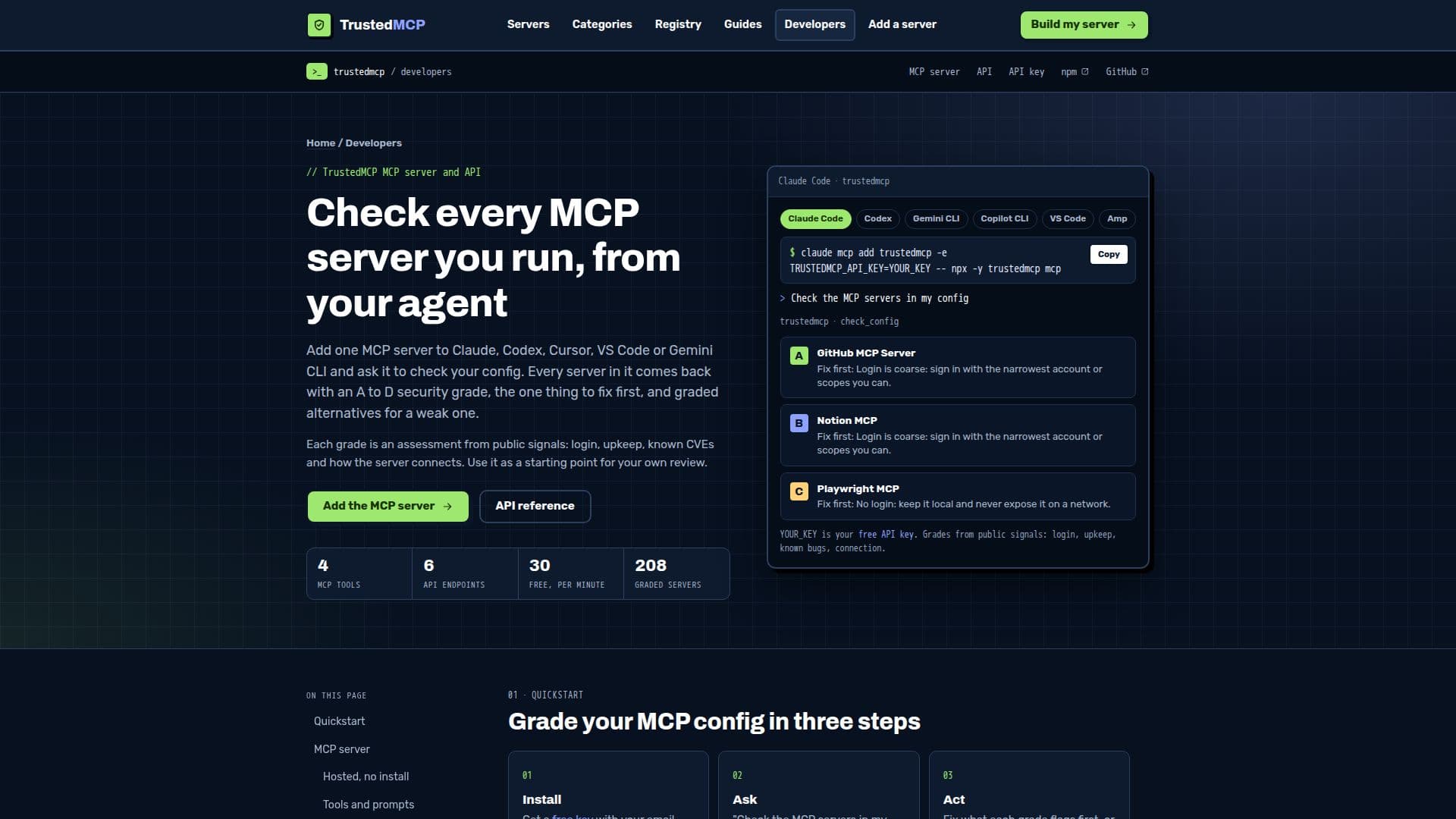
TrustedMCP offers a comprehensive solution for evaluating the security of Model Context Protocol (MCP) servers. It provides a free MCP server and a JSON API, enabling users to obtain security grades for any MCP server in their configuration. These grades, ranging from A to D, are derived from public signals such as login mechanisms, server upkeep, known Common Vulnerabilities and Exposures (CVEs), and connection methods. It's important to note that these grades are an assessment from public signals and not a full audit of the code.
Read More
The platform allows users to integrate TrustedMCP grades into their own registries or applications using the API. Each grade should be credited to "Grades by TrustedMCP" and linked to the server's dedicated page. An embeddable grade badge is also available for convenience. The JSON API operates without a key for up to 30 requests per minute per IP address, with a free key increasing this limit to 300 requests per minute. The MCP server itself requires a free key for tool calls, which can be obtained with an email address.
TrustedMCP's MCP server can run locally via `npx` (requiring Node.js 18 or later) or be accessed as a hosted service without installation. When run locally, the `check_config` tool reads your configuration on your machine, sending only package names, image names, and server URLs (without query strings) to TrustedMCP. Environment variables, headers, tokens, and file paths remain local. For the hosted server, users paste their configuration, and only relevant information (package names, image names, server URLs) is processed and not stored.
Key features include the ability to check an entire MCP configuration, find graded alternatives for lower-rated servers, and access official MCP Registry entries. The API provides endpoints for listing graded servers, looking up specific servers, checking config entries in bulk, and retrieving official registry information. TrustedMCP supports various MCP clients that run local stdio servers, such as Claude Code, Cursor, VS Code, and Gemini CLI. The platform also offers extensive security guides and a hardening checklist to help users secure their own MCP servers and understand best practices.
- CategoryAI Cybersecurity Tools
- Pricing ModelFree
- DeploymentCloud, Local
- PlatformsWeb, Node.js
TrustedMCP's Core Features
Free MCP Server
JSON API for MCP Server Grades
A-D Security Grading System
Public Signal Assessment (Login, Upkeep, CVEs, Connection)
Local Deployment via npm (Node.js 18+)
Hosted Server Option (No Install)
API Key Management (Free, Scoped, Revocable)
Config File Scanning (Local & Hosted)
Integration with MCP Clients (Claude Code, Cursor, VS Code)
Embeddable Grade Badges
Directory of Vetted MCP Servers
Security Guides and Checklists
Graded Alternatives for Servers
Official MCP Registry Lookup
Rate Limit Management
How to use TrustedMCP?
Get a Free Key: Obtain a free API key using your email for enhanced access and tool calls.
Install or Connect: Run `npx trustedmcp` locally (Node.js 18+) or connect to the hosted server via URL.
Configure Client: Integrate the TrustedMCP server into your MCP client (e.g., Claude Code, VS Code) by adding your API key.
Ask for Check: Instruct your agent to "Check the MCP servers in my config" to initiate the security assessment.
Review Grades: Examine the A-D grades and flagged issues for each server in your configuration.
Act on Findings: Fix identified vulnerabilities or swap lower-graded servers for recommended alternatives.
Integrate API: Use the JSON API to display grades in your own applications, crediting TrustedMCP and linking back.
TrustedMCP's Use Cases
- MCP Server Security Assessment
- Developer Tool Integration
- Registry Enhancement
- Configuration Security Check
- Secure Agent Development
- Security Best Practices Adherence
- Vulnerability Identification
- Alternative Server Discovery