Description
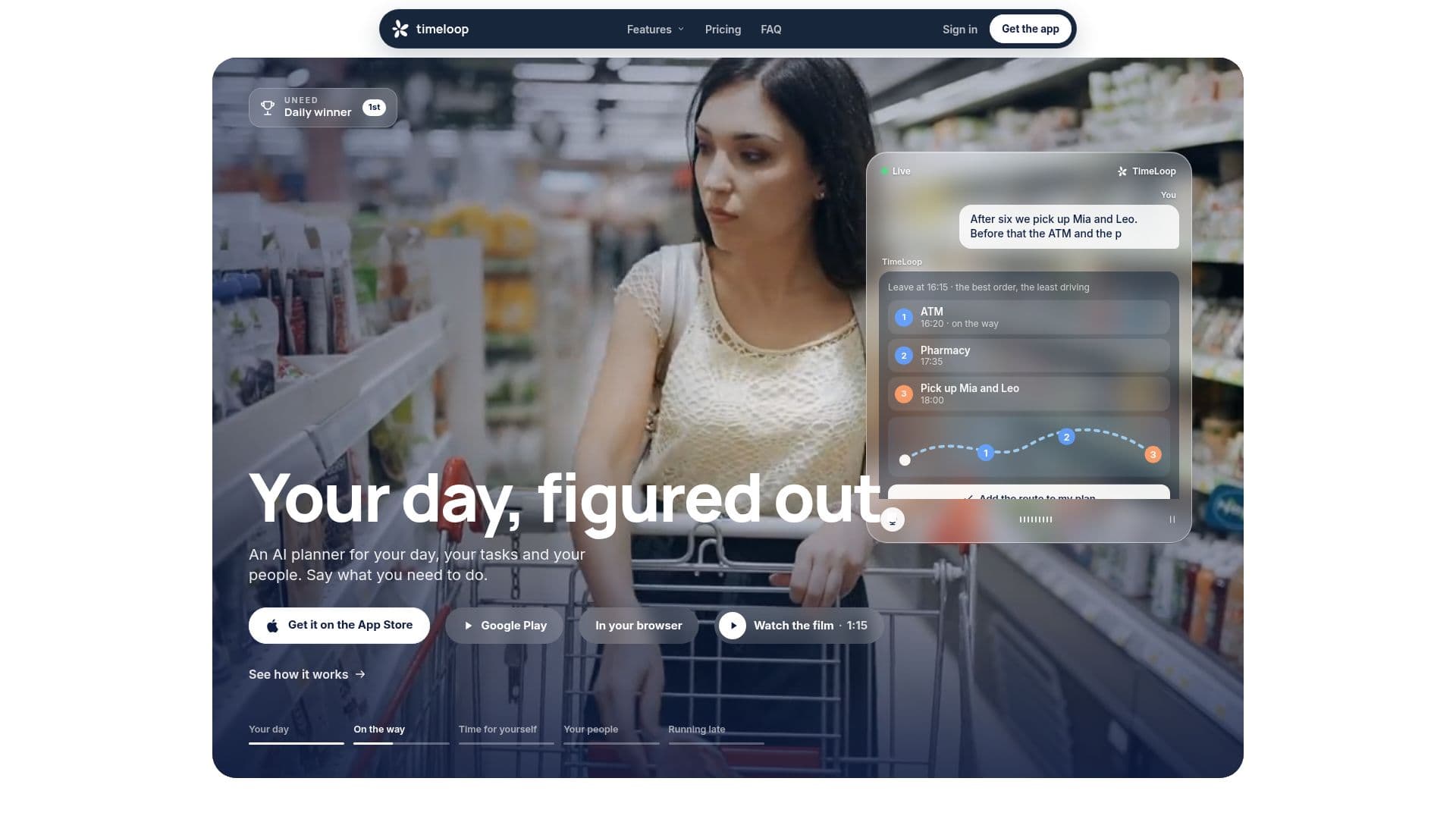
TimeLoop is an AI day planner application available for iPhone and Android devices, designed to simplify daily scheduling and task management. Users can input their tasks and commitments by speaking or typing, and the app intelligently organizes them around pre-existing fixed events and travel times. A core feature is its ability to dynamically replan the day if the user runs late, adjusting movable tasks while preserving fixed appointments and travel routes.
Read More
The application integrates seamlessly with popular calendar services such as Google Calendar, Apple Calendar, Outlook, and Microsoft 365, importing events as fixed entries and exporting planned schedules. It supports two-way synchronization, ensuring that changes are reflected across all connected platforms. TimeLoop offers a free tier that includes manual planning, task management, shared lists, calendar sync, and replanning for late days. For advanced functionalities, TimeLoop Pro is available as a subscription, enabling features like planning from a single sentence, automatic "when to leave" calculations with travel time, weather forecasts for event locations, and a morning brief.
TimeLoop also facilitates collaborative planning through "circles," allowing users to share availability, propose meeting times, and manage shared lists with family or friends without needing to upload contacts or type codes. The app's interface is translated into 35 languages, and speaking input is supported in 33 languages with TimeLoop Pro. Privacy is a key focus, with user plans stored on TimeLoop's server in Germany, no ads, and the option to delete accounts and data at any time.
Developed by Primož, who built the tool to address his own challenges with ADHD and calendar management, TimeLoop aims to provide a flexible and intuitive planning experience. It extends beyond basic scheduling by offering features like cycle-aware planning (Rhythm), focus timers with customizable sounds, and widgets for quick access on various devices, including Apple Watch, CarPlay, and Mac. The app ensures that users confirm any proposed plan changes before they are saved, maintaining user control over their schedule. TimeLoop Pro subscribers also benefit from a limit of 100 language model requests and 30 lookups per day.
- CategoryAI Scheduling Tools
- Pricing ModelFreemium
- DeploymentCloud
- PlatformsiPhone, Android, Mac, Web
TimeLoop's Core Features
AI-powered day planning from voice or text input
Automatic replanning when running late, preserving fixed events
Two-way synchronization with Apple Calendar, Google Calendar, Outlook, and Microsoft 365
Shared lists and collaborative planning circles for family and friends
"When to leave" calculations with measured travel time (Pro feature)
Weather forecasts for event locations (Pro feature)
Morning brief summarizing the day (Pro feature)
Multi-language support for typing (any language) and speaking (33 languages with Pro)
Interface translated into 35 languages
Task management and goal setting
Focus timer with customizable sounds
Widgets for iPhone Home Screen, Lock Screen, Apple Watch, and CarPlay
Siri and Shortcuts integration for quick commands and additions
Cycle-aware planning (Rhythm) for energy management
Booking link for others to pick free times
Bedtime and wake-up alarm suggestions based on tomorrow's plan
How to use TimeLoop?
Input tasks: Say or type what you need to do, including tasks, events, and goals.
Review plan: TimeLoop will generate a daily plan around your fixed events; confirm it before saving.
Sync calendars: Connect your Apple, Google, or Outlook calendars to import fixed events and export your TimeLoop plan.
Manage delays: If running late, tell TimeLoop how much, and it will automatically replan your movable tasks.
Collaborate: Create a circle and share a link to plan with family or friends, sharing availability and lists.
Utilize Pro features: Subscribe to TimeLoop Pro for advanced planning from sentences, travel time calculations, and weather forecasts.
TimeLoop's Use Cases
- Daily Schedule Management
- Dynamic Day Planning
- Collaborative Family Planning
- Task and Goal Scheduling
- Calendar Synchronization
- Travel Time Calculation
- Voice-Activated Planning
- Personalized Productivity
- Meeting Coordination