
Description
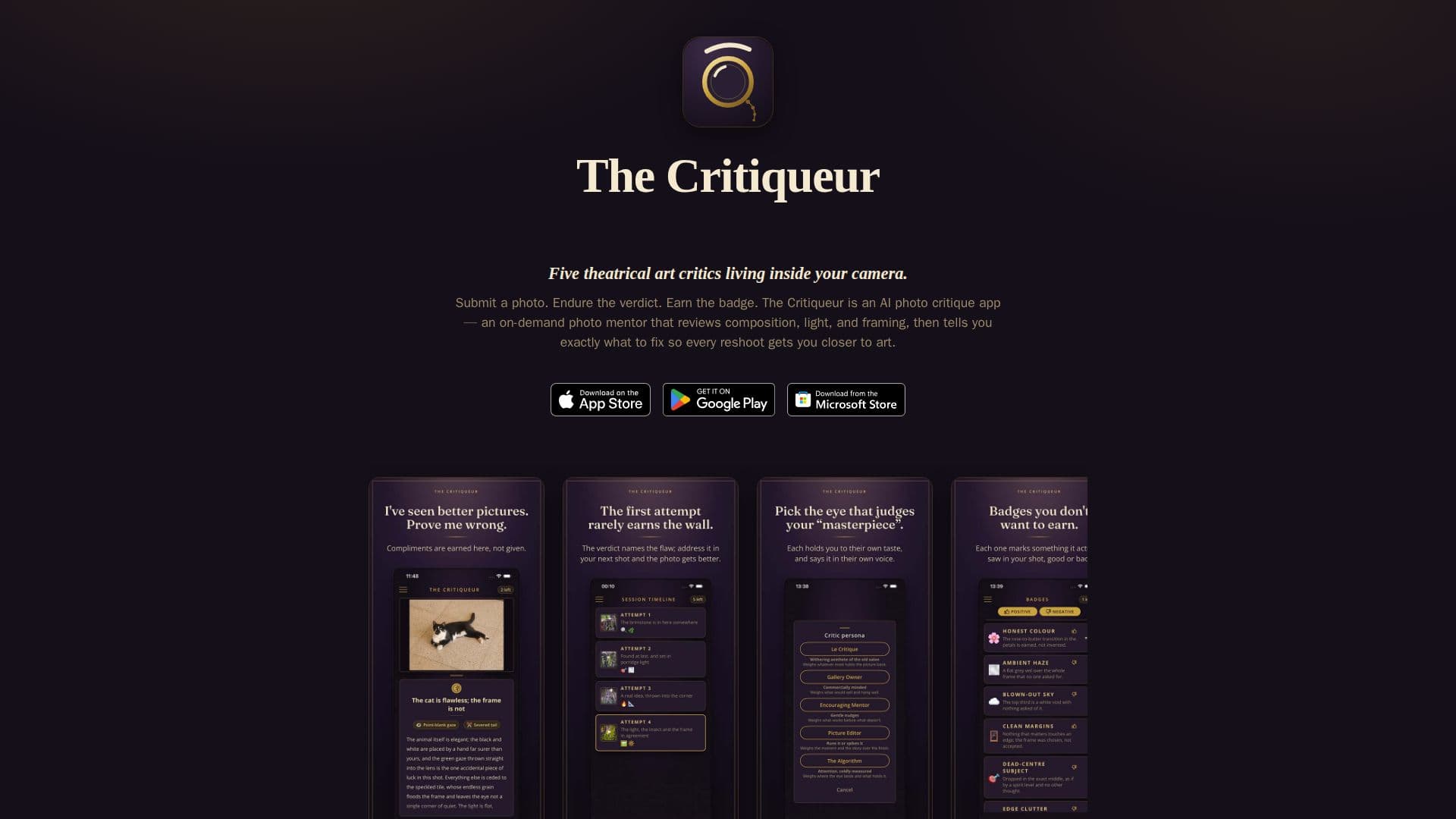
The Critiqueur is an innovative AI photo critique application designed to help photographers and artists improve their work. Available across multiple platforms including iOS, Android, Windows, and macOS, it functions as a personal, on-demand photo mentor. Users can submit their photographs or digital art for an honest and structured review, receiving immediate feedback that includes a concise verdict, a detailed critique, and AI-generated badges.
Read More
The app offers a unique, gamified experience by allowing users to choose from five distinct theatrical critic personas. Each persona, ranging from "Le Critique" (a haughty aesthete) to "The Algorithm" (a deadpan evaluator), possesses its own voice, standards, and evaluation style, ensuring varied perspectives. This persona-driven approach makes the feedback engaging and tailored to different learning preferences, whether users prefer gentle coaching or blunt assessments.
Before submission, The Critiqueur includes a built-in photo editor, enabling users to crop, straighten, mirror, or adjust their images. This allows for fine-tuning before the critique process begins. The core of the app's functionality revolves around "sessions" and "attempts." A session represents a critique journey focused on a single subject, with each submitted photo counting as an attempt. This system facilitates iterative improvement, allowing users to compare multiple versions of a photo side-by-side, view a timeline of all attempts with scores and badges, and reshoot until they achieve their desired outcome.
Badges are a key motivational feature, awarded by the critic for striking content, technical quality, or significant improvement over previous attempts. These AI-generated awards are unique to each critique and genuinely earned, providing a tangible record of progress. Critiques can also be transformed into shareable verdict cards, complete with the photo, verdict, and badges, ready for social media or sharing with others.
The Critiqueur operates without requiring an account, sign-up, or email address, ensuring user privacy and ease of access. It offers a free trial with initial critiques, followed by optional monthly or yearly subscription plans and consumable critique packs that never expire. This flexible pricing model caters to different usage needs. The app securely transmits photos to its service for AI analysis, while session galleries and history are stored locally on the user's device, emphasizing data privacy. It serves as an effective practice tool for learning photography by doing, providing actionable feedback on elements like composition, light, and framing, and is also capable of critiquing drawings, paintings, and digital art.
- CategoryImage Generation & Editing
- Pricing ModelFreemium
- DeploymentCloud
- PlatformsiOS, Android, Windows, macOS
The Critiqueur's Core Features
AI photo critique and on-demand photo mentor
Five theatrical critic personas with distinct voices and standards
Verdict, structured critique, and AI-generated badges for each photo
Built-in photo editor for cropping, straightening, mirroring, and adjusting
Sessions to iterate on one subject across multiple attempts
Side-by-side comparison of attempts within a session
Session timeline with thumbnails, badges, and short verdicts
AI-generated badges awarded for content, quality, or improvement
Shareable verdict cards with photo, verdict, and badges
History of past sessions with badges and attempt counts
No account, sign-up, or email address required
Free trial critiques included
Monthly or yearly subscription plans available
Consumable critique packs that never expire
Subscription quota can be shared across devices with a simple code
Critiques artwork including drawings, paintings, and digital art
How to use The Critiqueur?
Download and Install: Get The Critiqueur app from the App Store, Google Play, or Microsoft Store.
Submit a Photo: Capture a new photo with your camera or import one from your gallery.
Edit (Optional): Use the built-in editor to crop, straighten, mirror, or adjust your photo before submission.
Choose a Critic: Select one of the five critic personas in Settings to match your preferred feedback style.
Receive Critique: Get an honest review including a verdict, structured critique, and AI-generated badges.
Iterate and Improve: Reshoot the subject as an "attempt" within a session to track progress and refine your skills.
Share Feedback: Turn any critique into a shareable card to post or send to others.
The Critiqueur's Use Cases
- Photography Skill Improvement
- Pre-Posting Photo Review
- Artistic Feedback
- Comparing Photo Attempts
- Personalized Coaching
- Tracking Artistic Progress
- Creative Experimentation
- On-Demand Mentorship