Description
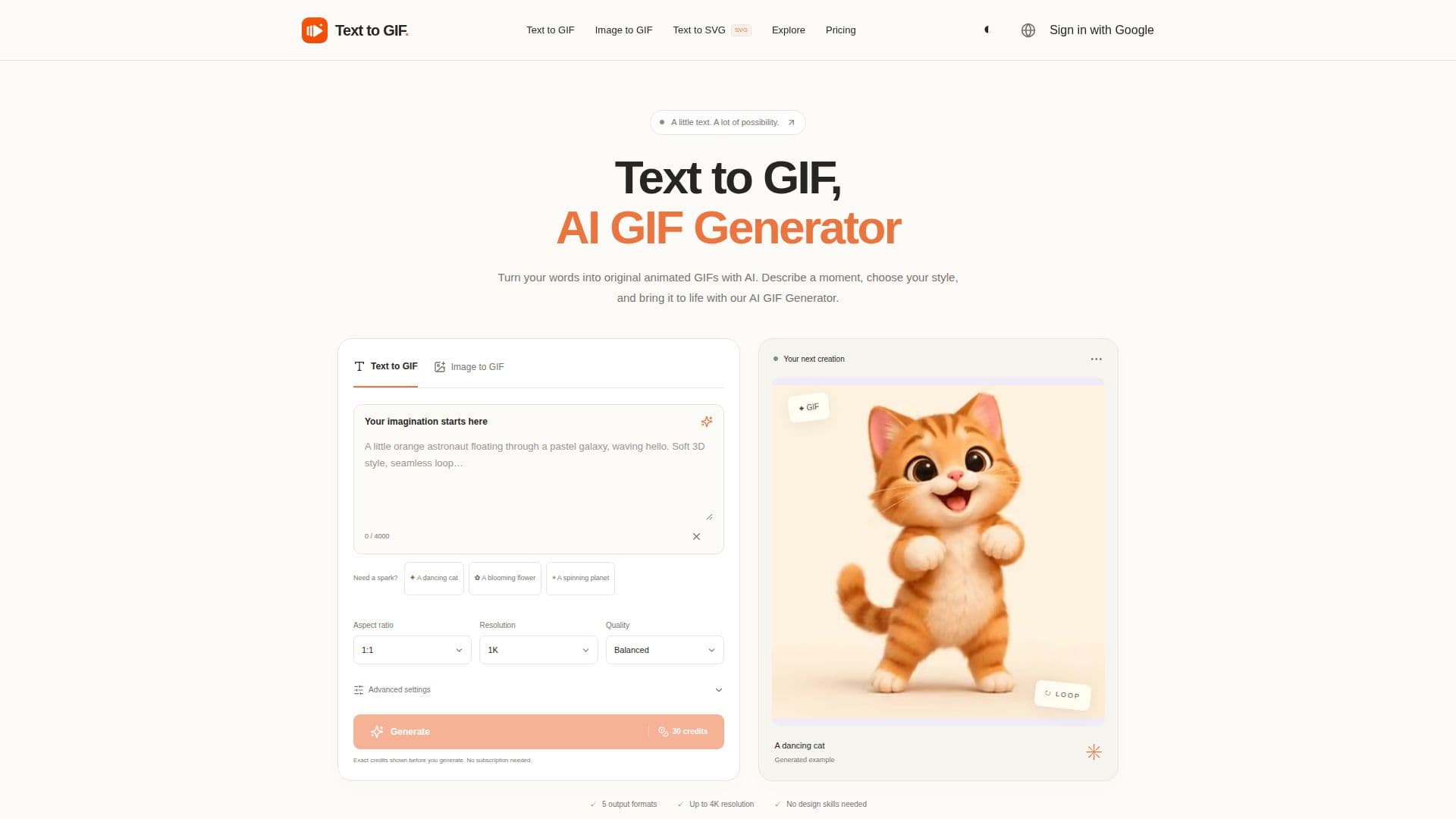
Text to GIF is an AI-powered platform designed to transform written descriptions into original animated GIFs. Users can simply describe what they want to see and how it should move, then the tool generates a unique animation. This process allows for the creation of reaction GIFs, animated stickers, and looping visuals without the need for manual frame-by-frame drawing.
Read More
The platform offers extensive control over the animation, allowing users to select between 2 and 16 frames and set the duration per frame from 20 to 2000 milliseconds. Users can also specify a seamless loop in their prompts for continuous motion. Beyond GIFs, Text to GIF supports the generation of SVG, PNG, WebP, and JPG formats, all within the same creative workspace. This versatility makes it suitable for various applications, from scalable vector graphics for icons and logos to still images for web visuals and photographs.
Customization options include five quality levels, resolutions ranging from 1K to 4K, and 15 aspect ratios, ensuring detailed control over the final output. The tool is accessible across multiple devices, including phones, tablets, and desktops, and offers both light and dark workspace modes. The generation cost is credit-based, varying with quality, resolution, format, and GIF frame count, with exact costs displayed before submission. One-time credit packs are available, starting at $10, and failed generations are automatically refunded.
Text to GIF also integrates with other related tools like Image to GIF, which animates existing pictures, and Text to SVG, which generates scalable vector files from text. This interconnected ecosystem provides a comprehensive suite for various creative needs, all guided by AI. Users are responsible for reviewing the AI provider’s terms and checking trademarks, likenesses, and the final output before commercial use.
- CategoryAI Animation Tools
- Pricing ModelCredit-based
- DeploymentCloud
- PlatformsWeb
Text to GIF's Core Features
Generate animated GIFs from text descriptions
Control GIF animation with 2–16 frames
Adjust frame duration from 20–2000 milliseconds
Generate SVG files for vector graphics
Output in PNG, WebP, and JPG formats
Choose from five quality levels
Select resolutions from 1K to 4K
Access 15 aspect ratio options
Cross-device compatibility (phone, tablet, desktop)
Light and dark workspace modes
Credit-based generation cost
Real-time credit cost display before generation
One-time credit pack purchases
Automatic refunds for failed generations
Private storage for uploads and generated files
How to use Text to GIF?
Describe Idea: Enter a descriptive prompt detailing the subject, style, and desired movement.
Customize Settings: Choose your format (GIF, SVG, PNG, WebP, JPG), aspect ratio, and quality. For GIFs, fine-tune frame count and timing.
Review Cost: See the credit cost for your selected settings before proceeding.
Generate Creation: Initiate the generation process to create your animated GIF or image.
Download File: Download the original file once the generation is complete.
Text to GIF's Use Cases
- Create Reaction GIFs
- Design Animated Stickers
- Develop Looping Visuals
- Generate SVG Icons
- Produce Still Artwork
- Animate Existing Images
- Create Product Moments
- Illustrate Concepts