
Description
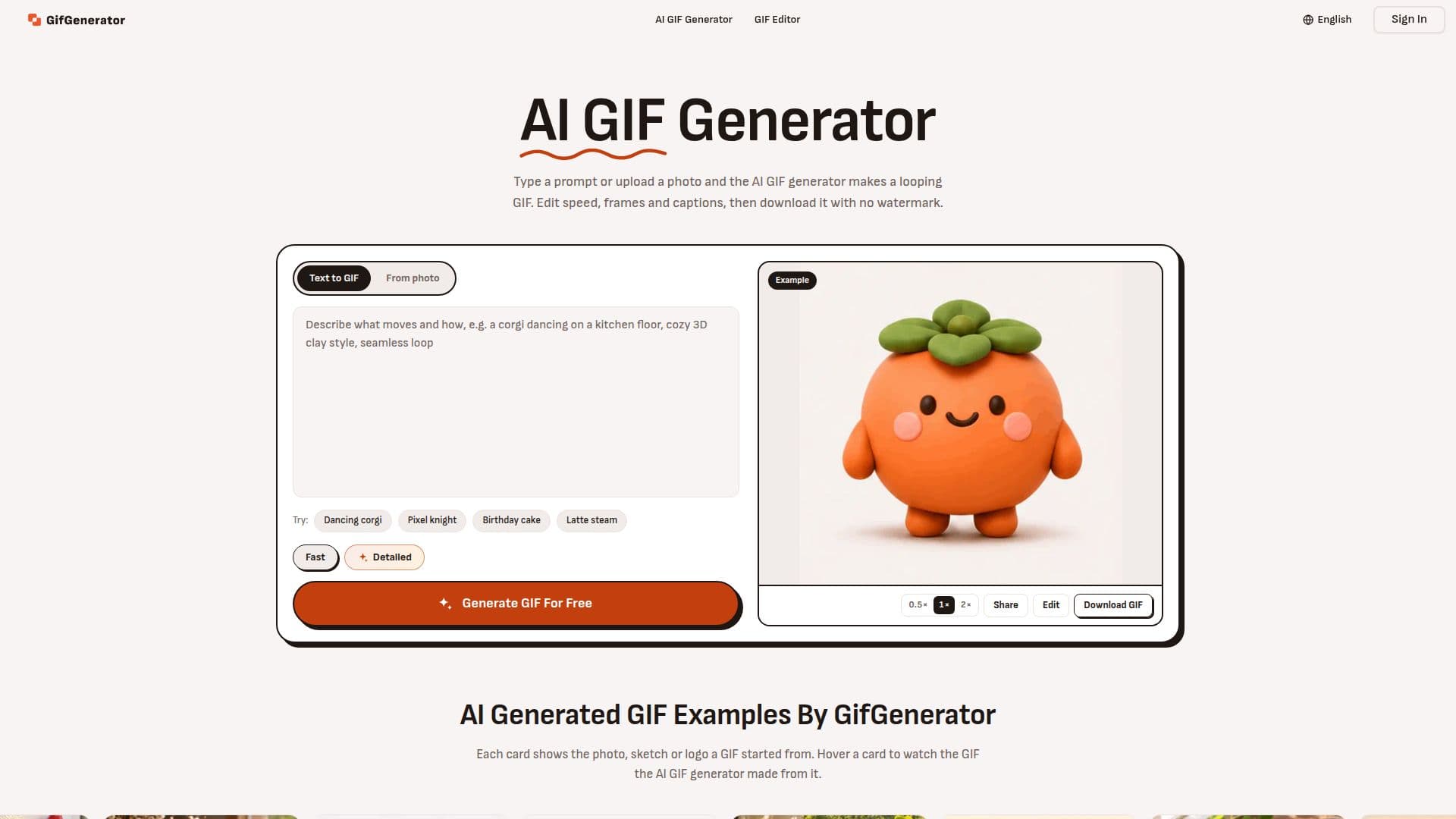
GifGenerator is an intuitive online platform that leverages AI to create looping GIFs from text descriptions or uploaded photos. It simplifies the GIF creation process, allowing users to generate animated content quickly and efficiently without needing specialized design skills or software. The tool supports various input types, including written prompts, JPG or PNG images, sketches, and even logos, making it versatile for different creative needs.
Read More
Upon generation, GifGenerator provides a built-in editor where users can fine-tune their GIFs. Editing options include adjusting playback speed, reordering or dropping frames, changing loop direction, and adding captions to every frame. A unique feature allows users to describe a change, such as a new color, and the AI will redraw every frame accordingly. This flexibility ensures that the final GIF matches the user's vision.
The platform offers two generation modes: Fast and Detailed. Fast mode is quicker and more credit-efficient, producing GIFs at 512 px. Detailed mode takes slightly longer but renders finer details at up to 768 px, consuming more credits. GIFs can have between 2 and 16 frames, with more frames resulting in smoother motion but larger file sizes. A notable capability is the option for transparent backgrounds, ideal for creating stickers, logos, or characters that integrate seamlessly into any digital environment.
GifGenerator caters to a wide audience, including community managers needing reaction GIFs, pet owners creating dancing animal animations, marketers animating products or sales messages, and game/app developers designing loading spinners or idle loops. While basic GIF creation is free and requires no account, signing in provides daily free credits and unlocks features like Detailed mode and the ability to save all created GIFs. Commercial use is permitted with any paid plan or credit pack, whereas free plan GIFs are for personal use.
Pricing plans include a free tier with daily credits, and paid subscriptions (Starter, Plus, Professional) that offer monthly credit refills for more extensive use, access to Detailed mode, and AI point edits. Credits are spent per generation (5 for Fast, 10 for Detailed, 10 for AI point edits), while basic edits like speed and captions are free. The platform does not support video or GIFs with sound, focusing solely on animated GIF files, which play as WebP on the page for faster loading.
- CategoryAI Graphic Design Tools
- Pricing ModelFreemium
- DeploymentCloud
- PlatformsWeb
GifGenerator's Core Features
Generate GIFs from text prompts
Generate GIFs from photos (JPG/PNG)
AI GIF editor for speed, frames, captions
Redraw GIF frames with written changes
Fast and Detailed generation modes (512 px / 768 px)
Transparent background option for GIFs
No watermark on generated GIFs
Free to use without sign-up or credit card
Daily free credits with a free account
Commercial use available with paid plans
Supports 2 to 16 frames per GIF
Create animated characters and pixel art
Generate loading GIFs for apps/websites
Create custom greeting GIFs (e.g., Happy Birthday)
Generate funny reaction GIFs and memes
How to use GifGenerator?
Type a prompt or add a photo: Describe the desired motion or upload an image to animate, then choose Fast or Detailed mode.
Generate: Press the 'Generate' button to create your GIF using the selected mode.
Edit: Adjust speed, frame order, loop direction, or add captions using the built-in AI GIF editor.
Refine frames: Mark spots on a frame and describe changes for the AI to redraw the GIF with new details.
Download: Save the final GIF file to your device.
GifGenerator's Use Cases
- Meme Creation
- Pet Animations
- Marketing Content
- App/Game Development
- Greeting Cards
- Character Animation
- Community Engagement
- Social Media Posts