Description
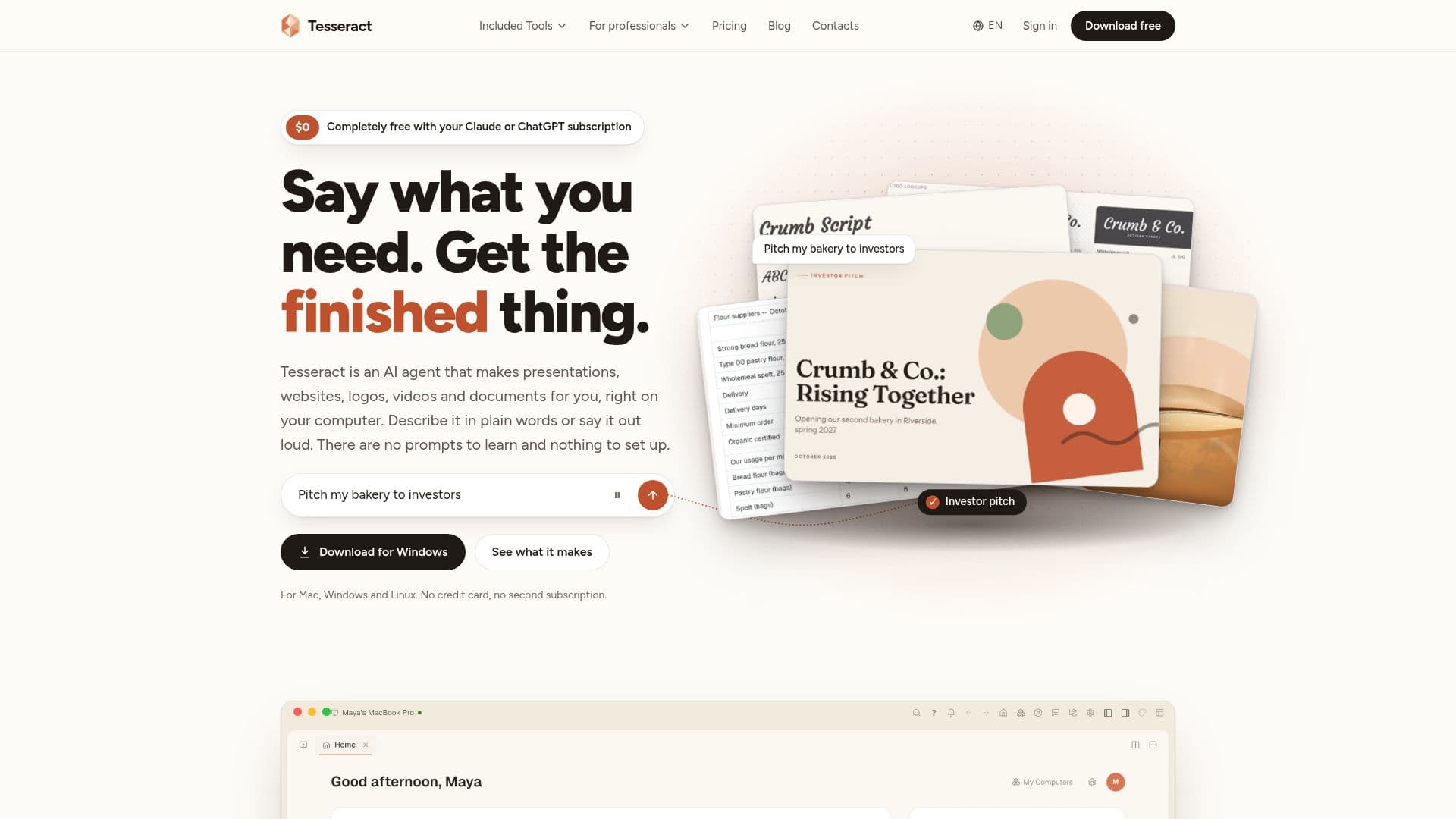
Tesseract is a versatile AI agent designed to operate directly on your computer, generating a wide array of digital assets such as presentations, websites, logos, videos, and documents. It leverages your existing AI subscriptions, specifically Claude or ChatGPT, without additional metering, or can utilize a Gemini API key. For users without an existing AI plan, Tesseract offers a free allowance, with optional top-ups available for more extensive usage.
Read More
The application is compatible with Mac, Windows, and Linux operating systems, and features self-installation and updates. It is designed for ease of use, allowing users to describe their desired output in natural language, similar to speaking with a friend. Tesseract provides a plan for larger tasks, which users can approve before the agent proceeds, continuing work even when the user steps away.
Key capabilities include generating presentations in formats like PowerPoint and PDF, creating publishable websites, designing logos and brand kits, producing images, and editing videos with voiceover and music. All generated files are editable, allowing users to make further modifications. Tesseract integrates 14 different AI agent frameworks, including Claude Code, OpenAI Codex, and Gemini CLI, offering flexibility in AI model choice.
Beyond content creation, Tesseract includes a code editor (Monaco), an integrated terminal, and a live preview feature, catering to both non-coders and developers. It can control a real browser and even your own browser via an extension. The platform also offers remote desktop functionality, a private network (Mesh) for connecting multiple computers, and a team chat with AI catch-ups (Atrium). A built-in password manager encrypts user passwords on their device, ensuring privacy. User files remain on their local computers, and signing in is optional.
Tesseract itself is free to download and use, with the cost primarily associated with the underlying AI models, which users can bring from their existing subscriptions or access through Tesseract's allowance and top-up system. It aims to replace multiple individual applications by offering a comprehensive suite of creative and productivity tools within a single interface.
- CategoryAutomation & Agents
- Pricing ModelFreemium
- DeploymentDesktop Application
- PlatformsMac, Windows, Linux
Tesseract's Core Features
Generates presentations, websites, logos, videos, and documents
Operates on Mac, Windows, and Linux
Utilizes existing Claude or ChatGPT subscriptions for free
Supports Gemini API keys and offers a free allowance
Integrates 14 AI agent frameworks (e.g., Claude Code, OpenAI Codex)
Provides a code editor, integrated terminal, and live preview
Controls a real browser and user's own browser via extension
Offers remote desktop and private network capabilities (Mesh)
Includes team chat with AI catch-ups (Atrium)
Features an on-device encrypted password manager
Allows natural language input for task descriptions
Outputs editable files in standard formats (PowerPoint, PDF, web files)
Asks for plan approval before executing larger tasks
Ensures user files remain private on local computers
Provides a voice-guided assistant for app navigation
How to use Tesseract?
Download and Install: Download the Tesseract application for Mac, Windows, or Linux, which installs and updates itself automatically.
Connect AI Subscription: Sign in with your existing Claude or ChatGPT account, or connect a Gemini API key to use your current AI plan for free.
Utilize Free Allowance: If you don't have an AI subscription, start with the free allowance and top up only when more capacity is needed.
Describe Your Task: Use natural language or voice input to tell Tesseract what you want to create, like a presentation, website, or video.
Approve Plan: For bigger jobs, Tesseract will propose a plan; review and approve it before the agent begins working.
Receive Finished Files: Tesseract will generate and hand back finished files in standard formats, ready for use or further editing.
Access Integrated Tools: Use the built-in code editor, terminal, live preview, remote desktop, or team chat features as needed.
Tesseract's Use Cases
- Presentation Creation
- Website Development
- Logo and Brand Design
- Video Production
- Document Generation
- Code Development
- Remote Collaboration
- Digital Asset Creation