Description
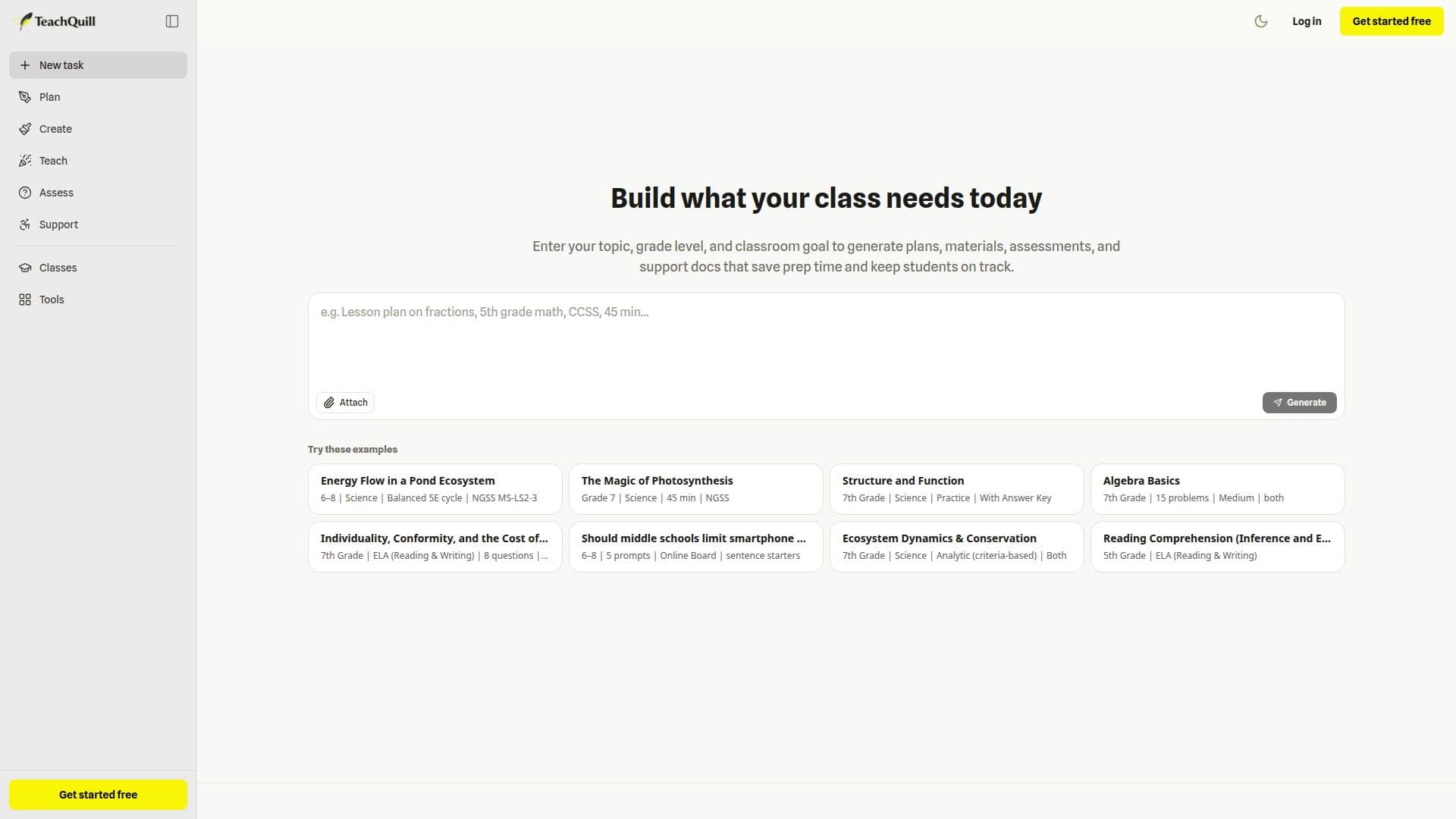
TeachQuill is an AI productivity platform for K-12 and college educators, bringing together a large set of classroom-ready tools in one place. It organizes tools around how teachers work, across five stages: Plan (lesson plans, unit plans, curriculum maps, syllabi, and sub plans), Create (worksheets, quizzes, slides, flashcards, and graphic organizers), Teach (discussion questions, review games, Jeopardy games, and logic puzzles), Assess (rubrics, essay feedback, report card comments, and gap analysis), and Support (IEP goals, BIPs, 504 plans, social stories, and differentiation).
Read More
Teachers describe what they need in a universal input box, and TeachQuill's AI identifies the task type and routes it to the most appropriate tool, or users can go directly to any tool. Output is meant as a strong first draft that teachers can edit before use, and resources can be downloaded in formats such as PDF, DOCX, and plain text, then saved and shared with a team or school.
TeachQuill supports major U.S. standards frameworks, including CCSS, NGSS, TEKS, AP, IB, WIDA, and C3, so materials stay standards-aligned. It emphasizes privacy, stating it is FERPA and COPPA compliant and requires no student personally identifiable information.
A free plan offers 30 daily refreshed credits with no credit card required. A Pro plan adds thousands of monthly credits, access to all tools, faster generation, unlimited history and folders, and priority support, and a School & District plan adds admin management, analytics, SSO/DPA support, and shared templates.
- CategoryEducation & Research
- Pricing ModelFreemium
- DeploymentCloud
- PlatformsWeb
TeachQuill's Core Features
Large library of AI tools for teachers (planning to support)
Universal input box that routes requests to the right tool
Standards alignment (CCSS, NGSS, TEKS, AP, IB, WIDA, C3)
Editable output with PDF, DOCX, and text export
Assessment tools: rubrics, essay feedback, report card comments
Special-education support: IEP goals, BIPs, 504 plans, social stories
Team and school resource sharing
FERPA and COPPA compliant, no student PII required
How to use TeachQuill?
Describe your need: Type what you want in plain language in the universal input box.
Let AI route it: TeachQuill identifies the task and picks the right tool, or choose a tool directly.
Generate: Get a standards-aligned draft in under a minute.
Review and edit: Adjust the output to fit your students and context.
Export and share: Download in PDF, DOCX, or text and share with your team or school.
TeachQuill's Use Cases
- Lesson planning
- Classroom materials
- Grading and feedback
- Special education support
- School collaboration