Description
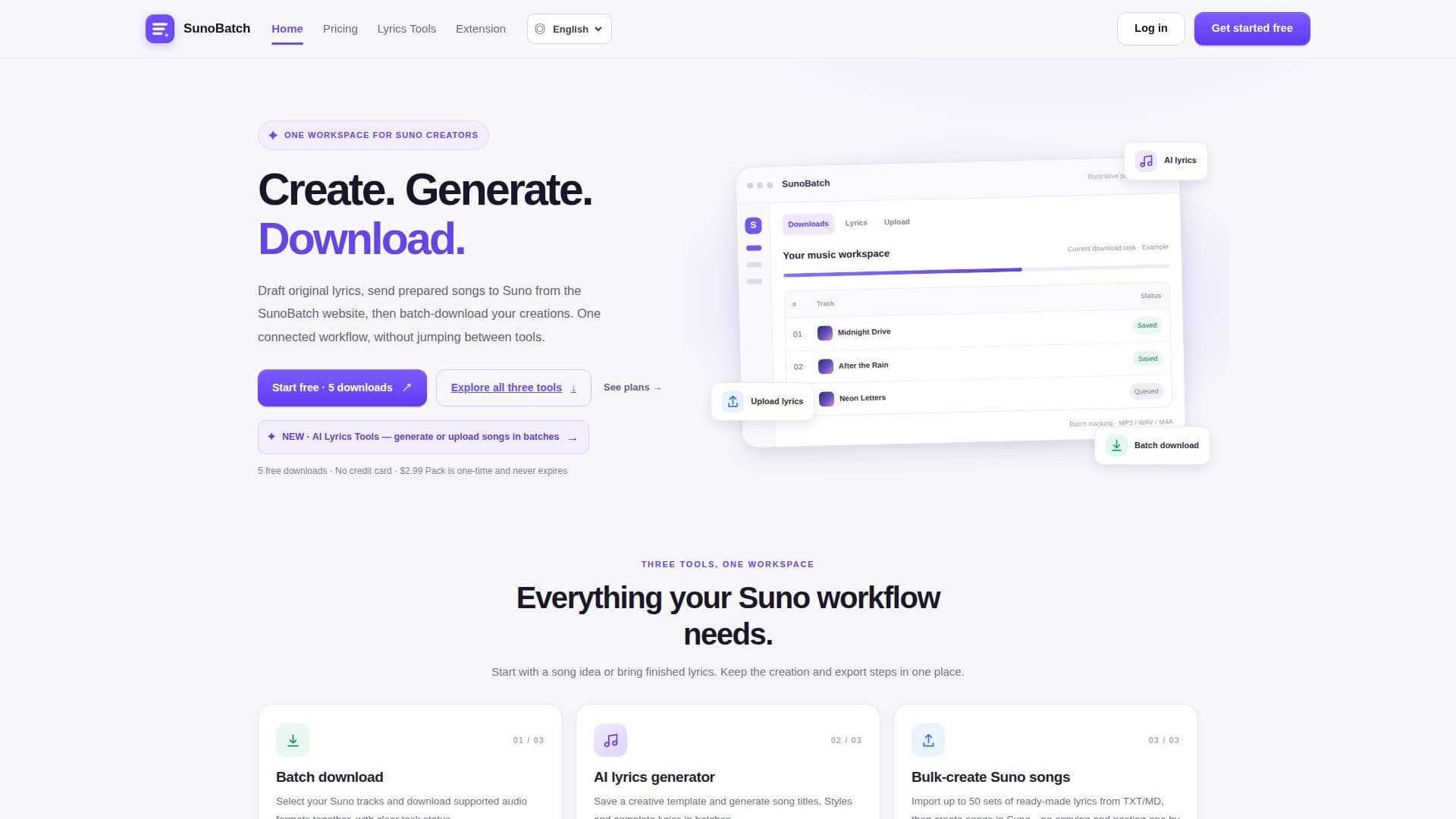
SunoBatch is a versatile browser extension designed for Suno users who want to streamline their music creation and downloading process. It enables users to batch-download up to 20 selected Suno tracks in MP3, M4A, or WAV formats, providing a seamless experience without consuming the user's official Suno download quota. This tool is particularly useful for those who need to manage multiple tracks efficiently, as it allows users to monitor each file's status in one workspace.
Read More
In addition to downloading, SunoBatch offers an AI Lyrics Generator, which can create up to 15 complete AI song lyrics per request using saved templates. This feature is ideal for users looking to generate creative content quickly and consistently. Users can also import up to 50 songs worth of prewritten lyrics from a TXT or MD file, which are automatically validated and queued for song creation in Suno, eliminating the need for manual pasting.
SunoBatch operates as a browser extension for Chrome and Edge, ensuring that users' Suno credentials remain secure, as the extension does not read or store Suno passwords or cookies. It temporarily processes audio bytes to complete downloads and falls back to Suno's official export when necessary.
The tool offers flexible pricing plans, starting with a free tier that includes 5 successful downloads. Users can purchase a one-time Download Pack for $2.99, which provides 100 extra downloads that never expire. Subscription plans such as Creator, Quarterly, and Annual offer additional benefits, including unlimited uploads and AI lyric generation allowances.
SunoBatch is designed for Suno creators who want to maintain a connected workflow from song idea to final download. It supports commercial use of downloaded songs, provided the user's Suno subscription allows it. The extension ensures that only completed downloads count towards the user's plan, making it a reliable tool for managing music projects.
- CategoryAudio, Voice & Music
- Pricing ModelFreemium
- DeploymentBrowser Extension
- PlatformsChrome, Edge
SunoBatch's Core Features
Batch download up to 20 Suno tracks
AI Lyrics Generator for up to 15 songs per request
Bulk song creation from up to 50 uploaded lyrics
No Suno password or cookie access required
Flexible pricing with free and paid plans
One-time Download Pack for additional downloads
Works with Chrome and Edge browsers
Secure processing without storing audio files
How to use SunoBatch?
Install: Add the SunoBatch extension to Chrome or Edge
Select: Choose Suno tracks to download
Download: Batch-download in MP3, M4A, or WAV formats
Generate: Use AI to create song lyrics
Upload: Import lyrics for bulk song creation
Monitor: Track download and creation status in workspace
SunoBatch's Use Cases
- Batch Download
- AI Lyrics Generation
- Bulk Song Creation
- Music Project Management
- Commercial Music Use