Description
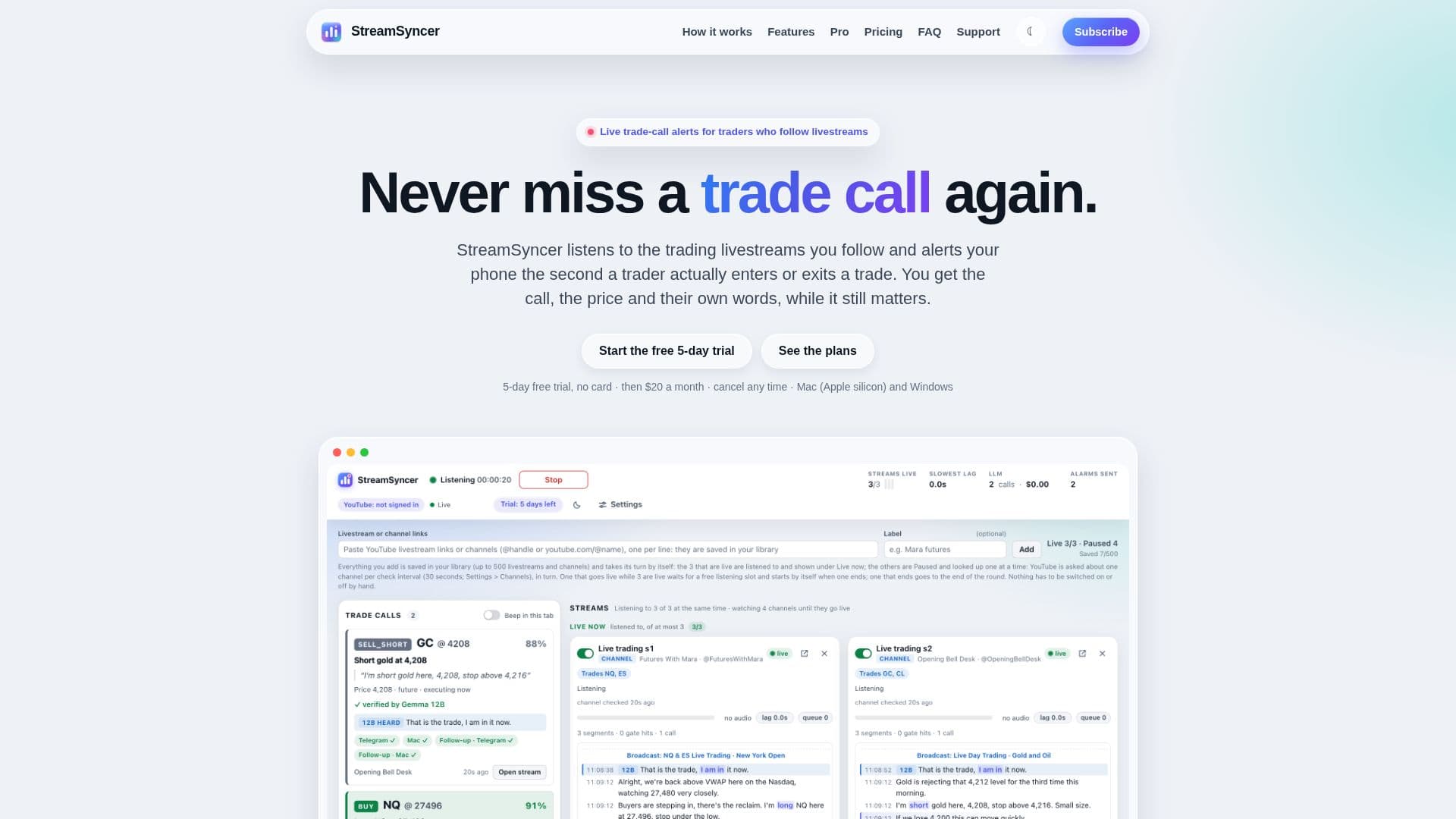
StreamSyncer is a dedicated desktop application designed for traders who follow multiple live trading streams but cannot watch them all simultaneously. It automates the process of monitoring YouTube trading channels and livestreams, identifying actual trade entry and exit calls, and delivering instant alerts directly to your phone via Telegram.
Read More
The core functionality involves pasting the YouTube channels or livestream links of the traders you follow into the application. StreamSyncer then detects when these channels go live and begins listening. Speech from the livestreams is converted to text on your local computer using Google's Gemma speech model, ensuring privacy. A specialized trade detector, powered by your own AI key (supporting providers like OpenRouter, OpenAI, Anthropic, and Google, or a local model), analyzes the transcribed speech to differentiate genuine trade calls like "I'm long here" from casual conversation or speculative remarks.
Upon detecting a confirmed trade entry, StreamSyncer also cross-references the call with the visual chart displayed on the livestream to increase confidence in the alert. For exits, it intelligently links phrases like "We got stopped out" or "taking profit here" to the last trade called on that stream, even if the instrument isn't explicitly named again. Alerts are sent to your Telegram account, including the trade details, the trader's exact words, a confidence score, and a button to open the livestream at the precise moment of the call. On your computer, a sound and banner notification also ensure you don't miss an alert.
StreamSyncer offers two plans: the standard StreamSyncer and StreamSyncer Pro. The standard plan listens to 3 livestreams concurrently, while the Pro version expands this to 10 simultaneous streams and includes "The Copier" feature. The Copier is an advanced tool that can automatically place confirmed trade calls onto your Vest Markets account, adhering to predefined rules for take profit and stop loss. It includes a preview mode to observe its operation before engaging real money and supports confluence trading, where calls from multiple channels agreeing on a trade within 15 minutes can be copied instantly. The Copier currently supports Vest Markets two-step funded accounts (Silver $5K, Gold $10K, Platinum $25K, Emerald $50K).
The application is private by design, with speech recognition occurring locally and trade detection using your own AI key, meaning no account is required with StreamSyncer, and no data is uploaded to their servers. It supports up to 500 saved channels, checking them gently and assigning a listening slot when they go live. Users can also assign specific instruments to channels, allowing the detector to understand calls without explicit ticker mentions. A 5-day free trial is available, requiring no credit card, allowing users to experience the full functionality before subscribing.
- CategoryAI Trading & Investing Tools
- Pricing ModelSubscription
- DeploymentDesktop app
- PlatformsWindows, macOS
StreamSyncer's Core Features
Monitors trading livestreams for trade calls
Sends real-time alerts to phone via Telegram
Detects trade entries and exits from speech
Distinguishes real calls from general chatter
Checks trade calls against livestream charts
Tracks exits tied to previous trade calls
Speech recognition runs locally on user's computer
Supports user's own AI key for trade detection (OpenRouter, OpenAI, Anthropic, Google)
Option to run a local AI model for trade detection
Supports up to 500 saved YouTube channels
Notifies when channels go live automatically
Confluence detection: alerts when multiple channels agree on a trade
StreamSyncer Pro includes "The Copier" for Vest Markets
The Copier places confirmed calls with take profit and stop loss
The Copier offers a preview mode before live trading
How to use StreamSyncer?
Download & Install: Download the StreamSyncer app for Mac (Apple silicon, macOS 14+) or Windows (10/11, 64-bit) and install it.
Configure AI Models: In Settings > AI models, download the speech model and add your AI key (or local model) for the trade detector.
Set up Telegram Alerts: In Settings > Telegram, create a bot with @BotFather, paste its token, and link your chat.
Add Channels: Paste the YouTube channels or livestream links of traders you follow into the top bar.
Start Listening: Press "Start listening" to begin monitoring the added channels for live trade calls.
Receive Alerts: Get real-time Telegram messages with trade details, trader's words, confidence, and a link to the stream.
Use The Copier (Pro): For Pro users, start with "Start preview" on the Copier tab to test automated trading on Vest Markets before enabling live mode.
StreamSyncer's Use Cases
- Monitoring Multiple Trading Streams
- Real-time Trade Call Alerts
- Automated Trade Execution
- Confluence Trading Strategy
- Chart-Verified Trade Confirmation
- Passive Stream Following
- Risk Management in Automated Trading