Description
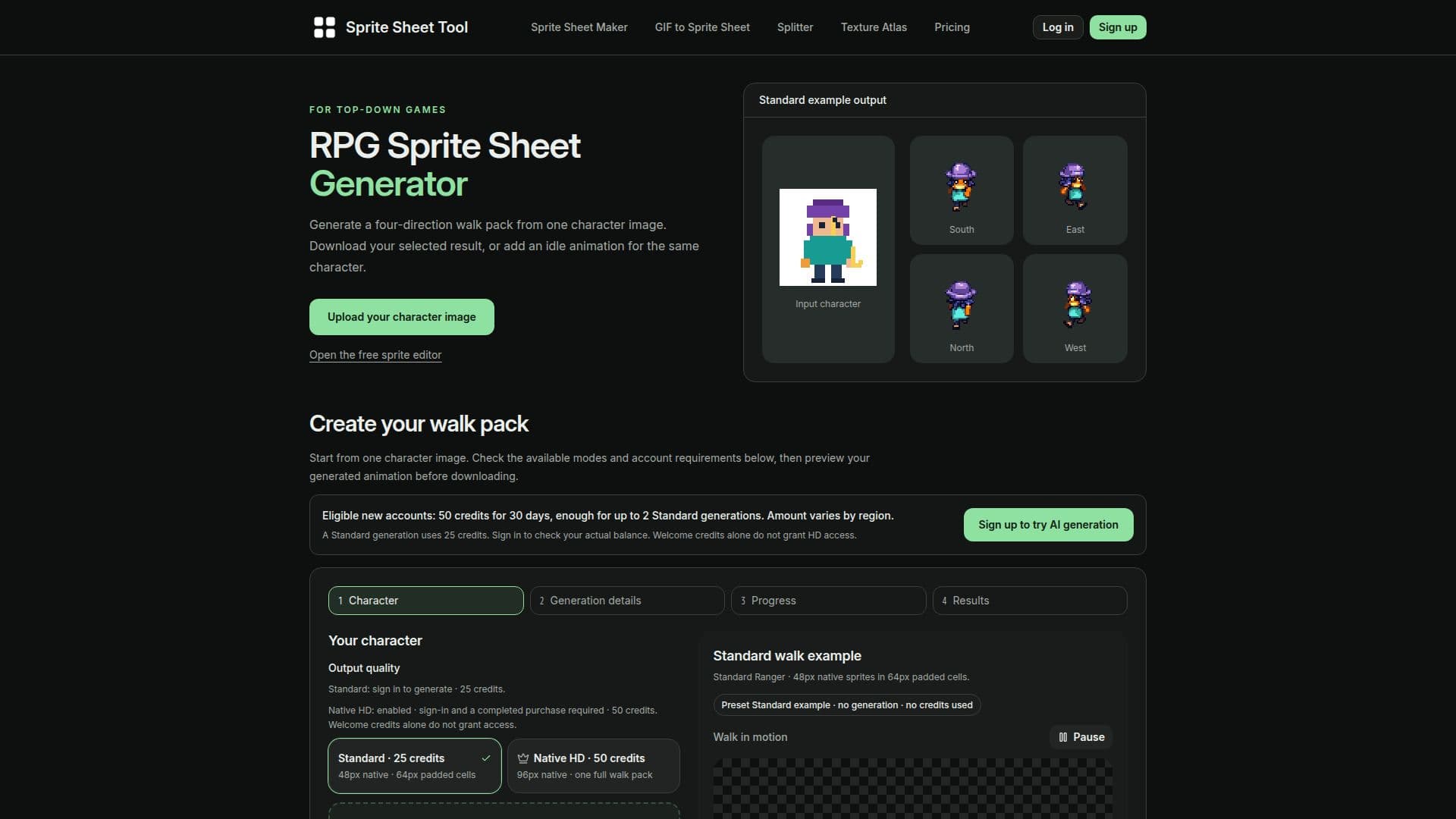
SpriteSheetTool is a dedicated online platform designed to assist game developers and artists in creating essential character animations for RPGs. It specializes in generating four-direction walk packs from a single character reference image. The process involves uploading a character image, which remains in the browser until submitted for generation, ensuring user privacy.
Read More
The tool offers two primary generation modes: Standard and Native HD. Standard generation produces 1–3 walk sheets with 48x48 native sprites in 64x64 padded cells, costing 25 credits. Native HD, available with a completed purchase, generates one full walk pack with 96x96 native sprites in a 384x384 sheet, costing 50 credits. Both options deliver a ZIP file containing a watermark-free sprite sheet, 16 individual transparent PNG frames, and a manifest. Users can compare the generated candidates and select their preferred result for download.
Beyond walk packs, SpriteSheetTool allows users to add an idle animation to an existing character's walk pack for an additional 25 credits, providing a separate four-direction idle pack. It's important to note that character details may vary between frames and directions, so previewing is recommended before final selection. The tool does not currently support generating attack, hit, or death animations.
In addition to its generation capabilities, SpriteSheetTool provides a separate, free browser-based editor. This editor allows users to pack existing frames into a sprite sheet, split existing sheets, and export them locally without needing to sign in or use generation credits. This feature is ideal for users who already have sprite assets and need tools for organization and export. Pricing is credit-based, with various packages and subscriptions available, and new accounts often receive welcome credits for Standard generations.
- CategoryAI Game Development Tools
- Pricing ModelCredit-based
- DeploymentCloud
- PlatformsWeb
SpriteSheetTool's Core Features
Generate four-direction RPG walk packs from character images
Offers Standard and Native HD sprite generation modes
Standard mode: 48x48 native sprites in 64x64 padded cells
Native HD mode: 96x96 native sprites in 384x384 sheets
Download ZIP files with sprite sheets, individual frames, and manifest
Compare multiple generated sprite candidates
Add four-direction idle animations to existing walk packs
Free browser editor for packing, splitting, and exporting existing sprites
Supports PNG, JPG, WebP, and GIF for sprite sheet creation
Credit-based system for AI generation
Welcome credits for new eligible accounts
No sign-in required for the free browser editor
Image processing occurs in the browser before submission
Guides for Unity and Godot integration
How to use SpriteSheetTool?
Prepare Character Image: Select a full-body character image with visible feet and clear equipment, preferably with a transparent background.
Choose Generation Mode: Select either Standard (25 credits) or Native HD (50 credits, requires purchase) for your walk pack generation.
Submit for Generation: Upload your image and submit it for processing; the image is uploaded only at this stage.
Compare Results: Review the generated walk pack candidates and preview the movement and character details.
Download Walk Pack: Select your preferred candidate and download the ZIP file containing the sprite sheet, individual transparent frames, and a manifest.
Add Idle Animation (Optional): For 25 credits, add a four-direction idle animation to a selected walk pack from your generations.
Use Free Editor (Optional): Utilize the browser editor to pack, split, or export existing sprite frames and GIF files locally without credits.
SpriteSheetTool's Use Cases
- RPG Character Animation
- Game Asset Creation
- Idle Animation Generation
- Sprite Sheet Editing
- Pixel Art Preparation
- Character Walk Cycle Prototyping
- Transparent Frame Extraction