Description
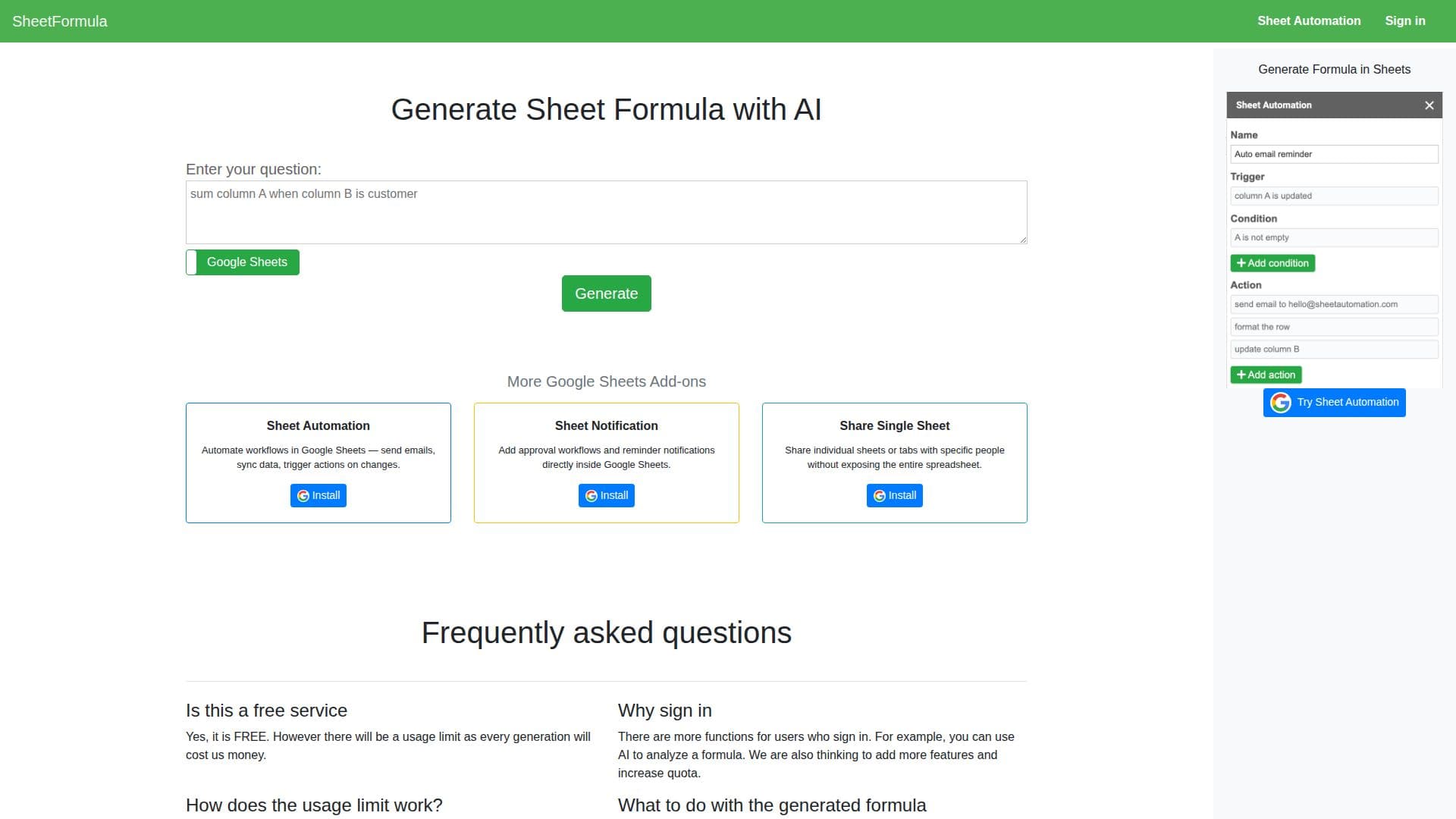
SheetFormula AI is a tool designed to assist users in generating Google Sheets formulas through the power of artificial intelligence. It simplifies the process of creating complex formulas by allowing users to describe their problem, provide context, and define inputs and outputs. This AI-driven approach aims to enhance productivity by automating workflows within Google Sheets. Users can set up automated email notifications, sync data, and trigger actions based on changes in their spreadsheets. Additionally, SheetFormula AI offers features like approval workflows and reminder notifications, making it a versatile tool for managing tasks directly within Google Sheets.
The tool is free to use, although there are usage limits in place. These limits vary depending on whether a user is anonymous or signed in, with restrictions applied to IP addresses for anonymous users and email addresses for signed-in users. While the AI provides a significant boost in generating formulas, users are advised to verify the accuracy of the generated formulas themselves.
SheetFormula AI is particularly useful for individuals and teams looking to streamline their data management processes in Google Sheets. It allows users to share individual sheets or tabs with specific people, ensuring privacy and control over data access. The tool is designed to be user-friendly, with guidelines on how to effectively write prompts for the AI, ensuring that users can maximize the tool's capabilities.
Overall, SheetFormula AI is a valuable resource for anyone seeking to enhance their Google Sheets experience, offering a blend of automation, notification, and sharing features that cater to a wide range of use cases.
SheetFormula AI's Core Features
AI-generated Google Sheets formulas
Automated workflows in Google Sheets
Email notifications and data syncing
Approval workflows and reminder notifications
Share individual sheets without exposing entire spreadsheet
Free service with usage limits
User verification of formula accuracy
Enhanced features for signed-in users
How to use SheetFormula AI?
Configure: Set up your Google Sheets with the desired data
Use: Generate formulas using AI by providing detailed prompts
Verify: Check the accuracy of generated formulas
Optimise: Adjust prompts for better formula generation
SheetFormula AI's Use Cases
- Formula Generation
- Workflow Automation
- Data Syncing
- Notification Setup
- Sheet Sharing