Description
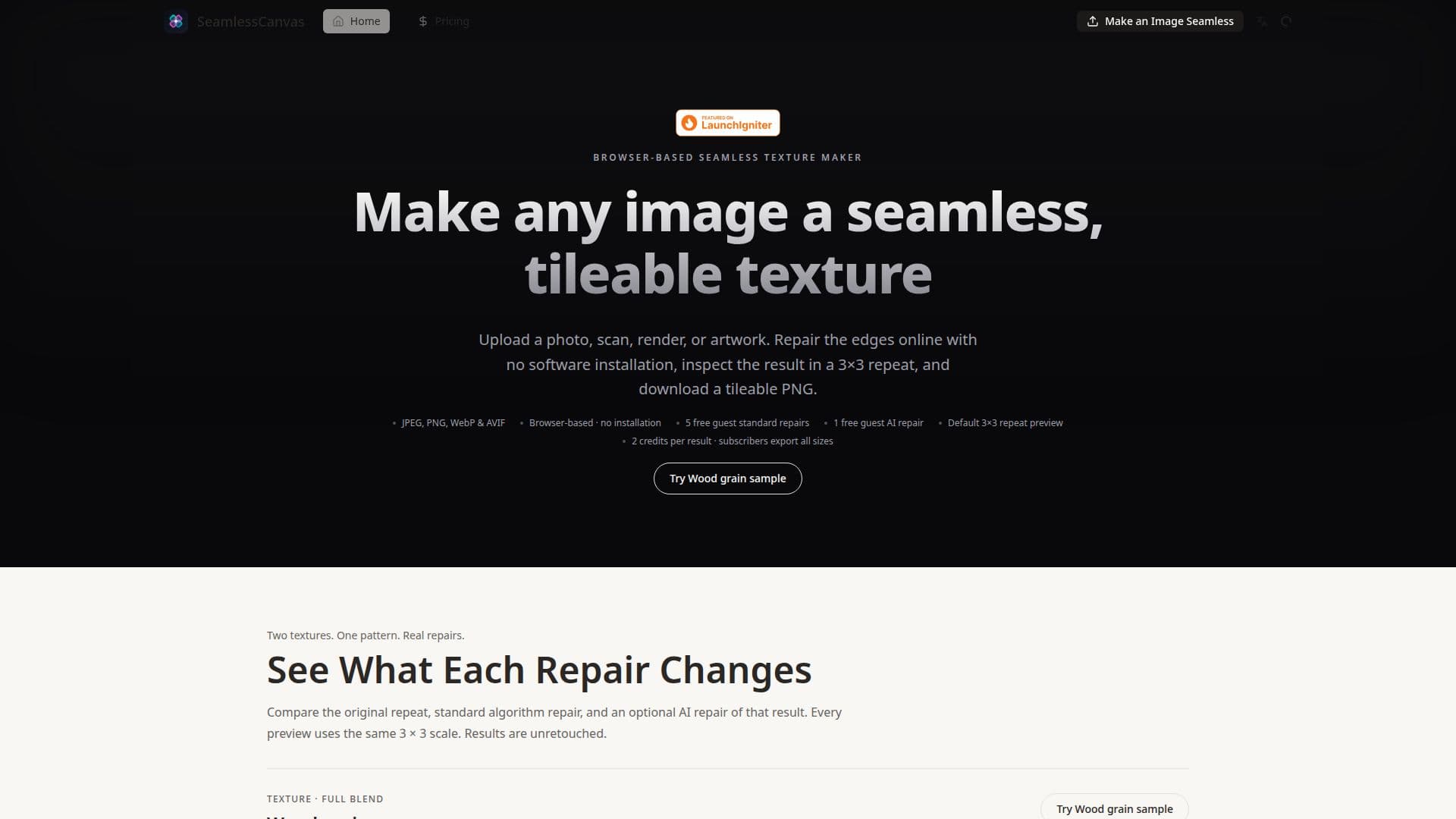
SeamlessCanvas provides an online platform for transforming existing images into perfectly tileable textures without requiring any software installation. Users can upload various image types, including photos, scans, renders, or artwork, to repair visible edges and ensure a clean, repeating pattern. The tool offers immediate visual feedback through multiple repeat previews (Single, 2x2, 3x3, 5x5), allowing users to inspect the texture before export.
Read More
The platform features two primary repair modes: Safe Auto and Full blend, along with options to apply repairs in both, horizontal only, or vertical only directions. For enhanced results, an optional AI repair mode is available, which can further improve seams but may also subtly alter local texture, motif shapes, spacing, or color. This flexibility allows creators to balance fidelity to the original image with the desired seamless quality.
Beyond repairing existing images, SeamlessCanvas also includes a texture and pattern generator. Users can start from a text prompt to create new tileable material textures or decorative patterns for various applications. The generator wraps prompts with specific instructions to ensure outputs are square, top-down, evenly distributed, and ready for tiling. This feature is particularly useful for quickly generating diverse texture options for game props, 3D materials, wallpaper, textile design, and print-on-demand products.
SeamlessCanvas offers a free tier for guest users, including 5 standard repairs and 1 AI repair. Signed-in users receive unlimited standard repairs and 3 free AI repairs, with additional AI repairs costing credits. Exporting images in various sizes (512px, 1024px, 2048px, 4096px) requires credits or a subscription. Subscription plans provide unlimited exports and a monthly allowance of AI repair credits, catering to occasional projects, weekly creators, and high-volume production needs. The tool is designed for a wide range of creative professionals, including game developers, 3D artists, textile designers, and graphic designers, who need efficient ways to create and manage seamless surface assets.
- CategoryImage Generation & Editing
- Pricing ModelFreemium
- DeploymentCloud
- PlatformsWeb
SeamlessCanvas's Core Features
Browser-based image repair with no software installation
Upload photos, scans, renders, or artwork for repair
Standard and AI seam repair modes
Multiple repeat previews: Single, 2x2, 3x3, 5x5
Safe Auto and Full blend repair options
Horizontal, Vertical, and Both direction repair controls
Text-to-texture and text-to-pattern generation from prompts
Export tileable PNGs in various sizes (512px to 4096px)
Free guest standard and AI repairs available
Unlimited standard repairs for signed-in users
Credit-based system for AI repairs and exports
Subscription plans for unlimited exports and monthly credits
Account history for revisiting generated texture tasks
Seam guide overlay for preview inspection
Batch standard repair for multiple images (Creator and Studio plans)
How to use SeamlessCanvas?
Upload Image: Start by uploading a photo, scan, render, or artwork to the browser-based tool.
Repair Edges: Utilize Safe Auto or Full blend modes and choose repair directions (Both, Horizontal, Vertical) to fix visible seams.
Preview Repeat: Inspect the repaired image using Single, 2x2, 3x3, or 5x5 repeat previews to ensure seamless tiling.
Apply AI Repair (Optional): For further refinement, apply the optional AI repair mode, understanding it may alter local details.
Generate Textures (Optional): Alternatively, generate new tileable textures or patterns from text prompts.
Download Export: Unlock and download the tileable PNG in desired sizes, either with credits or an active subscription.
SeamlessCanvas's Use Cases
- Game Texture Creation
- 3D Material Design
- Textile & Fabric Patterns
- Product Mockup Backgrounds
- Architectural Visualization
- Digital Art & Backgrounds
- Blender Texture Workflow
- Image to Seamless Pattern