Description
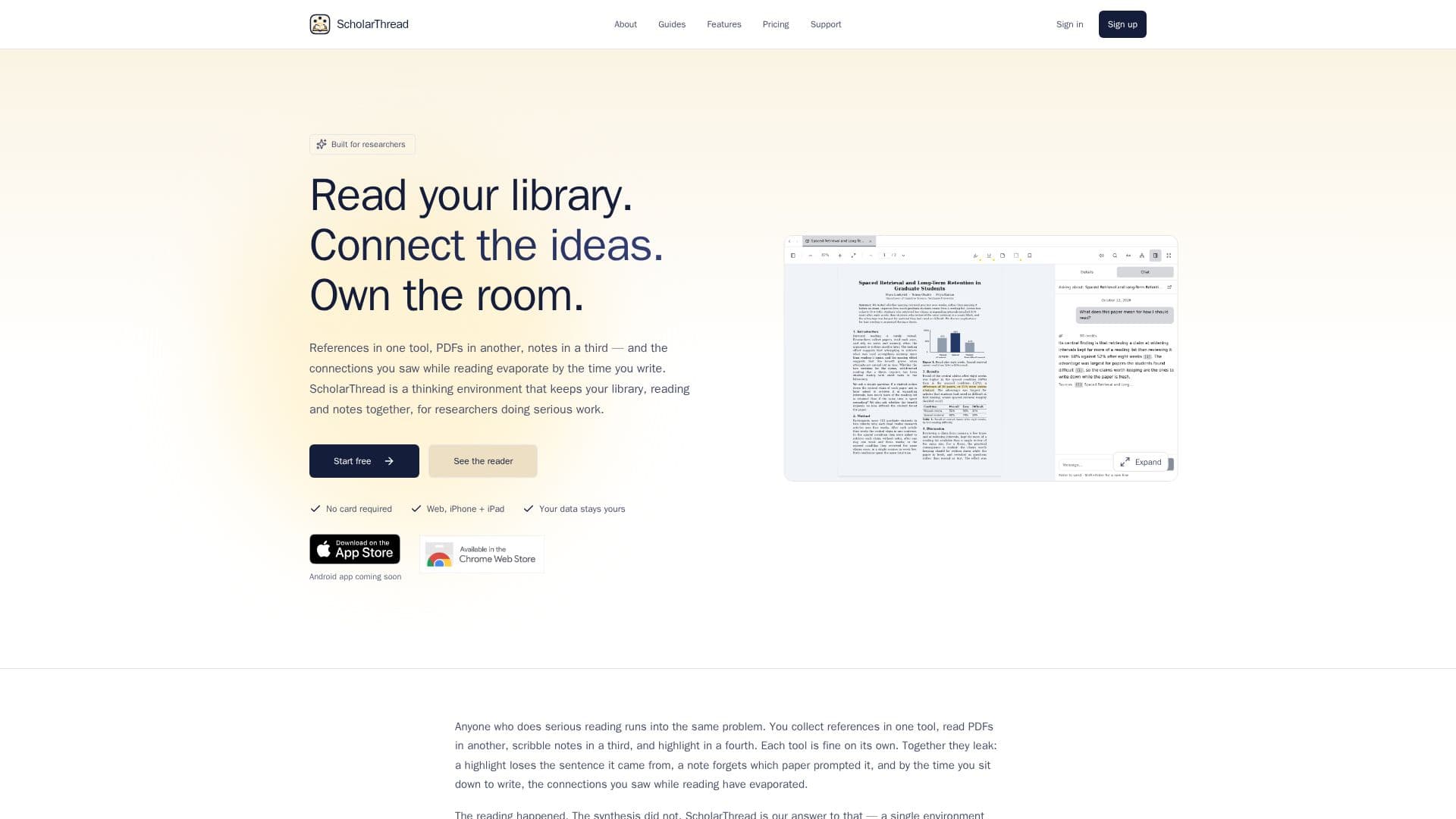
ScholarThread provides a comprehensive research thinking environment specifically tailored for academics. It addresses the common challenge of fragmented research workflows by consolidating references, reading materials, and notes into a single, cohesive platform. Users can import their Zotero library, read PDFs and EPUBs directly within the application, and create notes that are deeply linked back to specific source passages.
Read More
The platform facilitates a more integrated approach to research by allowing full-text search across an entire library and enriching paper metadata through OpenAlex. Notes can be exported to an Obsidian-compatible vault or a personal Git repository, ensuring data ownership and flexibility. ScholarThread also features a "Grounded chat" capability, enabling users to ask questions about their papers and receive answers with precise citations from their own library.
Key functionalities include one-click Zotero sync, local file uploads, and the ability to save papers from a browser extension. The in-app reader supports highlighting in multiple colors and adding inline notes. For note-taking, ScholarThread offers typed links between notes, papers, and passages, supporting structured thinking with templates for literature, claim, and concept notes. The knowledge graph feature visually maps connections between papers and notes, helping researchers identify relationships and gaps in their understanding.
ScholarThread offers a free tier with generous caps, allowing users to start immediately without a credit card. A Pro subscription provides increased storage, higher usage limits, priority support, and additional features like Zotero write-back, AI credits for advanced chat, and assisted note generation. An academic price is available for students and university staff upon verification. The platform is accessible via a web app, with iPhone and iPad apps currently available, and an Android app planned for future release.
Built by a researcher for researchers, ScholarThread aims to enhance understanding and synthesis, rather than automating the core thinking process. It emphasizes academic integrity by ensuring AI assistance is used for finding connections and surfacing information within a user's own library, not for generating original arguments or assignments.
- CategoryAI Research Assistants
- Pricing ModelFreemium
- DeploymentCloud
- PlatformsWeb, iPhone, iPad
ScholarThread's Core Features
Zotero library import (read + write)
In-app PDF and EPUB reader with highlights
Notes linked to source passages
Full-text search across library
OpenAlex metadata enrichment
Export notes to Obsidian-compatible vault or Git repo
BibTeX / RIS / CSL citation export
Grounded chat over your papers with citations
AI-assisted note generation
Knowledge graph visualization of connections
Sync across devices
Connect your own AI assistant (MCP server)
Academic-integrity guardrails for AI use
iPhone and iPad app available
Save papers from browser extension
How to use ScholarThread?
Import Library: Sync your Zotero library, import from OpenAlex, or upload local PDFs and EPUBs.
Read Documents: Open PDFs and EPUBs in the in-app reader, highlight passages, and add inline notes.
Create Connected Notes: Write notes, link them to specific passages or other notes, and use structured templates.
Search and Ask: Utilize full-text search across your library or ask questions using the grounded chat feature.
Visualize Connections: Explore the knowledge graph to see how papers, notes, and claims interrelate.
Export and Sync: Export notes to Obsidian or sync them with a private Git repository for external access.
ScholarThread's Use Cases
- Literature Review
- Research Paper Management
- Connected Note-Taking
- Academic Writing Preparation
- Knowledge Synthesis
- Viva Preparation
- Citation Management
- Personal Research Library