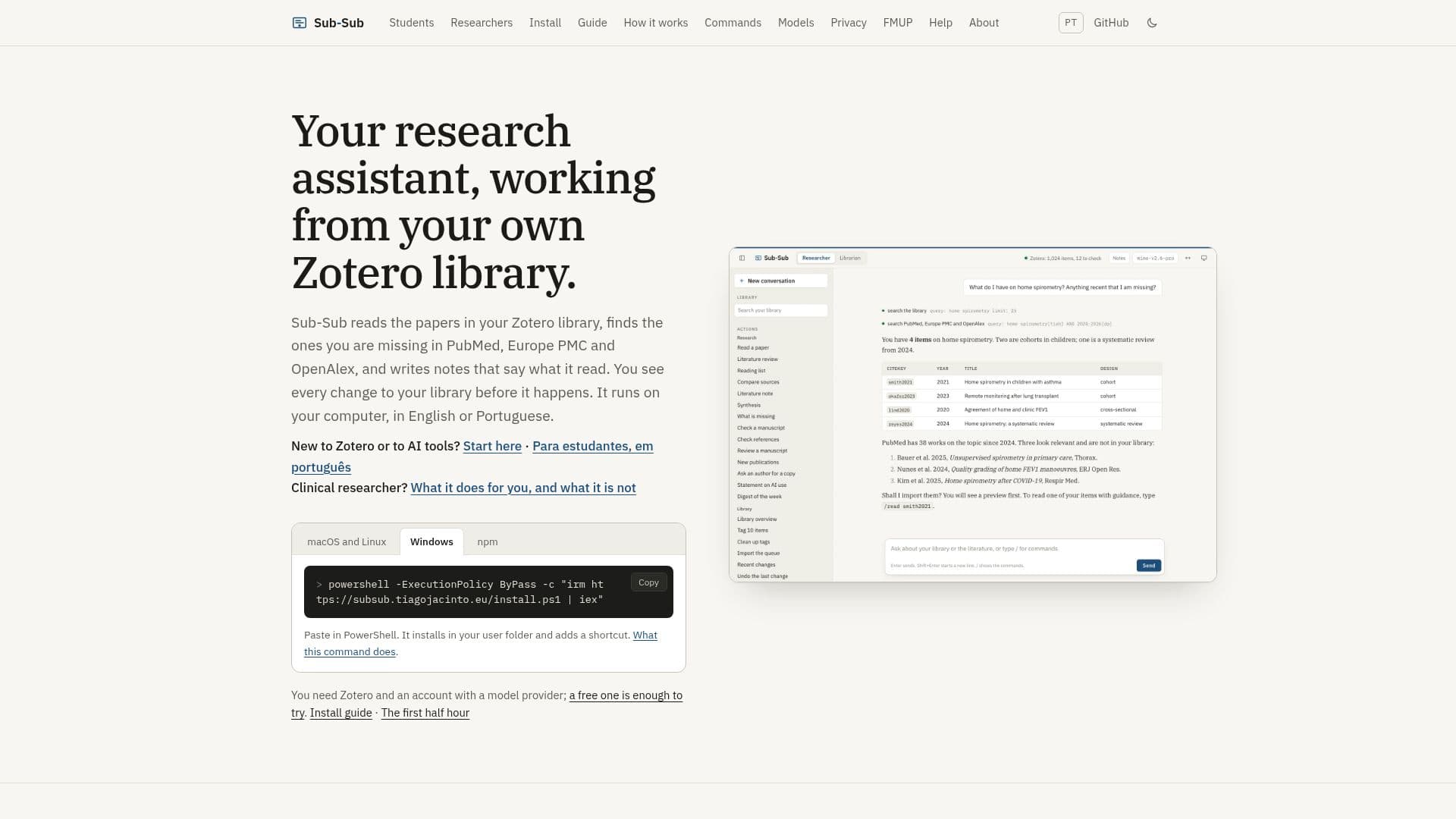
Description
Sub-Sub is a comprehensive research assistant designed to work seamlessly with your Zotero library. It enhances your research process by searching through databases such as PubMed, Europe PMC, and OpenAlex to find papers that are missing from your library. Sub-Sub writes detailed notes about the papers it reads, providing insights into the full text, abstract, or metadata. These notes are stored as Markdown files, which can be easily accessed and edited using any text editor, including Obsidian.
Read More
The tool operates locally on your computer, ensuring that your library remains private and secure. Sub-Sub communicates with Zotero through its local API, and it does not send any usage data to external servers. The model provider you choose will only receive the necessary information to perform searches and generate notes.
Sub-Sub offers two modes: the Researcher and the Librarian. The Researcher mode is the default and allows you to conduct comprehensive literature reviews, synthesize information, and draft manuscripts or theses upon request. The Librarian mode focuses on managing your library, tagging items, and ensuring metadata accuracy. Both modes provide a preview of changes before they are applied, allowing you to maintain control over your library.
The tool requires Node.js 22.19 or later and can be installed easily on your system without the need for administrator rights. It supports English and Portuguese languages and is open source under the MIT license. Sub-Sub is ideal for students, clinical researchers, and anyone looking to streamline their research process while maintaining a well-organized library.
- CategoryAI Research Assistants
- Pricing ModelFree
- DeploymentLocal
- PlatformsWindows, macOS
Sub-Sub's Core Features
Integrates with Zotero library
Searches PubMed, Europe PMC, and OpenAlex
Writes detailed notes in Markdown
Operates locally on your computer
Two modes: Researcher and Librarian
Previews changes before applying
Supports English and Portuguese
Open source under MIT license
How to use Sub-Sub?
Install: Paste command in Terminal or PowerShell
Configure: Connect with Zotero and model provider
Use: Choose Researcher or Librarian mode
Optimize: Preview and apply changes to library
Sub-Sub's Use Cases
- Literature Review
- Library Management
- Note Taking
- Research Assistance
- Privacy-Conscious Research