Description
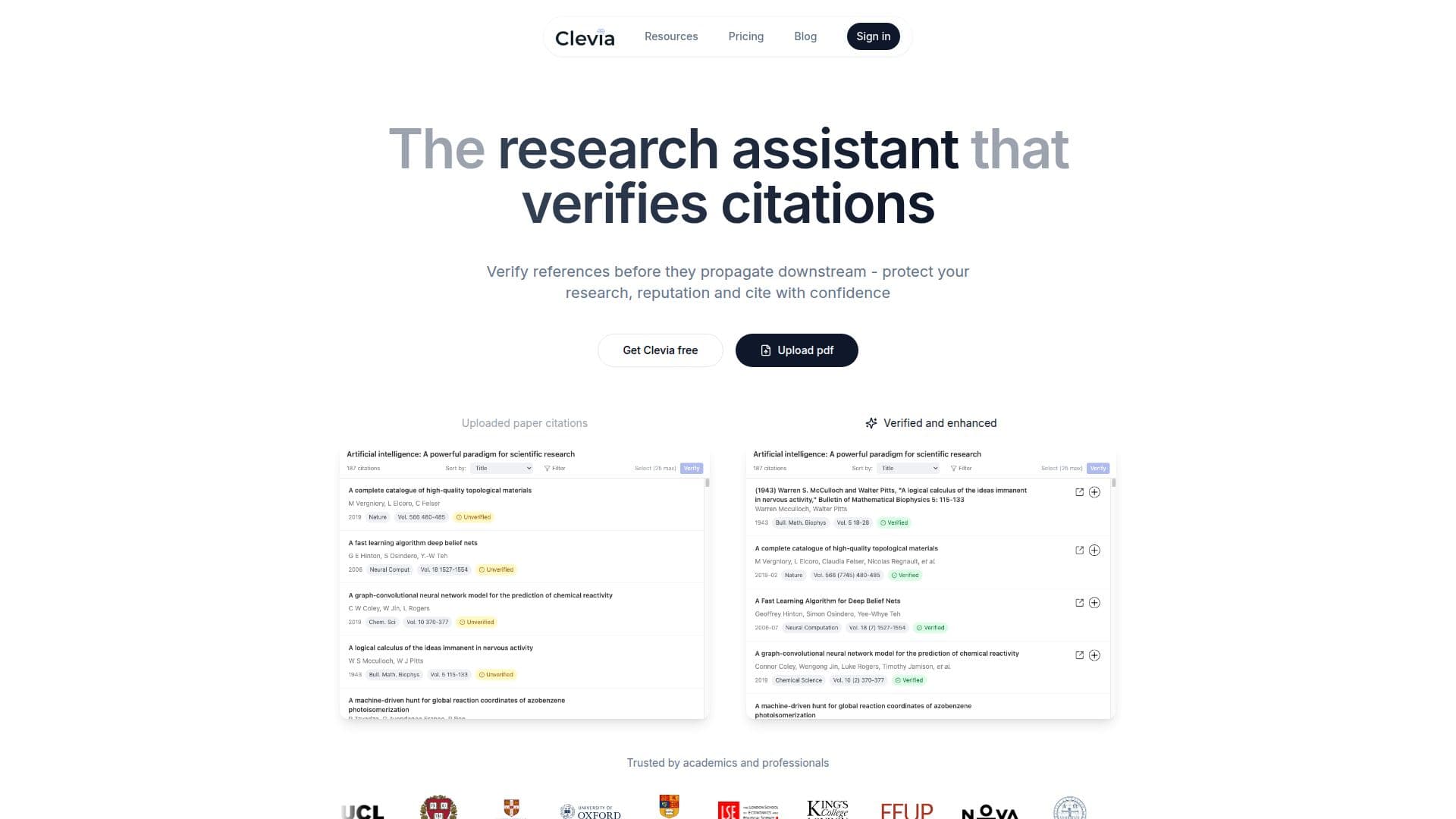
Clevia is an AI-powered research companion built around a single idea: verifying citations before they propagate downstream, so researchers can protect their work and reputation. Users can upload and search across millions of papers in major scientific databases, and Clevia resolves and verifies each reference against real records, flagging incorrect or false citations. References are then structured with citation keys and integrated directly into the writing workflow so you can cite from a verified library and export a clean bibliography.
Read More
Beyond reference management, Clevia is a workspace for reading, understanding, and producing scientific work. Its AI assistant, Nova, gives grounded answers with citations to the exact page or section of your sources, lets you query individual files or a whole collection to connect ideas, and helps you draft in a Notion-style block editor with Markdown support. Nova can summarize, expand, or refactor sections while keeping citations intact, and an AI rewriter adjusts tone and clarity, for example making text more concise, formal, academic, or plain-language. Smart @references insert inline citations as you write and auto-build the bibliography.
Clevia keeps everything organized with projects, folders, and a familiar file explorer, and supports keyboard-first productivity through a command palette and shortcuts. It works for solo researchers or teams, from a first idea to a final draft, and exports to LaTeX, BibTeX, Word, or PDF. Pricing includes a Free plan (1,000 AI words per day, 2 uploads per day, 100 MB storage), a Pro plan with unlimited AI words, uploads, and storage, and a Team plan adding collaborative editing, a shared workspace, an admin panel, and a shared database.
- CategoryAI Research Assistants
- Pricing ModelFreemium
- DeploymentCloud
- PlatformsWeb
Clevia's Core Features
Citation verification that resolves references against real records and flags false ones
Search across millions of papers in major scientific databases
Grounded AI answers that cite the exact page or section of your sources
Nova AI assistant to summarize, expand, or refactor while keeping citations intact
AI rewriter for tone and clarity (concise, formal, academic, or plain-language)
Smart @references that insert inline citations and auto-build the bibliography
Notion-style block editor with Markdown and a built-in PDF viewer
Export to LaTeX, BibTeX, Word, or PDF
How to use Clevia?
Sign up free: Start with the free plan, no strings attached.
Upload and search: Import papers, PDFs, and files, and search across major scientific databases.
Verify references: Let Clevia resolve and check each citation against real records and flag incorrect ones.
Write with Nova: Draft in the block editor and use Nova to summarize, expand, or rewrite while keeping citations intact.
Cite and export: Insert inline @references, then export a clean bibliography to LaTeX, BibTeX, Word, or PDF.
Clevia's Use Cases
- Citation checking
- Literature review
- Academic writing
- Team research