Description
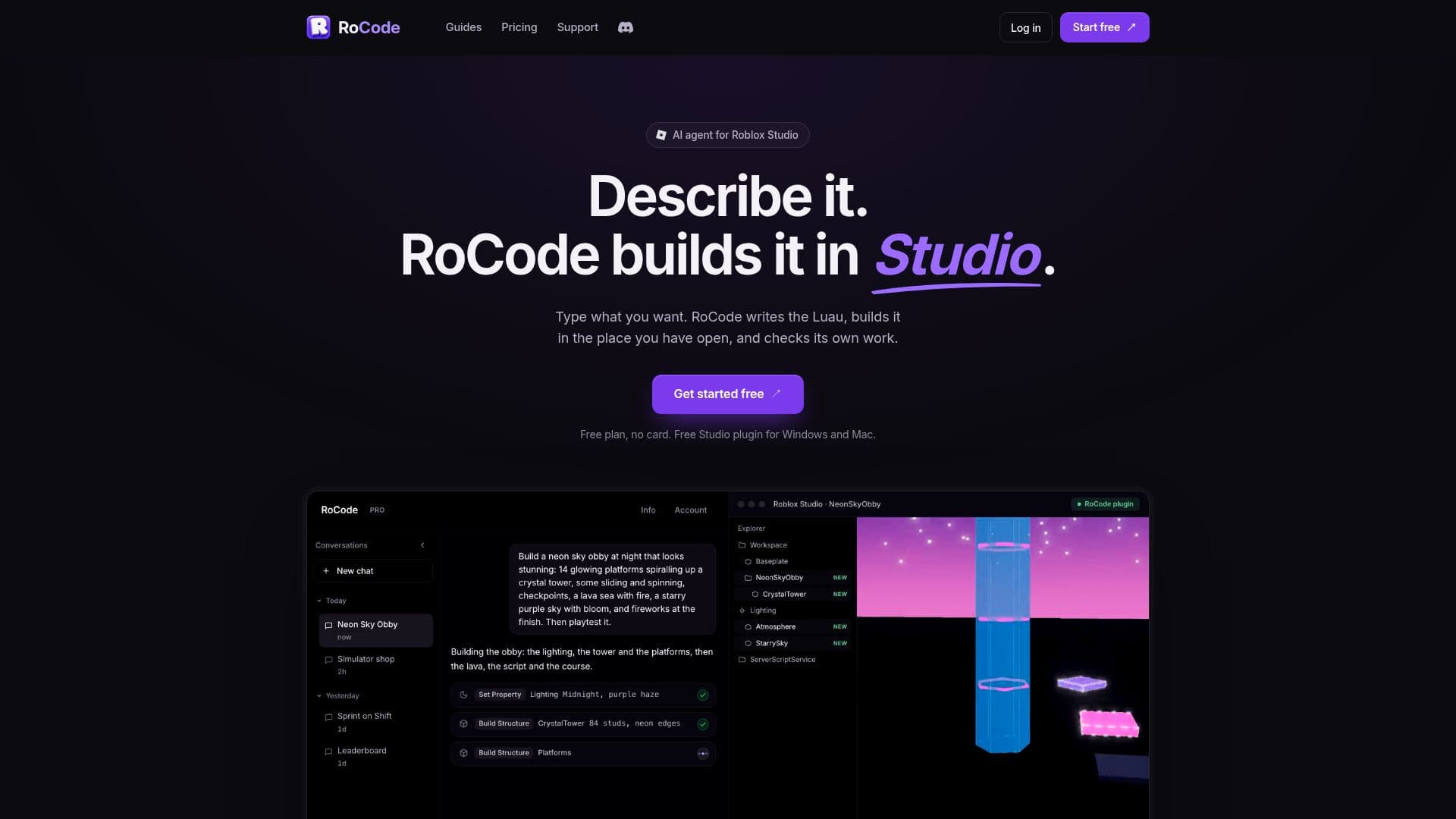
RoCode functions as an AI coding agent specifically designed for Roblox Studio, allowing users to generate Luau scripts and build game features by simply describing their ideas in a web chat. The platform integrates seamlessly with Roblox Studio via a free plugin available for both Windows and Mac, enabling the AI to create and edit scripts, instances, and UI elements directly within the user's open place.
Read More
The process begins with creating a free account and installing the RoCode plugin from the Roblox Creator Store. Users then pair the web chat with their Studio environment, after which they can describe desired changes or features. RoCode leverages powerful AI models, including DeepSeek V4 Flash, GLM 5.3 Flash, Claude Sonnet 5.5, Claude Opus 5.5, and GPT-6 Astra, with model availability depending on the chosen plan. Users on paid plans can also integrate their own OpenRouter API key to utilize other compatible AI models.
Key capabilities include generating server logic (e.g., coins, damage, saving), input/camera/UI behavior, screens and menus, and 3D parts, models, and structures. RoCode can also edit existing code, build UI elements object by object or from layouts, fix errors by reading Studio's Output window, and implement player data saving with DataStoreService. It features automated playtesting with a test character and can even take screenshots to check visual aspects of builds.
The platform offers a free Starter plan with daily credits, and paid plans (Pro, Studio, Ultra) provide more credits, access to stronger AI models, and priority support. Credit packs are also available and never expire. RoCode prioritizes user control and safety, allowing users to undo changes in Studio, and only modifying what it creates or is explicitly asked to remove. It does not generate meshes, textures, or animations from scratch, nor does it publish places or save game files.
- CategoryAI Coding Assistants
- Pricing ModelFreemium
- DeploymentCloud
- PlatformsWindows, Mac (Roblox Studio)
RoCode's Core Features
AI Luau Script Generation
Roblox Studio Plugin Integration
Web Chat Interface
Multi-Model AI Support (DeepSeek, GLM, Claude, GPT)
Custom OpenRouter Key Integration
Automated Playtesting
Error Detection and Correction
UI Building and Editing
3D Object and Structure Creation
Player Data Saving Implementation
Code Editing and Refactoring
Undo Functionality for Changes
Free Daily Credits
Credit Packs Available
Priority Support
How to use RoCode?
Create Account: Sign up for a free RoCode account using email, Google, or Discord.
Install Plugin: Get the free RoCode plugin from the Roblox Creator Store and allow necessary permissions in Studio.
Open Place: Open your game or a new Baseplate in an up-to-date Roblox Studio.
Pair Chat: Connect the RoCode web chat to your Studio by typing a pairing code or automatic connection if signed into the same Roblox account.
Describe Change: Use the web chat to describe the feature or change you want RoCode to build, one feature at a time.
Review and Playtest: Review the changes made in Studio, use Ctrl+Z to undo if needed, and playtest your game.
Iterate: Continue adding features or refining your game in rounds, using RoCode's suggestions or your own prompts.
RoCode's Use Cases
- Game Feature Development
- UI Design and Implementation
- Bug Fixing and Script Debugging
- 3D Environment and Prop Creation
- Automated Game Testing
- Learning Luau Scripting
- Rapid Prototyping
- Script Generation from Ideas