
Description
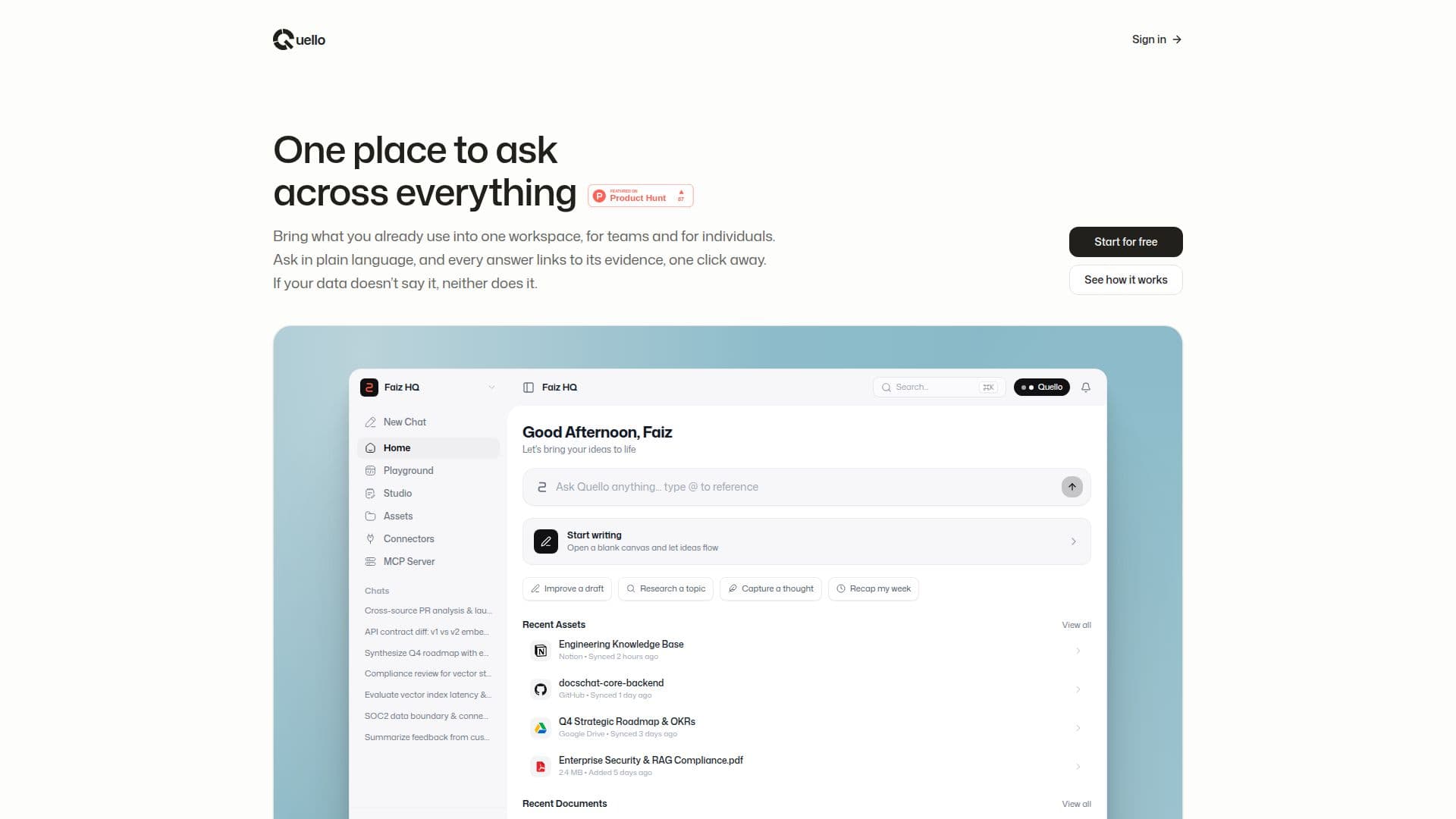
Quello is designed as a comprehensive workspace for modern creators, offering a centralized platform to integrate various tools and documents. It allows users to bring their existing resources, such as PDFs, Notion pages, Google Drive documents, and GitHub repositories, into one cohesive environment. This integration facilitates seamless access and management of information, making it easier for both individuals and teams to collaborate and create content.
Read More
One of the standout features of Quello is its ability to process queries in plain language. Users can type or speak their questions naturally, and Quello provides answers that are directly linked to the original sources. This ensures that all information is verifiable, reducing the risk of misinformation and enhancing trust in the data provided. The platform supports various integrations, allowing users to connect their workspace with popular AI applications like ChatGPT, Claude, and Perplexity, further expanding its utility.
Quello's architecture is built to support a wide range of document types and sources. It can ingest PDFs, sync with Notion team wikis, index Google Drive documents, and inspect GitHub repositories. This comprehensive approach ensures that all relevant information is accessible and searchable, providing users with a unified view of their projects. The platform's FastAPI ingestion pipeline and Next.js frontend, combined with Qdrant vector retrieval, ensure efficient data processing and retrieval.
Quello is particularly beneficial for teams and individuals who need to manage large volumes of information across different platforms. By consolidating these resources into a single workspace, users can streamline their workflows, reduce the need for tool-switching, and focus on content creation. The platform's emphasis on source-backed answers makes it an invaluable tool for those who prioritize accuracy and reliability in their work.
- CategoryAI Knowledge Management
- Pricing ModelNot specified
- DeploymentCloud
- PlatformsWeb
Quello's Core Features
Unified workspace for content creation
Integration with existing tools and documents
Plain language query processing
Source-linked answers for verification
Supports Notion, Google Drive, GitHub, and PDFs
FastAPI ingestion pipeline
Next.js frontend
Qdrant vector retrieval
How to use Quello?
Connect your tools: Integrate your documents and tools into Quello.
Ask in plain English: Type or speak your questions naturally.
Verify every answer: Check the source of each answer with one click.
Use your workspace: Access your documents and answers within your AI app.
Quello's Use Cases
- Content Creation
- Team Collaboration
- Data Verification
- Project Management
- AI Integration