
Description
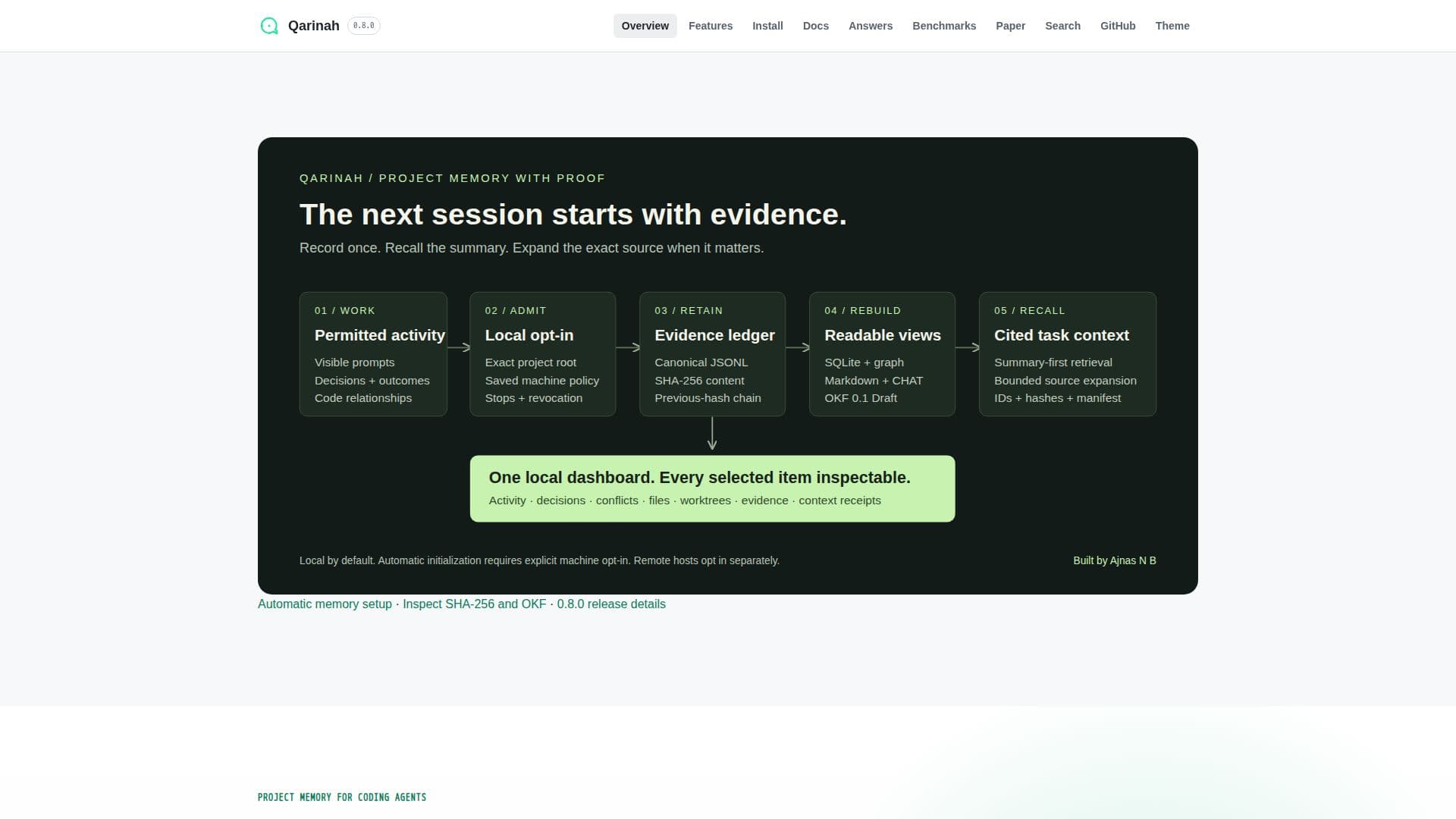
Qarinah is a sophisticated project memory tool designed to enhance the efficiency of software development by retaining critical project information. It keeps track of permitted decisions, code relationships, tool outcomes, and worktree history, allowing coding agents to resume sessions with full context. This ensures that developers can switch between coding agents without losing valuable information.
Read More
The tool offers features such as proof-carrying task packets, encrypted source snapshots, and a multi-language symbol and reference graph. It supports deterministic lexical and local-vector retrieval, Language Server Protocol symbol navigation, and integrates with popular IDEs like VS Code and JetBrains. Qarinah also provides a crash-recoverable project-memory cycle journal and a searchable developer-memory graph and timeline.
Qarinah is particularly useful for teams working on complex projects with multiple repositories, as it supports multi-repository memory with separate authority. It also includes features like consent-gated MCP context retrieval, evidence-linked cited context packs, and a visual memory dashboard. The tool is available for free, making it accessible to developers and teams of all sizes.
With Qarinah, developers can ensure that their projects are well-documented and that all coding decisions are traceable. This not only improves the quality of the code but also enhances collaboration among team members. The tool's ability to consolidate cited facts and provide exact session lifecycle and delivery information makes it an invaluable asset for any software development team.
- CategoryAI Coding Assistants
- Pricing ModelFree
- DeploymentLocal
- PlatformsVS Code, JetBrains
Qarinah's Core Features
Proof-carrying task packets
Encrypted source snapshots
Multi-language symbol and reference graph
Deterministic lexical and local-vector retrieval
Language Server Protocol symbol navigation
Crash-recoverable project-memory cycle journal
Searchable developer-memory graph and timeline
Consent-gated MCP context retrieval
Evidence-linked cited context packs
Visual memory dashboard
How to use Qarinah?
Initialize: Set up Qarinah in your project
Capture: Enable automatic project-memory watcher
Integrate: Connect with IDEs like VS Code and JetBrains
Retrieve: Access project memory and context packs
Qarinah's Use Cases
- Project Continuity
- Multi-Agent Collaboration
- Codebase Documentation
- Team Collaboration
- Context Retrieval