
Description
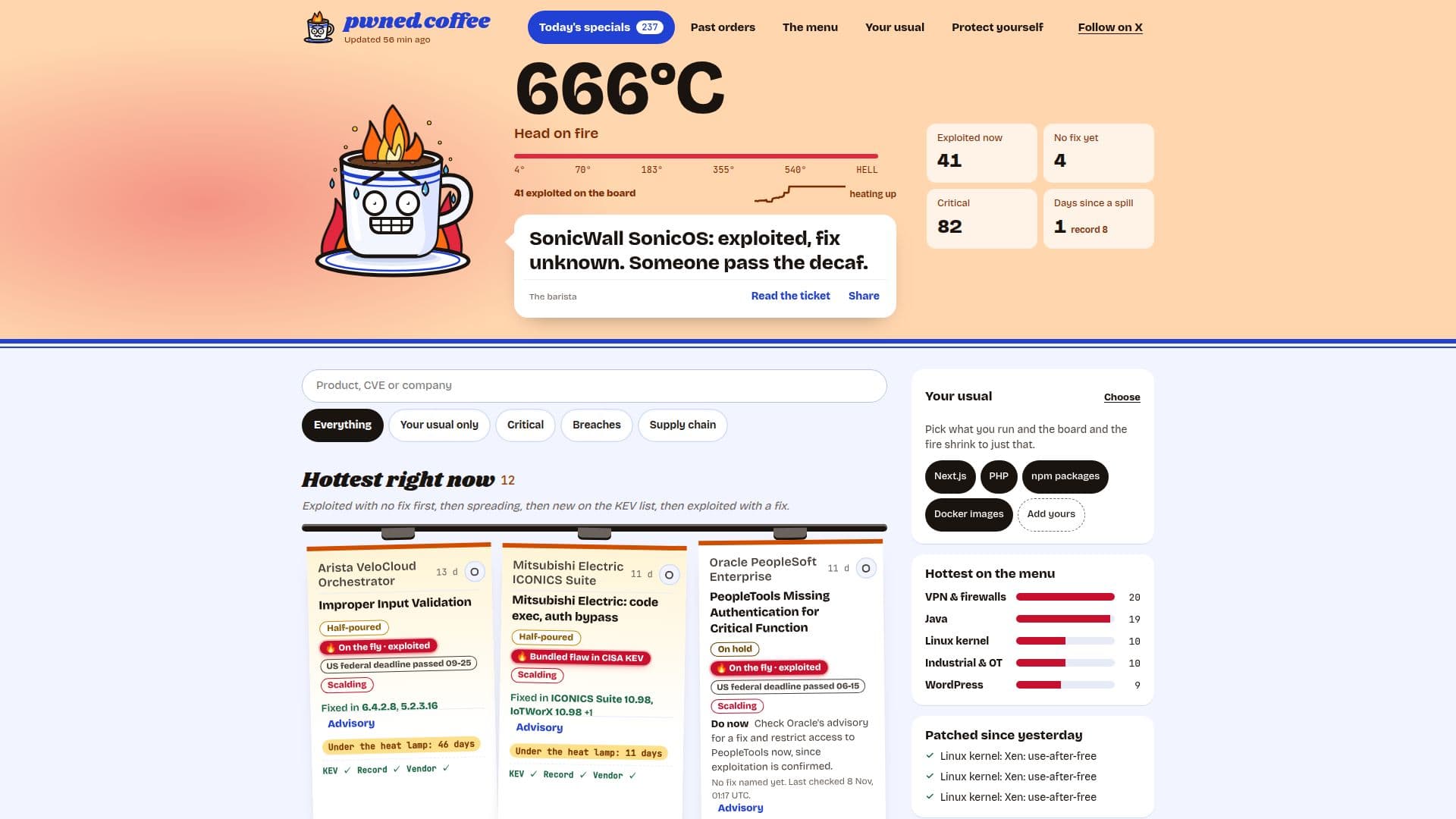
pwned.coffee is a comprehensive platform designed to keep users informed about live security incidents, vulnerabilities, and data breaches. The service updates hourly, aggregating information from a wide array of sources including the CISA Known Exploited Vulnerabilities (KEV) catalog, critical GitHub security advisories, CVE records, vendor advisories, and 29 news feeds from newsrooms, research teams, and vendors.
Read More
The platform's core functionality involves tracking security incidents as they unfold, detailing what systems are affected, whether a fix is available, which versions resolve the issue, and the origin of the news. A language model is employed to group related reports into single incidents and generate concise summaries. Version and CVE numbers are only displayed when explicitly stated by a source.
pwned.coffee assigns severity based on the CVSS score of the worst CVE associated with a ticket, prioritizing NVD's score, then the CVE record's (vendor's or CISA's). If no CVSS is available, it uses GitHub's rating or a manually assessed score from vendor advisories. Each ticket clearly indicates its source for transparency.
News stories are added to the board once confirmed by official company statements, filings, advisories, first-hand research, a CVE, or two independent outlets. The platform distinguishes between a bug's severity and its exploitation status, listing both critical bugs with no known attacks and exploited bugs with lower scores. Incidents remain on the 'today's specials' board while actively changing, moving to 'past orders' after a quiet week if fully patched, or staying up to a month if a full fix is still pending.
Beyond the dashboard, pwned.coffee offers various data access options, including JSON feeds (`incidents.json`, `changes.json`), RSS feeds, and `llms.txt` files, which can be filtered by specific technology stacks (e.g., `nextjs`, `php`, `npm`). Integrations for Slack and Make are available, alongside an MCP server for agents and a GitHub Action for CI/CD pipelines. The service emphasizes privacy, storing only email addresses, selected stacks, and a random token for alerts, with all data deleted upon unsubscription. It explicitly states that it is not security advice and users should always consult vendor advisories.
- CategoryAI Cybersecurity Tools
- Pricing ModelFree
- DeploymentCloud
- PlatformsWeb
pwned.coffee's Core Features
Hourly Security Incident Updates
Live Board of Exploited Vulnerabilities
Patch Status and Fixed Versions Tracking
Actionable Remediation Advice
CISA KEV Catalog Integration
GitHub Security Advisory Integration
CVE Record Aggregation
Vendor Advisory Monitoring
News Feed Aggregation (29 sources)
Language Model for Incident Grouping and Summarization
CVSS-based Severity Scoring
Exploitation Status Indication (e.g., 'Exploited in CISA KEV')
Historical Data for Spills (last 12 months)
Stack-specific Feeds (e.g., npm, Next.js)
RSS and JSON Data Feeds
Slack and Make Integrations
GitHub Action for CI/CD
Email Alerts for Selected Stacks
How to use pwned.coffee?
Browse Incidents: Visit the pwned.coffee homepage to view the live board of security incidents, categorized by status like 'exploited now' or 'no fix yet'.
Filter by Stack: Use the 'Show only my stack' feature or append `?stack=` to data feeds (e.g., `/menu/nextjs.json?stack=nextjs,php`) to filter incidents relevant to your technology stack.
Understand Incident Details: Click on any incident to see detailed information, including CVEs, CVSS scores, exploitation status, affected versions, fixed versions, and direct links to advisories.
Take Action: Follow the 'Do now' recommendations provided for each incident, which typically involve checking vendor advisories and restricting access to affected systems.
Integrate Data Feeds: Utilize the provided JSON, RSS, or `llms.txt` feeds to integrate security incident data into your own monitoring tools, agents, or CI/CD pipelines.
Set Up Alerts: Sign up for email alerts to receive notifications about new incidents relevant to your chosen technology stacks.
pwned.coffee's Use Cases
- Real-time Vulnerability Monitoring
- Patch Management Prioritization
- Security Incident Response
- Developer Security Awareness
- CI/CD Security Integration
- Security Research & Analysis
- Technology Stack Security
- Automated Security Alerts