Description
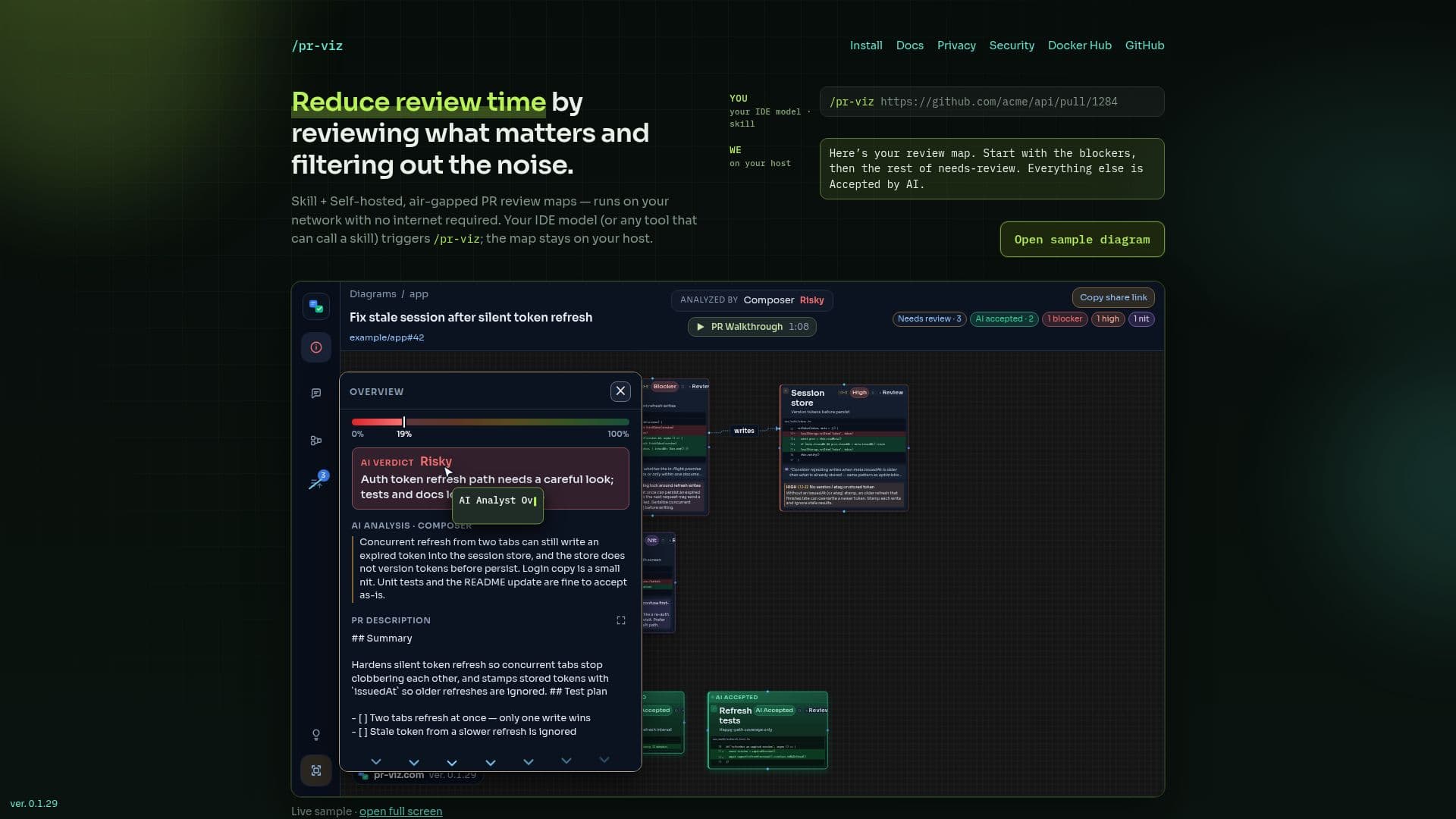
/pr-viz is a free, self-hosted IDE skill and viewer designed to streamline the code review process for GitHub pull requests. It converts complex pull requests into intuitive two-zone review maps, allowing developers to quickly identify critical changes and filter out less important modifications. This approach significantly reduces review time by focusing attention on what truly matters, enhancing efficiency and code quality.
Read More
The tool operates as an IDE skill that can be triggered from various development environments, including VS Code, Cursor, Claude Code, and Windsurf. Once activated with a GitHub pull request URL, /pr-viz generates a visual map that can be viewed locally or on a self-hosted server. A key advantage is its air-gapped capability, meaning it can run entirely within a company's private network, VPC, or EC2 behind a VPN, without requiring outbound internet access after initial installation. This ensures that sensitive code and review data never leave the host environment, addressing critical privacy and security concerns.
/pr-viz leverages existing IDE models for analysis, meaning there's no additional cost for an external LLM. It provides short, human-readable AI notes and PR comments that reviewers can act on directly. Features include a PR Walkthrough, an animated presentation of the pull request's verdict, issues, failing checks, and important calls. Users can also share review diagrams within the pull request, ensuring all team members have a consistent understanding of the risk picture.
Deployment is straightforward, involving pulling a Docker image and running a `docker compose up` command. The skill pack is then downloaded from the host and called from the IDE. The system is designed for low operational cost, utilizing models users already pay for. It supports posting comments to GitHub, either by copying to the clipboard or, with an optional token, allowing batch posting directly into a pending review. The GitHub token remains in the browser tab and is never stored on the server, further enhancing security. The application is free to run, with the image being open source and the skill pack under an MIT license, while the viewer is source-closed.
- CategoryAI Code Review & Testing
- Pricing ModelFree
- DeploymentSelf-hosted
- PlatformsWeb
/pr-viz's Core Features
Two-zone review maps for GitHub pull requests
Free IDE skill and viewer
Self-hosted deployment option
Air-gapped network capability (no internet required after install)
Reduces code review time by filtering noise
Integrates with VS Code, Cursor, Claude Code, and Windsurf
Leverages existing IDE models for analysis
Generates short, human-readable AI notes and PR comments
Provides an animated PR Walkthrough presentation
Allows sharing review diagrams within pull requests
No vendor cloud or required SaaS backend
Supports posting comments to GitHub as the user
GitHub token stays in browser tab, not on server
Docker image for easy deployment
Cosign image verification for security
How to use /pr-viz?
Run Docker Image: Pull the gprojekt/pr-viz:latest Docker image onto a machine accessible by your team and run it using `docker compose up -d`.
Download Skill: Download the pr-viz-skill for your IDE (VS Code, Cursor, Claude Code, Windsurf) from your host.
Call Skill from IDE: In your IDE, call the skill using `/pr-viz` followed by the GitHub pull request URL (e.g., `/pr-viz https://github.com/acme/api/pull/1284`).
Review Map: Open the generated two-zone review map to analyze the pull request, focusing on critical changes and AI-generated insights.
Post Comments: Use the map to post comments to GitHub, either by copying to clipboard or, with an optional token, batch posting directly to a pending review.
/pr-viz's Use Cases
- Efficient Code Review
- Secure Code Analysis
- Developer Productivity
- Team Collaboration
- Automated Review Notes
- On-Premise Deployment