Description
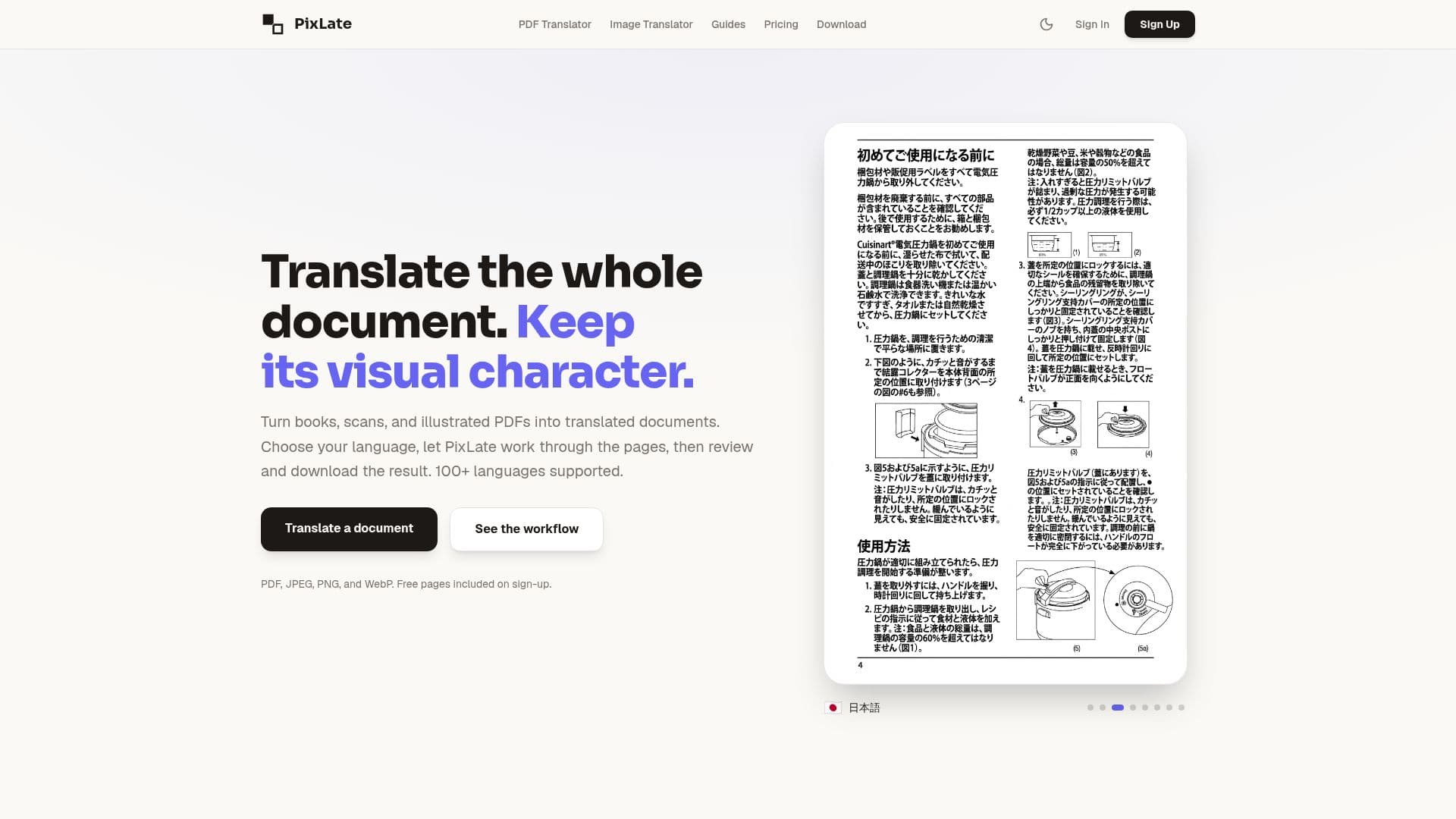
PixLate is a comprehensive tool designed to translate PDFs and images without altering their original layout. This AI-assisted platform supports over 100 languages, making it ideal for translating a wide range of documents, including books, scans, and illustrated PDFs. Users can choose their desired language, and PixLate processes the pages, allowing for review and download of the translated result. The platform supports various file formats such as PDF, JPEG, PNG, and WebP, and offers free pages upon sign-up.
Read More
PixLate's workflow includes OCR, cleanup, translation, review, and export, ensuring that text embedded in images is accurately translated while maintaining the visual integrity of the document. The tool is particularly useful for translating image-heavy documents like comics, manuals, and marketing materials. It is available both as a web application and a desktop app, providing flexibility for different user needs.
The pricing model is based on a pay-as-you-go system, where users can start with free pages and purchase credits as needed. There are no subscriptions or monthly fees, and credits can be used across various AI operations such as cleanup, OCR, translation, and rendering. PixLate ensures that projects remain local on the user's device by default, with only necessary page images sent for AI operations.
PixLate is designed for a diverse audience, including publishers, language teachers, and small businesses looking to expand into new markets. It empowers users to create bilingual reading materials, prepare localized story pages, and translate technical manuals while preserving diagrams and layout. However, it is important to note that PixLate is not a certified technical translation service, and critical manuals should be reviewed by qualified professionals before release.
- CategoryAI Translators
- Pricing ModelFreemium
- DeploymentWeb, Desktop
- PlatformsWeb, Desktop
PixLate's Core Features
Translate PDFs and images
Preserve original layout
Supports 100+ languages
OCR and cleanup
Review and edit translations
Export translated documents
Pay-as-you-go pricing
Available on web and desktop
How to use PixLate?
Upload: Add your file and choose a language
Translate: Let PixLate process the pages
Review: Check and edit the translated document
Export: Download the final translated version
PixLate's Use Cases
- Children's Books
- Technical Manuals
- Marketing Materials
- Comics and Manga
- Multilingual Education