Description
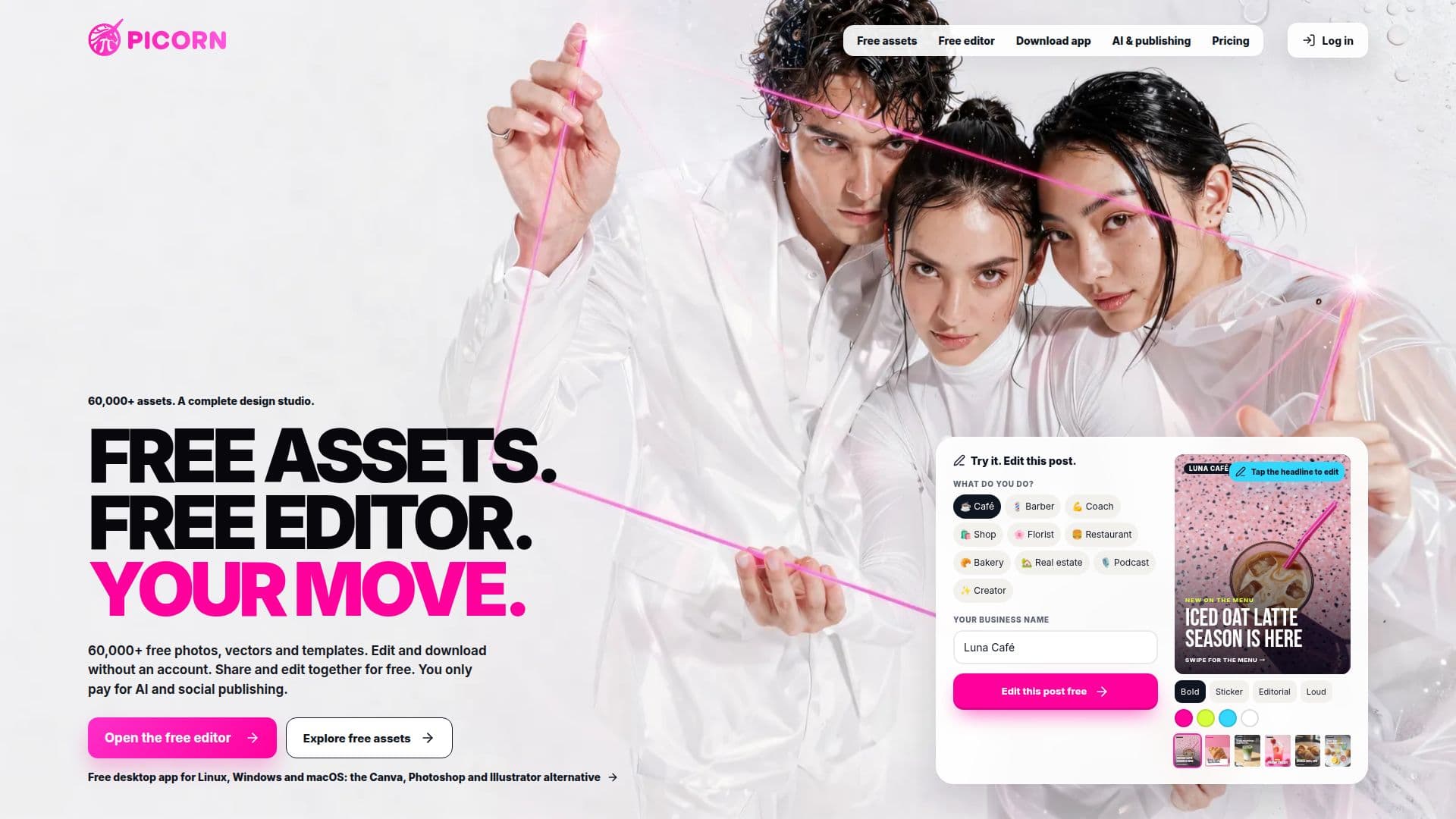
Picorn provides a versatile and accessible online design studio, enabling users to create a wide range of visual content, from social media posts to flyers and presentations. The platform emphasizes a free-first approach, offering a full browser-based editor, an extensive asset library, and essential design tools at no cost. Users can start designing immediately without needing to create an account, and can download their creations in PNG, JPG, PDF, or SVG formats for free.
Read More
The free features include a complete design editor with layers, fonts, shapes, effects, and editable vectors. It also offers advanced tools like background removal, PNG to SVG conversion, vector editing, paint tools, brand kits, and QR code generation. The asset library boasts over 60,000 photos, wallpapers, SVG illustrations, vectors, stickers, and textures, alongside more than 290,000 open-source icons, all free for personal and commercial use without requiring credit.
For collaborative projects, Picorn supports free sharing and live co-editing for users with verified accounts, allowing teams to work together on designs in real-time. Guest drafts are saved locally in the browser, while registered users can save projects to a cloud-based Studio for persistent storage and sharing.
Picorn operates on a unique pricing model, foregoing subscriptions in favor of one-off credit purchases for its AI-powered features and social media publishing. Credits, starting from $5 USD, do not expire and can be used for AI image generation, AI text and research, AI slideshows and designs, AI animation, and social publishing. Social publishing costs $0.02 in credits per request, which can target multiple connected social accounts. This credit-based system ensures users only pay for the advanced features they need, maintaining the core design and editing functionalities as completely free.
- CategoryAI Graphic Design Tools
- Pricing ModelFreemium
- DeploymentCloud
- PlatformsWeb
Picorn's Core Features
Free online design editor with full functionality
60,000+ free photos, vectors, and templates for personal and commercial use
290,000+ open-source icons available for commercial use
Free downloads in PNG, JPG, PDF, and SVG formats
Background removal and image editing tools (crop, filters, blur, pixelate)
PNG to SVG conversion with editable layers
Vector editing and paint tools
Brand kits for consistent colors and fonts
QR code generation
Free sharing and live co-editing with verified accounts
Cloud Studio for saving projects (with free account)
One-off credit purchases for AI tools and social publishing (no subscription)
AI image generation, text, slideshow, design, and animation tools
Social media publishing and scheduling to 9 networks (Instagram, TikTok, YouTube, Facebook, LinkedIn, X, Pinterest, Threads, Bluesky)
Guest editing without an account (drafts saved in browser)
Pre-made templates for various business types
How to use Picorn?
Open Editor: Access the full browser editor directly without signing in.
Design Content: Use templates, free assets, text, shapes, and image tools to create your design.
Edit & Refine: Apply filters, remove backgrounds, edit vectors, and add text or paint.
Download Design: Export your work for free in PNG, JPG, PDF, or SVG formats.
Add Credits (Optional): Sign in and purchase one-off credits for AI features or social publishing.
Utilize AI/Publish: Use credits for AI image generation, text, or to schedule posts to social media.
Picorn's Use Cases
- Social Media Content Creation
- Marketing Campaign Management
- Graphic Design for Businesses
- Photo Editing and Enhancement
- Collaborative Design Projects
- Vector Graphic Creation
- Brand Identity Development
- Content Planning and Scheduling
- Asset Library Utilization