Description
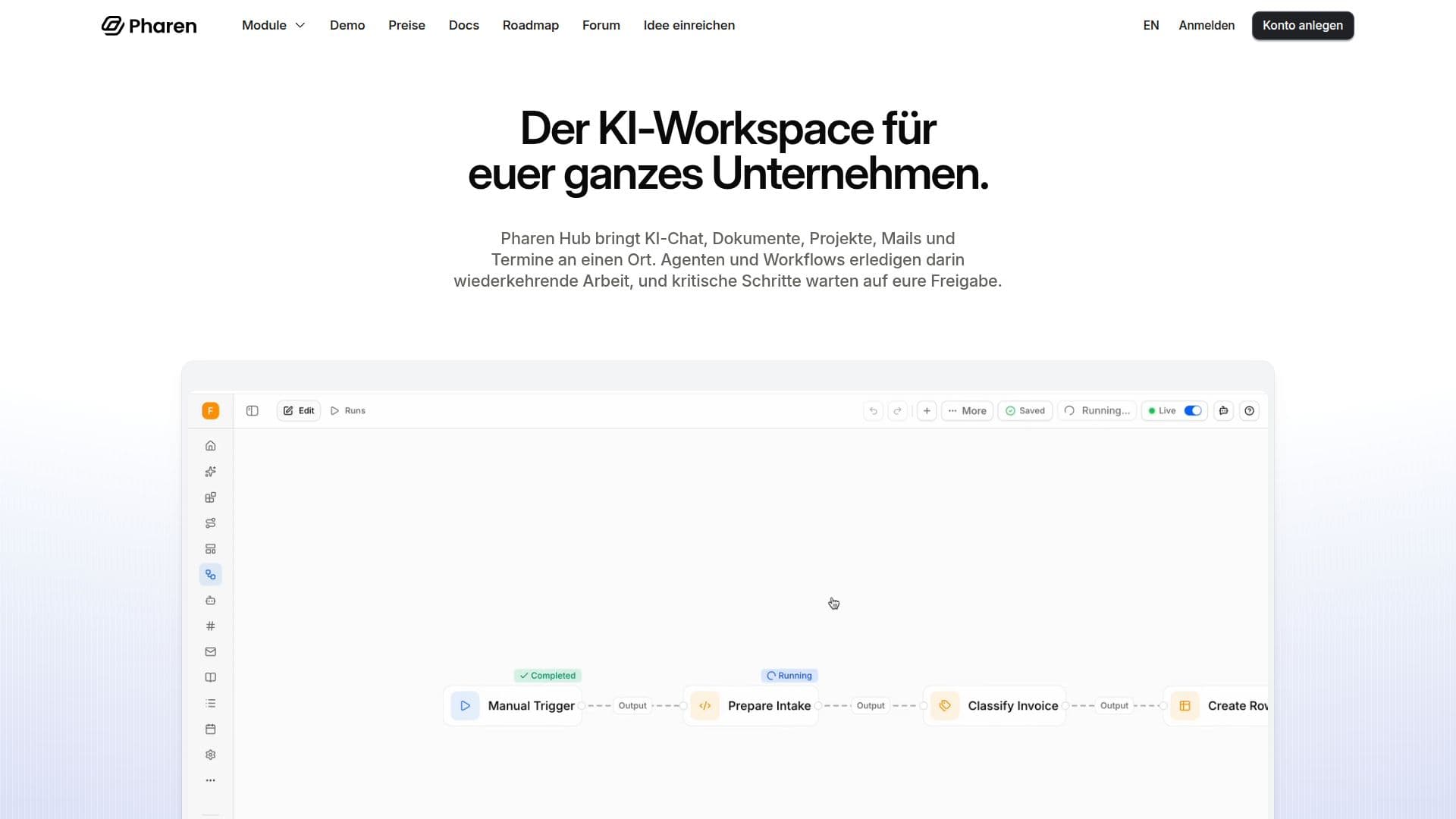
Pharen Hub provides a comprehensive AI workspace designed to centralize and streamline business operations for entire companies. It brings together essential tools like AI chat, document management, project tracking, email, and calendar functionalities into one integrated environment. The platform is built around the concept of AI agents and workflows, which are designed to automate recurring tasks and processes, while still allowing human oversight and approval for critical actions.
Read More
Key capabilities of Pharen Hub include an AI chat that integrates with models like GPT, Claude, Gemini, and Mistral, and is aware of your files and projects. The "Space" module allows users to describe what they need, and the AI builds it, such as presentations or reports. Projects can be managed in dedicated spaces, and workflows automate multi-step processes. AI agents collaborate on tasks, awaiting human approval for sensitive steps. Communication is unified through "Channels" for chats and meetings, and "Clips" enable AI to transcribe screen recordings.
Pharen Hub also integrates mailboxes, allowing email management within the workspace, and offers a "Lists" module for quick list generation from a single sentence. The calendar feature facilitates appointment planning and enables customers to book appointments independently via a dedicated booking page. The platform emphasizes team control, with users defining agent instructions, knowledge, tools, and approval processes. Every workflow run is logged for transparency.
Pharen Hub differentiates itself from products like Notion, Slack, or Microsoft 365 by combining these diverse functionalities—chat, documents, projects, lists, mail, calendar, workflows, and AI agents—into a single, context-aware workspace. It can either complement existing tech stacks or replace parts of them. The platform supports integrations with over 24 services from Google, Microsoft, and GitHub, including Gmail, Drive, Outlook, Teams, and SharePoint, allowing agents and workflows to operate with data from these external sources. An API key also enables other tools like Codex or Claude Code to access Pharen Hub's lists, documents, and workflows.
For enterprise clients, Pharen Hub offers on-premise deployment, allowing the hub to run in their own cloud (Azure, AWS, Google Cloud, Hetzner), on their servers, or in Kubernetes, with IT managing infrastructure, updates, and operations. This provides greater control over data storage, access, and deletion, addressing concerns about data privacy and compliance like DSGVO (GDPR). Support is available through documentation, a forum for questions, and GitHub for feature ideas.
- CategoryWorkflow Automation
- Pricing ModelFreemium
- DeploymentCloud, On-Premise (Enterprise)
- PlatformsWeb
Pharen Hub's Core Features
Integrated AI Chat with GPT, Claude, Gemini, Mistral
Context-aware AI that understands files and projects
Space module for AI-driven content creation (presentations, reports)
Dedicated project management spaces
Automated workflows for multi-step processes
AI agents for task automation with human approval
Unified communication channels for chats and meetings
Clips for AI-powered screen recording transcription
Integrated email management within the workspace
Quick list generation from natural language input
Calendar with self-service customer booking pages
On-premise deployment option for Enterprise plans
Integration with Google, Microsoft, and GitHub services
API access for external tools
Detailed workflow run logs for transparency
How to use Pharen Hub?
Access Workspace: Log in to pharen.app to access your workspace and its modules.
Define Agent Instructions: Use the Builder to set instructions, knowledge, tools, and approval steps for AI agents.
Build Workflows: Design and test automated workflows as graphs in the editor for multi-step processes.
Manage Projects: Create dedicated spaces for each project to organize documents, tasks, and communications.
Integrate Services: Connect Pharen Hub with external services like Gmail, Outlook, or Drive to enable agents and workflows to use your data.
Utilize AI Chat: Engage with the AI chat, which understands your files and projects, for quick information or content generation.
Plan Appointments: Use the calendar module to schedule appointments and set up booking pages for clients.
Review & Approve: Monitor workflow logs and approve critical actions performed by AI agents.
Pharen Hub's Use Cases
- Lead Management
- Offer Creation
- Customer Service
- Receivables Management
- Project Time Tracking
- Management Reporting
- Employee Onboarding
- Invoice Approval
- Daily Closing Review