
Description
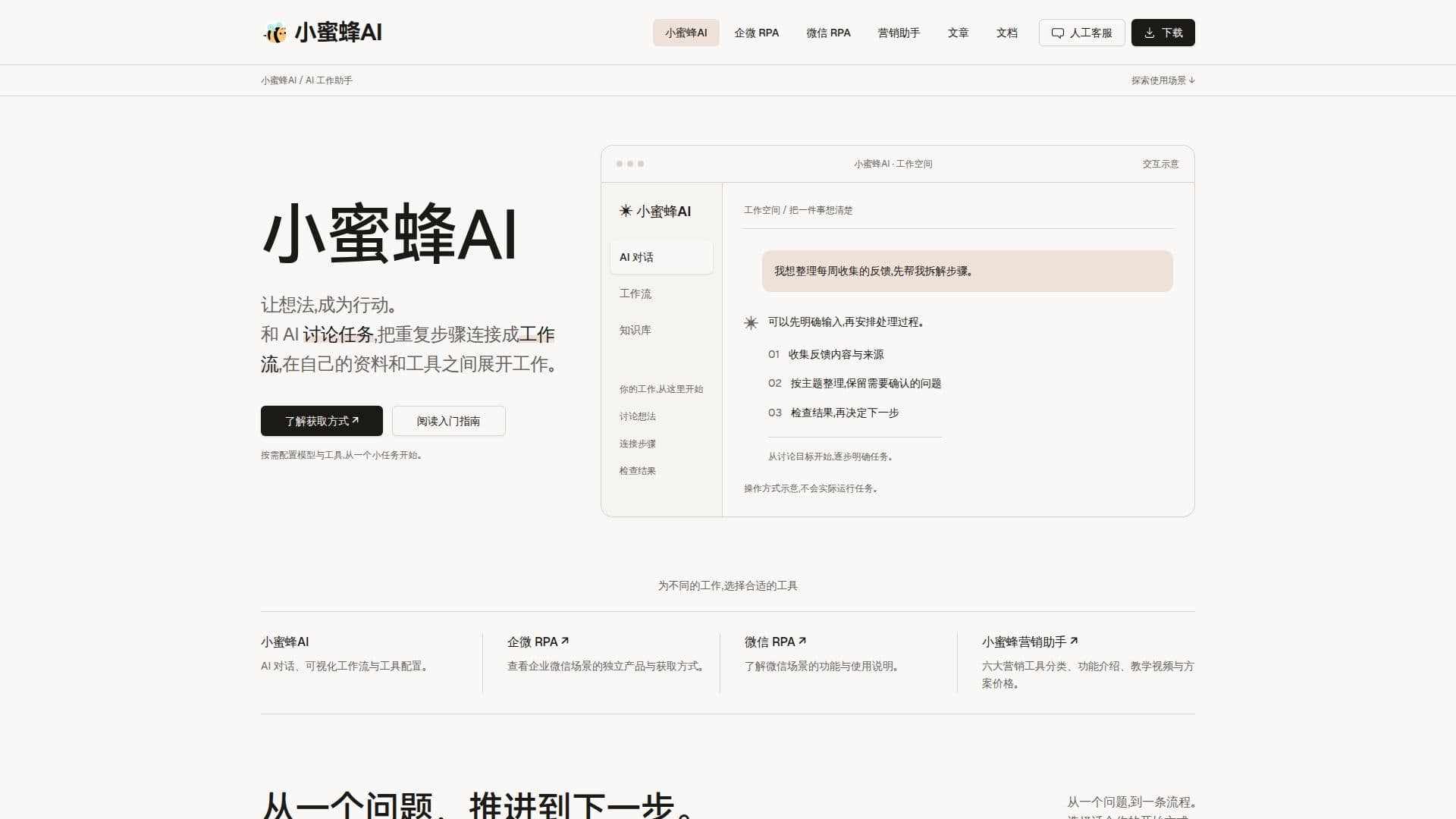
BeeAI (小蜜蜂AI) is a comprehensive AI work assistant designed for Windows desktop users, bringing together AI chat, visual workflow creation, and tool configuration within a unified workspace. This platform empowers users to transform ideas into actions by facilitating discussions with AI to clarify tasks, organize information, and break down complex processes into manageable steps.
Read More
The core functionality revolves around three key stages: discussing ideas, connecting steps, and checking results. Users can engage in AI conversations to define goals and refine task breakdowns, ensuring clarity before proceeding. Repetitive tasks can then be transformed into reusable visual workflows by connecting individual nodes, saving configurations for future execution. The platform also provides detailed execution records and node results, enabling users to monitor progress, identify issues, and iteratively refine their workflows for optimal performance.
BeeAI offers flexible configuration of models and tools, allowing users to start with small tasks and gradually build more complex automations. It supports various application scenarios, including independent products for enterprise WeChat RPA, WeChat RPA, and marketing assistants. The platform emphasizes making processes visible, helping users understand and master every step of their work.
For developers and advanced users, BeeAI provides a robust framework for integrating AI tools and knowledge bases. It's particularly suited for those who primarily work on Windows, communicate in Chinese, and aim to streamline specific tasks before expanding into broader automation. While it currently operates as a Windows desktop client, its design focuses on user control and adaptability, requiring users to prepare and configure their own models and tools.
BeeAI is positioned as a versatile solution for individuals and teams looking to enhance productivity through AI-driven task management and automation, offering a structured approach to workflow design and execution.
- CategoryWorkflow Automation
- Pricing ModelFree Download (models/tools configured by user)
- DeploymentWindows Desktop Client
- PlatformsWindows
BeeAI (小蜜蜂AI)'s Core Features
AI Chat for Task Discussion
Visual Workflow Creation
Tool and Model Configuration
Windows Desktop Client
Reusable Workflow Steps
Execution Record Monitoring
Node Result Checking
Enterprise WeChat RPA
WeChat RPA
Marketing Assistant Products
Knowledge Base Integration
Multilingual Interface (Simplified Chinese, English)
Free Downloadable Installer
Manual Customer Support
How to use BeeAI (小蜜蜂AI)?
Discuss Task: Engage in AI conversations to clarify goals, organize information, and break down tasks into clear steps.
Connect Steps: Link individual nodes to create reusable visual workflows and save configurations.
Configure Tools: Set up and integrate desired AI models and external tools within the workspace.
Execute Workflow: Run the configured workflows to automate tasks and processes.
Check Results: Review execution records and node-specific results to identify issues and refine workflows.
BeeAI (小蜜蜂AI)'s Use Cases
- Task Clarification
- Workflow Automation
- Tool Integration
- Enterprise WeChat RPA
- WeChat RPA
- Marketing Automation
- Process Optimization
- Knowledge Management