Description
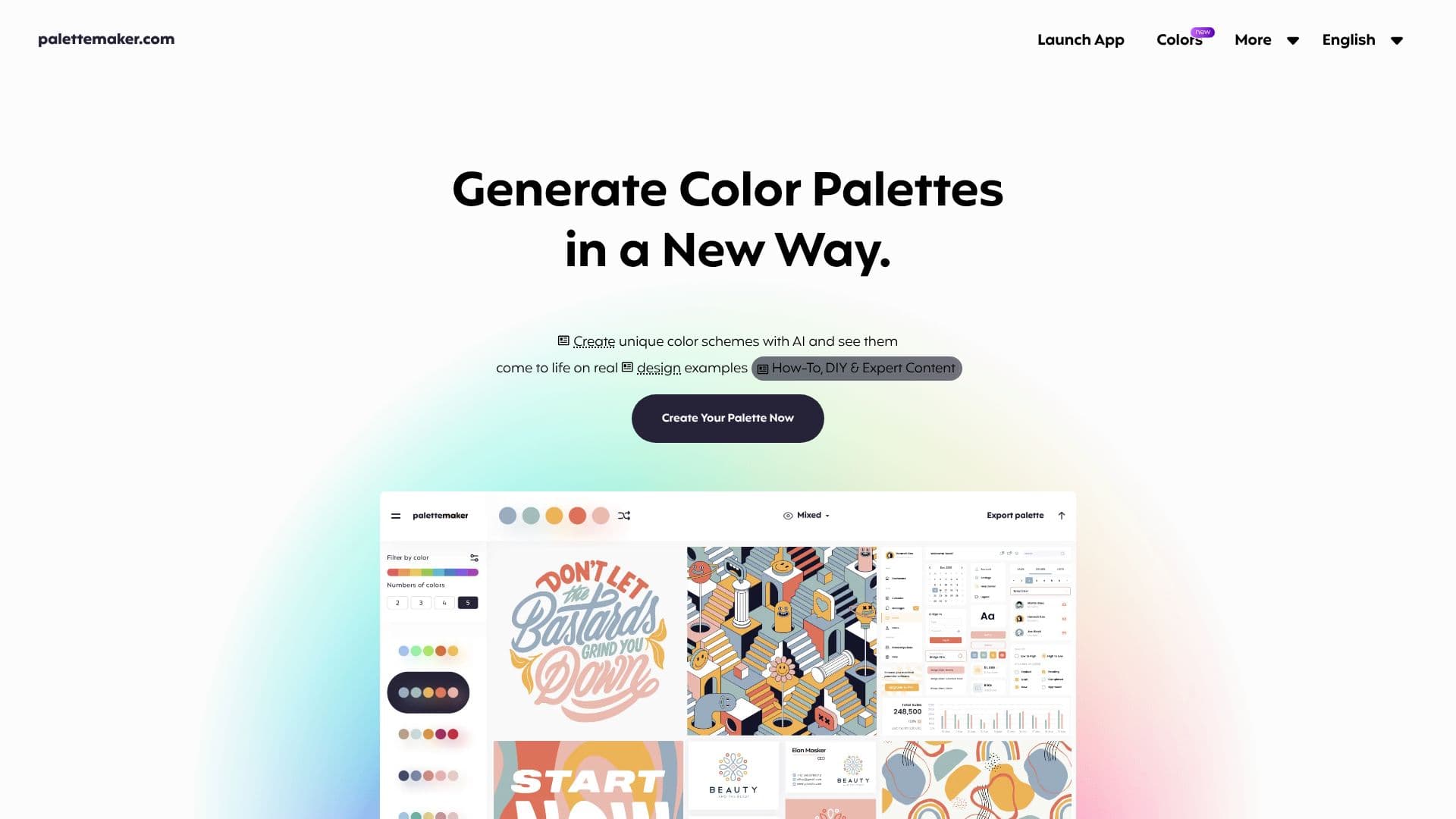
PaletteMaker offers a unique approach to color palette creation, designed for creative professionals and color enthusiasts alike. This AI-powered tool allows users to generate and test color palettes by previewing them on a variety of pre-made design examples. These examples span common creative fields, including logo design, UI/UX interfaces, patterns, posters, and more, providing a realistic context for color evaluation.
Read More
The core functionality revolves around visualizing how colors interact and behave in different design scenarios. Users can filter palettes based on specific color tones and the number of colors, ensuring they find the perfect combination. The platform supports diverse creative fields, enabling users to check their chosen colors on mockups for logos, UI designs, posters, illustrations, and other visual assets. This instant preview capability streamlines the creative process, allowing for rapid iteration and refinement of color choices.
PaletteMaker is developed by professional designers and is completely free to use, with a commitment to remaining free forever. This accessibility makes it a valuable resource for anyone working with color. The tool also offers powerful export options, allowing users to download their created palettes in various formats such as Procreate, Adobe ASE, image files, and code snippets, facilitating seamless integration into existing design workflows.
Beyond palette generation, PaletteMaker touches upon color theory basics, encouraging users to understand the impact of color choices on their work. The interface is designed to be simple and intuitive, with the main color palette readily accessible and color schemes browsable on a side panel. Users can randomize colors, change individual color cells, or delete them, working with palettes of 2 to 5 colors automatically. The tool is suitable for both designers and non-designers, making color exploration accessible to a broad audience. It notably avoids including black and white in its generated palettes, as these often serve functional roles rather than being primary design colors.
- CategoryAI Graphic Design Tools
- Pricing ModelFree
- DeploymentWeb-based
- PlatformsWeb
PaletteMaker's Core Features
AI-powered color palette generation
Live preview on real design mockups
Supports UI/UX, illustrations, branding, logos, and posters
Filter palettes by color tone and number of colors
Export palettes in Procreate, Adobe ASE, Image, and Code formats
Completely free to use
Intuitive and simple interface
Works with 2, 3, 4, and 5-color palettes
Color theory basics integration
Suitable for designers and non-designers
How to use PaletteMaker?
Configure: Select or generate initial colors for your palette.
Preview: Apply your palette to various design examples like UI mockups or logos.
Refine: Adjust individual colors, randomize, or change the number of colors.
Filter: Browse existing palettes by color tone or number of colors.
Export: Download your finalized palette in desired formats (Procreate, ASE, Image, Code).
PaletteMaker's Use Cases
- Logo Design
- UI/UX Design
- Web Design
- Illustration Color
- Branding
- Poster Design
- Pattern Creation
- Color Exploration