
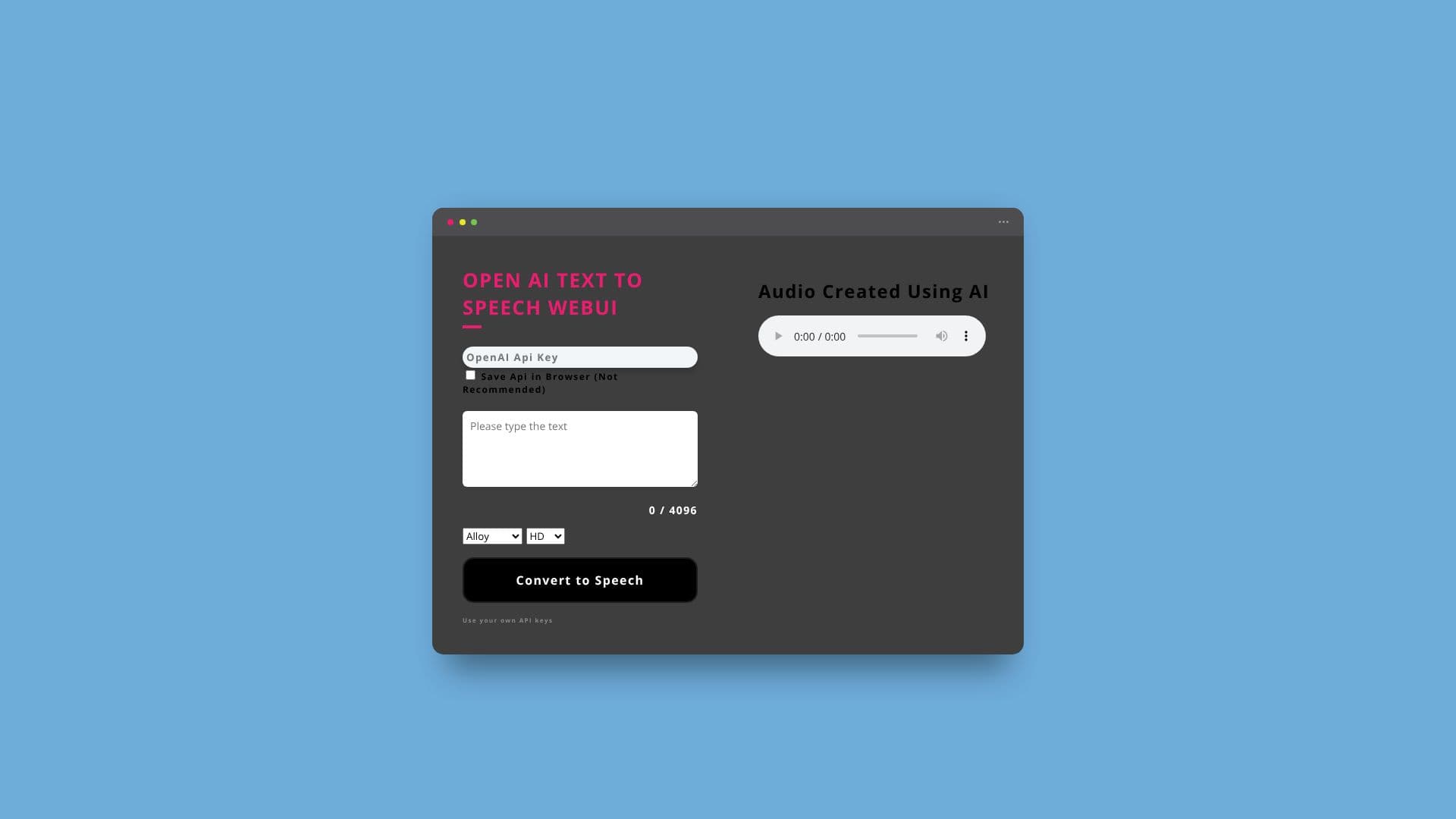
Description
The OpenAI Text To Speech WebUI is a user-friendly interface designed to harness the power of OpenAI's advanced Text-to-Speech (TTS) API. This application serves as a free frontend, allowing individuals and businesses to easily convert written text into spoken audio without needing to build their own complex integration.
Read More
At its core, the web UI functions by sending text input to OpenAI's TTS API and receiving synthesized speech audio in return. To use the service, users must possess their own API key, which can be obtained directly from the OpenAI Platform. This ensures that usage is managed through OpenAI's existing infrastructure and pricing models. The tool supports a comprehensive list of languages, making it versatile for global applications.
The creator developed this web UI out of a personal need for realistic-sounding voices for a product video. After evaluating various TTS platforms, OpenAI's API was identified as the most cost-effective solution offering high-quality audio. This led to the development of a straightforward web interface to make OpenAI's TTS accessible to others.
The application is particularly beneficial for content creators, marketers, educators, and developers who need to generate voiceovers, audiobooks, podcast segments, or any other form of spoken content. The wide array of supported languages and the natural quality of OpenAI's voices make it suitable for diverse projects. The developer, a digital marketer from Focus Gulf, aims to provide a practical tool that simplifies the process of creating professional-sounding audio.
Focus Gulf, the developer's affiliation, is an industrial equipment and spare parts supplier based in Saudi Arabia, offering products from brands like Schneider, Siemens, and ABB. This background highlights a practical, problem-solving approach to tool development, focusing on efficiency and affordability in digital content creation.
- CategoryText to Speech
- Pricing ModelFreemium
- DeploymentWeb-based
- PlatformsWeb
OpenAI Text To Speech WebUI's Core Features
Converts text into speech using OpenAI's TTS API
Requires users to provide their own OpenAI API key
Offers a free frontend for OpenAI's TTS service
Supports a wide range of languages for audio generation
Provides multiple voice options: Alloy, Echo, Fable, Onyx, Nova, Shimmer
Generates audio in High Definition (HD) quality
Developed by a digital marketer for practical audio creation needs
Designed for ease of use and accessibility
How to use OpenAI Text To Speech WebUI?
Obtain your OpenAI API key from the OpenAI Platform.
Input your desired text into the web UI.
Select a voice and language from the available options.
Click the 'Convert to Speech' button to generate audio.
Download or use the created audio file.
OpenAI Text To Speech WebUI's Use Cases
- Voiceovers for Videos
- Audiobook Creation
- Podcast Narration
- E-Learning Modules
- Accessibility Tools
- Prototyping & Demos
- Content Summarization