Description
Online Audio Converter is a free web app from 123apps that converts audio files quickly without installing any software. It works with over 300 file formats, including video formats, and can output MP3, WAV, M4A, FLAC, OGG, AMR, MP2, and M4R for iPhone ringtones.
Read More
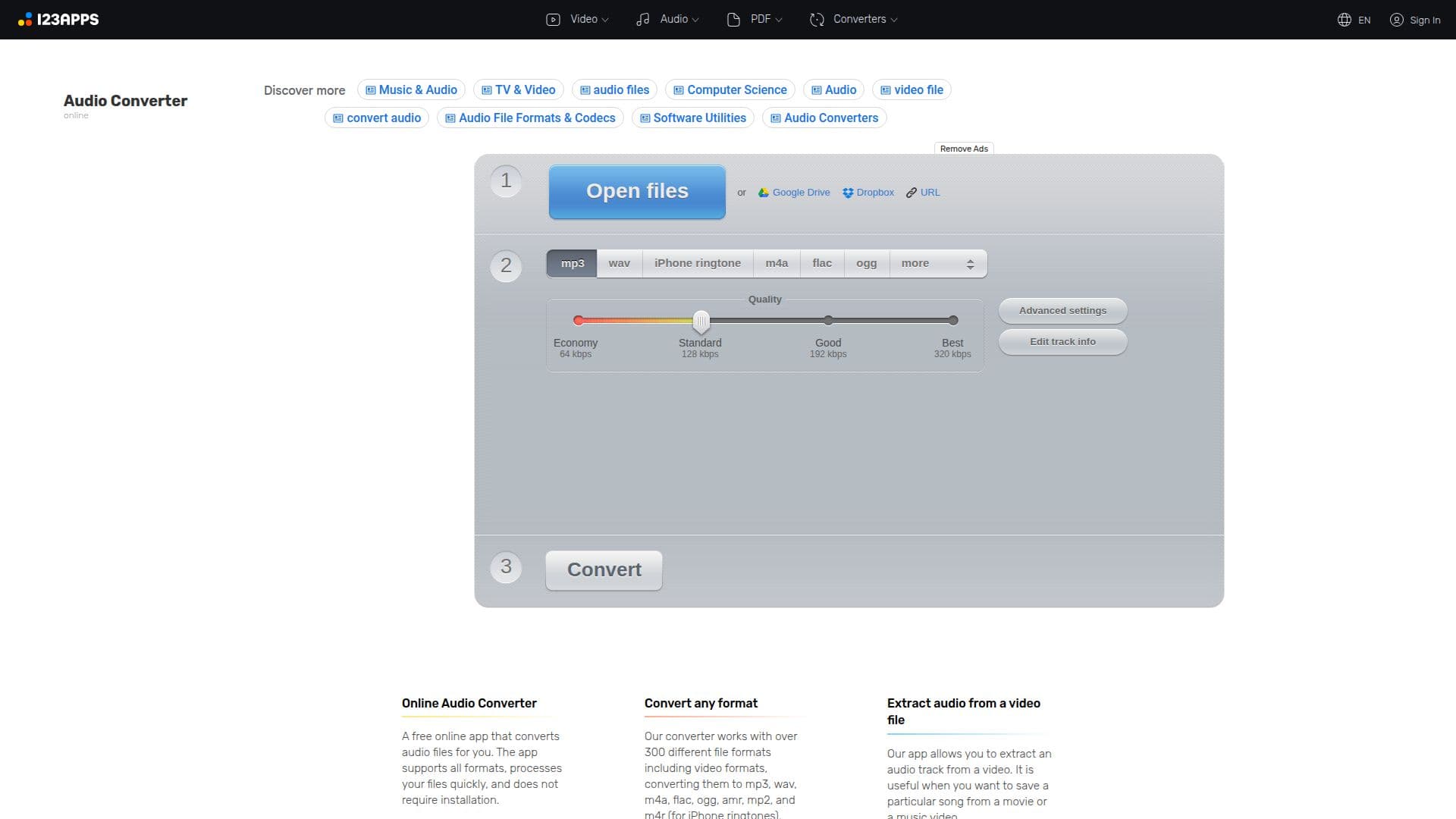
The converter lets you open files from your device, Google Drive, Dropbox, or a URL, then choose a target format and quality from Economy to Best (up to 320 kbps). Advanced settings give control over bitrate, sample rate, channels, and effects such as reverse playback and fade in or out, and you can edit track information like title, artist, album, year, and genre.
It also extracts audio tracks from video files, supports batch conversion of multiple files into a ZIP archive, and automatically deletes uploaded files from its servers a few hours after you finish. A free plan allows 70 files per day with a 4 GB file size limit, while a Premium plan adds unlimited files, larger uploads, faster speed, and no ads.
- CategoryAI Audio Editors
- Pricing ModelFreemium
- DeploymentCloud
- PlatformsWeb
Online Audio Converter's Core Features
Convert between 300+ audio and video formats
Output to MP3, WAV, M4A, FLAC, OGG, AMR, MP2, and iPhone ringtones
Extract audio tracks from video files
Advanced settings for bitrate, sample rate, channels, and effects
Edit track tags including title, artist, album, year, and genre
Batch conversion with ZIP download
Import from device, Google Drive, Dropbox, or URL
Runs in the browser with no installation
How to use Online Audio Converter?
Open files: Upload from your device, Google Drive, Dropbox, or a URL.
Choose a format: Pick the target format such as MP3, WAV, or iPhone ringtone.
Set quality: Select a quality preset and adjust bitrate, sample rate, channels, or effects if needed.
Convert: Start the conversion and download the output file to your computer.
Online Audio Converter's Use Cases
- Format conversion
- Ringtone creation
- Audio from video
- Batch processing