Description
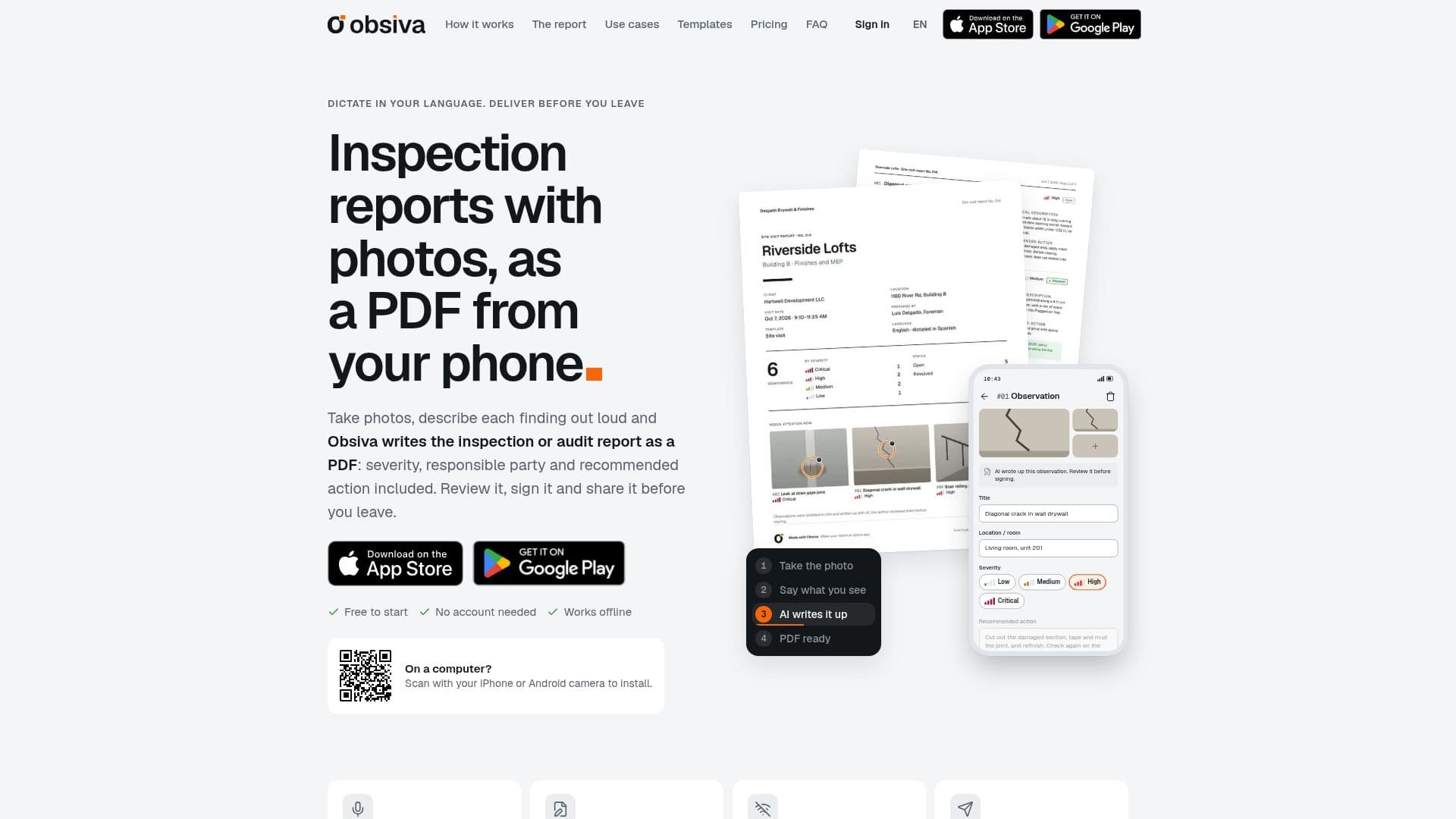
Obsiva is a dedicated application for generating inspection and audit reports directly from the field, leveraging photos and voice dictation. It simplifies the often time-consuming process of creating detailed reports by allowing users to capture findings with their phone camera, describe them verbally, and have the app automatically compile a comprehensive PDF report before leaving the site.
Read More
This tool is particularly beneficial for professionals conducting field inspections across various industries, including construction, health and safety, facilities management, property, quality control, and operations. Users can dictate observations in either English or Spanish, and Obsiva's AI drafts technical descriptions, including details like title, location, severity, responsible party, and recommended actions. All AI-generated content is fully editable, ensuring accuracy and allowing for human review before finalization.
A key feature of Obsiva is its offline functionality, which ensures productivity even in areas without internet access. Photos, dictations, and observations are saved locally on the phone, and the AI processes them once an internet connection is re-established. The app also supports photo markup, enabling users to draw arrows, circles, or add text directly onto images to highlight specific findings.
Reports generated by Obsiva are professional PDFs that can include the user's signature and, with a Pro subscription, a company logo. These reports are designed to be easily shareable via email, text, or other messaging applications. For Pro users, there's also the option to export reports as editable Word files or Excel sheets for further tracking and analysis. The app facilitates follow-up visits by displaying open items from previous inspections, allowing users to add progress photos and notes, and mark items as resolved.
Obsiva offers a free plan that includes 3 shared reports per month and 60 AI-written items, with unlimited items per report. A Pro subscription unlocks unlimited reports, cloud backup, unlimited AI usage (fair use), company logo integration, additional PDF designs, and access to a web browser version. The pricing for the Pro plan is displayed in local currency within the App Store or Google Play, with monthly or annual subscription options. No account is required to start using the free version, making it accessible for immediate use.
- CategoryAI Document & PDF Tools
- Pricing ModelFreemium
- DeploymentCloud, Mobile app
- PlatformsiPhone, Android, Web
Obsiva's Core Features
Voice dictation in English or Spanish
AI-written observations (title, location, description, severity, responsible party, recommended action)
Offline functionality for field work
Photo markup with arrows, circles, and text
PDF report generation with signature
Follow-up across visits with progress and closure photos
Scheduled visits per project
Reports in another language or bilingual (Pro feature)
Word and Excel export (Pro feature)
Cloud backup for reports (Pro feature)
Web browser access for Pro accounts
Editable AI-generated content
Customizable report designs (four designs with Pro)
Company logo integration (Pro feature)
No account needed to start
How to use Obsiva?
Capture Photos: Shoot photos or select multiple from your gallery; each becomes an observation. Mark findings with arrows, circles, or text.
Dictate Observations: Tap 'Dictate' and describe the finding in your own words, in English or Spanish.
Review AI Draft: Obsiva fills in details like title, location, technical description, severity, responsible party, and recommended action, all editable.
Generate & Share Report: Close the visit to have AI write an executive summary, then generate the PDF with your signature and share it via email or messaging apps.
Obsiva's Use Cases
- Construction Site Visits
- Health and Safety Inspections
- Facilities Maintenance Rounds
- Property Inspections
- Quality and Operations Audits
- Independent Inspector Reports
- Punch List Management
- Audit Reporting