Description
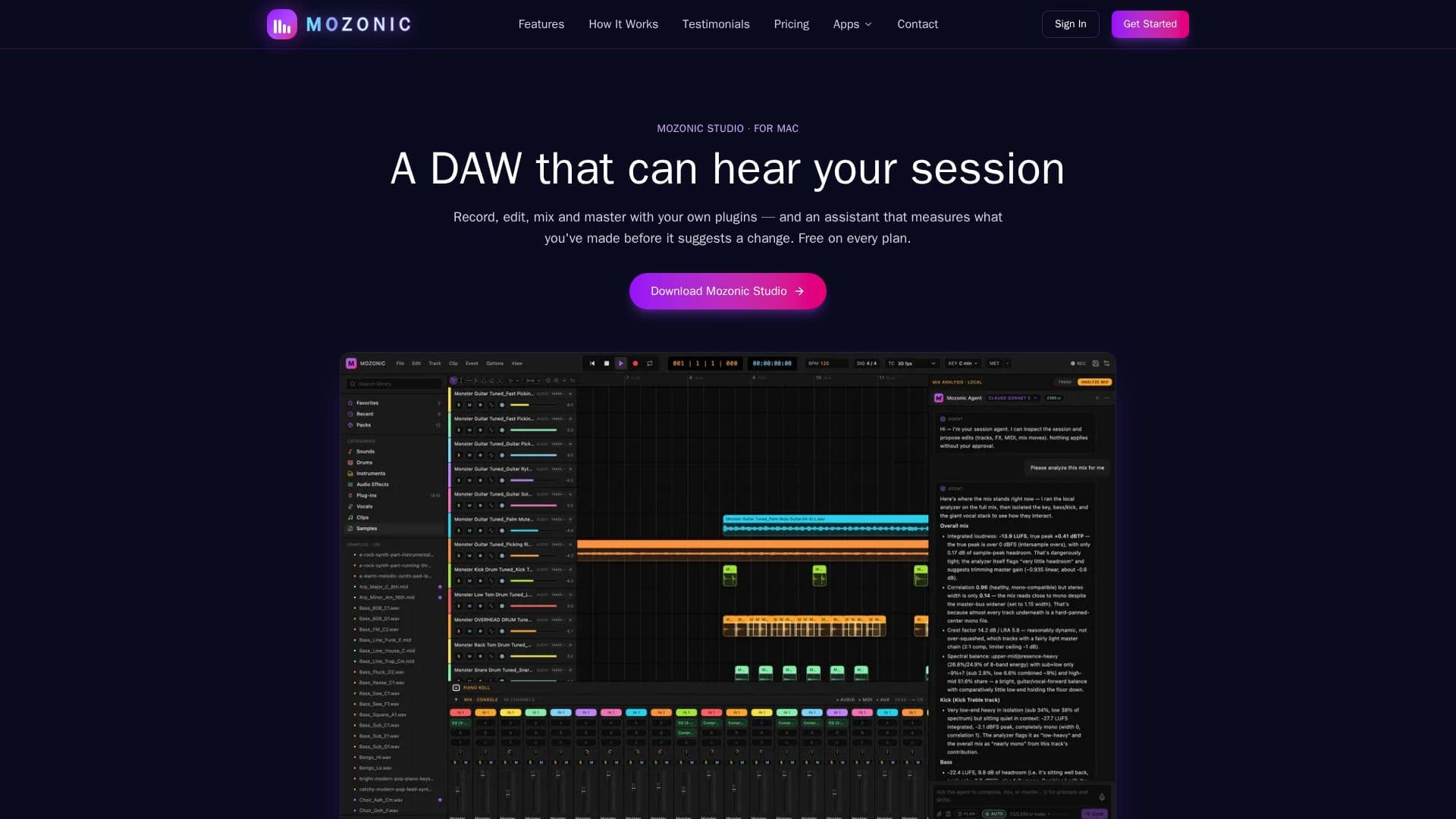
Mozonic Studio is a free digital audio workstation (DAW) designed exclusively for Mac users. It supports VST3 and Audio Unit plugins, allowing users to record, edit, mix, and master audio tracks. The platform is equipped with an AI assistant that analyzes audio sessions, measuring parameters such as true peak, spectrum, stereo width, and loudness range. Based on these measurements, the assistant proposes changes that users can preview, accept, or decline. All changes are reversible, ensuring flexibility in the creative process.
Read More
The DAW operates without requiring an account for basic functionalities like recording, editing, and exporting. However, to access AI features, users must utilize a credit system. The free plan does not include AI credits, while the Starter and Pro plans offer 500 and 2,000 credits per month, respectively. Additional credits can be purchased separately and do not expire.
Mozonic Studio is designed for Apple silicon Macs running macOS 12 Monterey or later. It does not support Intel Macs or Windows at this time. The platform includes features such as multitrack recording, MIDI with a piano roll, built-in instruments, automation, and a full mixer. Users can also import movies for scoring, with audio synced to the video.
The AI capabilities extend to music generation, using tools like Lyria and Stable Audio to create parts that fit the song's tempo, key, and structure. The DAW also offers mastering tools with targets for streaming, club, and broadcast environments. Integrations with AI assistants like Cursor, Claude, and ChatGPT are available through the MCP platform, enhancing the tool's functionality for professional audio engineers.
- CategoryAI Audio Editors
- Pricing ModelFreemium
- DeploymentCloud
- PlatformsmacOS
Mozonic Studio's Core Features
Free DAW for Mac
VST3 and Audio Unit plugin hosting
AI assistant for session analysis
Credit-based AI features
Multitrack recording and MIDI support
Music generation with Lyria and Stable Audio
Mastering tools with target presets
Integration with AI assistants via MCP
How to use Mozonic Studio?
Install: Download and install on macOS 12 or later
Configure: Set up your audio interface and plugins
Create: Record, edit, and mix your tracks
Optimize: Use AI assistant for session analysis
Mozonic Studio's Use Cases
- Music Production
- Session Analysis
- Music Generation
- Mastering
- Scoring to Picture