Description
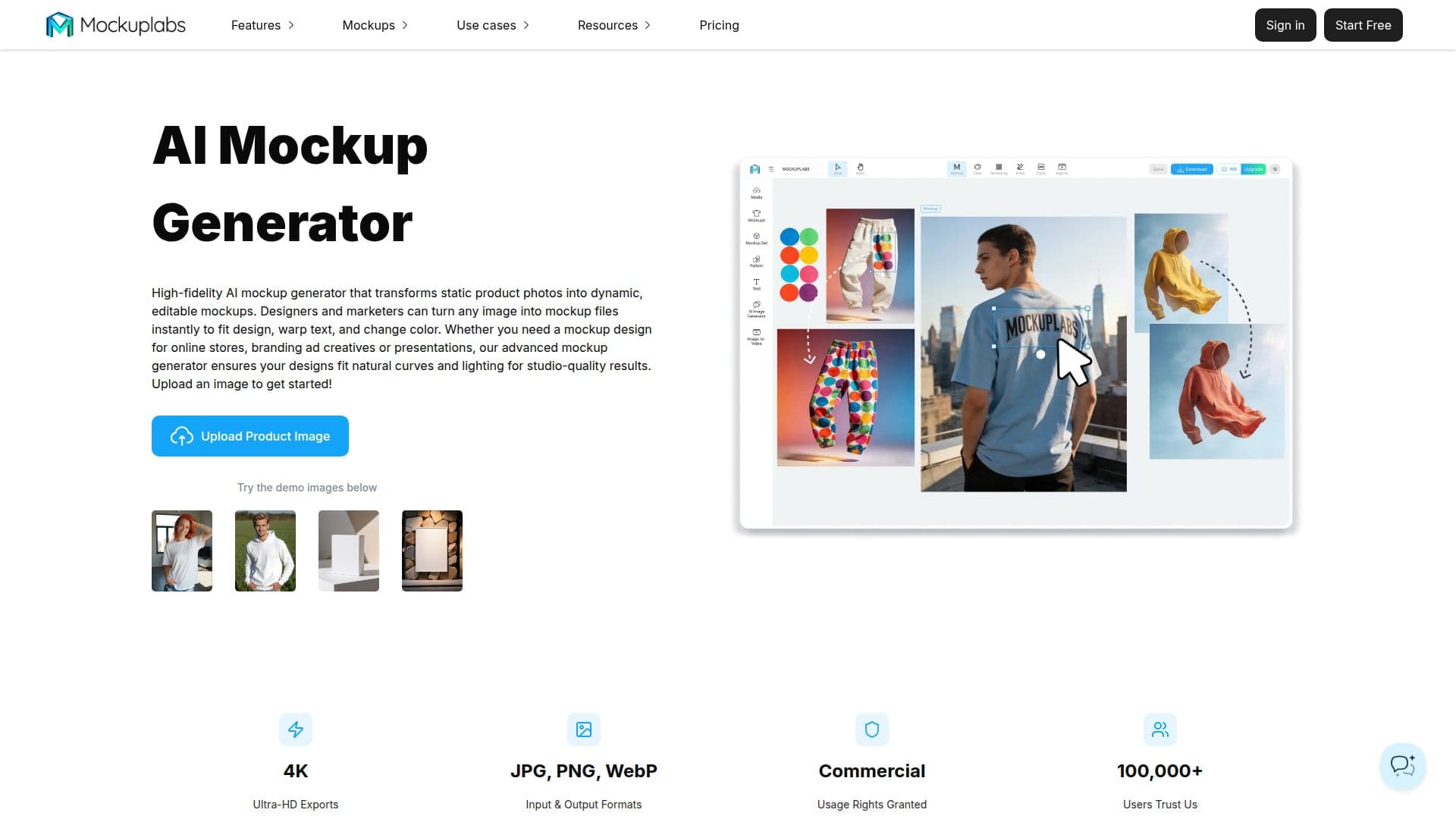
Mockuplabs (mockuplabs.ai) is an AI-powered mockup generator that transforms static product photos into dynamic, editable mockups without Photoshop or design skills. Unlike tools limited to a fixed library, it lets users upload their own product photography, and its rendering and surface-mapping technology automatically detects curved surfaces, folds, and lighting so a design wraps on with accurate perspective, realistic shadows, and natural texture. Uploaded product photos become reusable custom mockup templates, which is especially useful for print-on-demand and dropshipping businesses.
Read More
The platform works on an infinite canvas with real-time editing after a mockup is generated, and supports batch processing across multiple images and angles. Additional tools include a smart color changer, all-over-print pattern mapping, batch recolor, an AI product image generator that creates a nine-image listing set (angled shots, model and lifestyle scenes, and close-ups), plus a background remover, image upscaler, AI eraser, text overlay, and image-to-video. It also offers a large library of 30,000+ ready templates. Exports support high resolution up to 2K or 4K, commercial use, and JPEG, PNG, and WebP formats, sized for Amazon A+ content, Shopify, Etsy, and social ads.
Mockuplabs is free to use with no credit card required, giving free users 30 credits per month. Paid plans, Basic and Pro, add AI image generation with models such as Nano Banana, GPT Image, Seedream, and Flux, an object eraser, upscaler, HD and custom-resolution downloads, commercial licensing, and, on Pro, AI image-to-video and product image set generation with models like Kling, Veo, and Runway.
- CategoryAI Product Photography
- Pricing ModelFreemium
- DeploymentCloud
- PlatformsWeb
Mockuplabs's Core Features
AI mockup generation from any product photo
Automatic design mapping to curves, folds, and lighting
Reusable custom mockup templates from your own photos
Smart color changer and all-over-print design
Batch mockup and batch recolor processing
AI product image set generator for full listings
Background remover, upscaler, AI eraser, and image-to-video
High-resolution exports up to 4K with commercial use
How to use Mockuplabs?
Start a project: Upload any product image and your design image to the canvas.
Create a mockup: Click Mockup so the AI turns the product into an editable layer.
Apply your design: Drag your artwork onto the mockup to wrap it into curves, shadows, and lighting.
Refine: Reposition the design, change product colors, or add warped text.
Export: Download your finished mockup image in high resolution.
Mockuplabs's Use Cases
- Print-on-demand mockups
- E-commerce listing images
- Product variations
- Ad and social creatives
- Prototype previews