Description
Microsoft TTS Downloader is a user-friendly application that leverages the power of Microsoft's Text-to-Speech (TTS) service to convert written text into spoken audio. This tool simplifies the process of generating natural-sounding speech, making it accessible to individuals without prior knowledge of complex cloud services like Microsoft Azure.
Read More
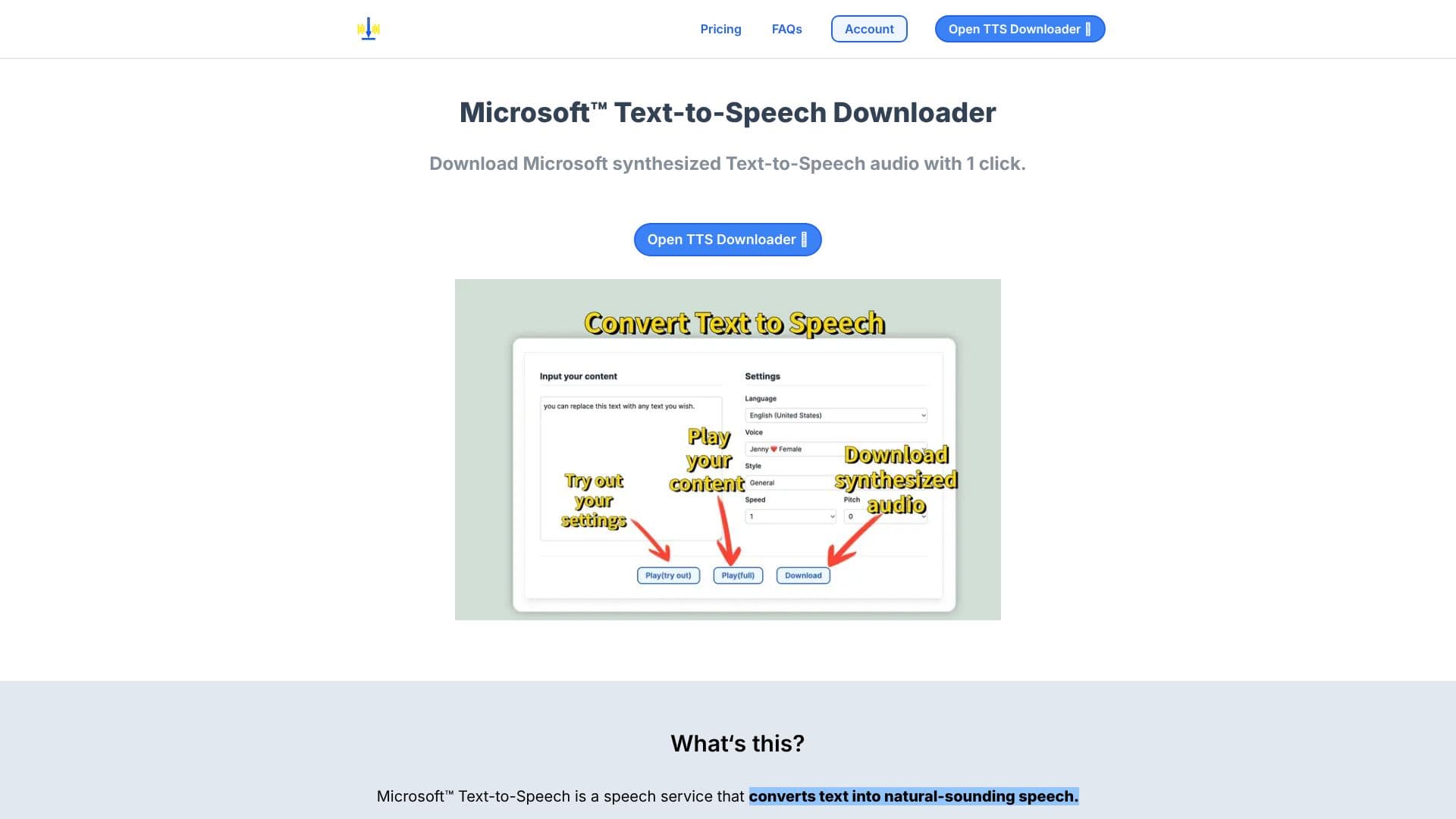
The core functionality of the downloader is its one-click operation. Users can input their desired text, and the tool will synthesize it into audio that can be played directly or downloaded for later use. This eliminates the need for technical setup or intricate configurations, offering a straightforward solution for audio generation.
The service is particularly beneficial for content creators, educators, developers, and anyone who requires synthesized speech for various applications. Whether it's for creating voiceovers, accessibility tools, or prototyping, the downloader provides a convenient way to access high-quality TTS audio. The output audio is reported to be identical to the demos played on the official Microsoft TTS website, ensuring a reliable and consistent result.
Microsoft TTS Downloader offers different pricing tiers to accommodate various user needs. A free tier is available for occasional use, providing a limited number of plays and downloads per month. For more intensive usage, users can upgrade to a Pro plan, which offers unlimited downloads and plays, along with priority support from the developer. This tiered approach ensures that users can select a plan that best suits their requirements and budget.
The platform also provides clear instructions on how to pay using Alipay and offers a 3-day money-back guarantee for its paid plans. A comprehensive FAQ section addresses common queries, including how to use the tool, subscription management, and refund policies, further enhancing user experience and support.
- CategoryText to Speech
- Pricing ModelFreemium
- DeploymentCloud
- PlatformsWeb
Microsoft TTS Downloader's Core Features
Converts text to natural-sounding speech using Microsoft TTS
One-click audio download and playback
No technical expertise required for Microsoft Azure Cloud Service
Downloadable audio matches website demo quality
Free tier for occasional users
Pro plan for unlimited usage
Priority support available for Pro users
Monthly and annual payment options
Cancel subscription anytime
3-day money-back guarantee
How to use Microsoft TTS Downloader?
Open TTS Downloader: Access the tool via the website.
Input Text: Enter the text you wish to convert into speech.
Synthesize Audio: Click the button to generate the speech audio.
Play or Download: Listen to the synthesized speech or download the audio file.
Microsoft TTS Downloader's Use Cases
- Content Creation
- Educational Materials
- Accessibility Tools
- Prototyping
- Personal Projects
- Language Learning