
Description
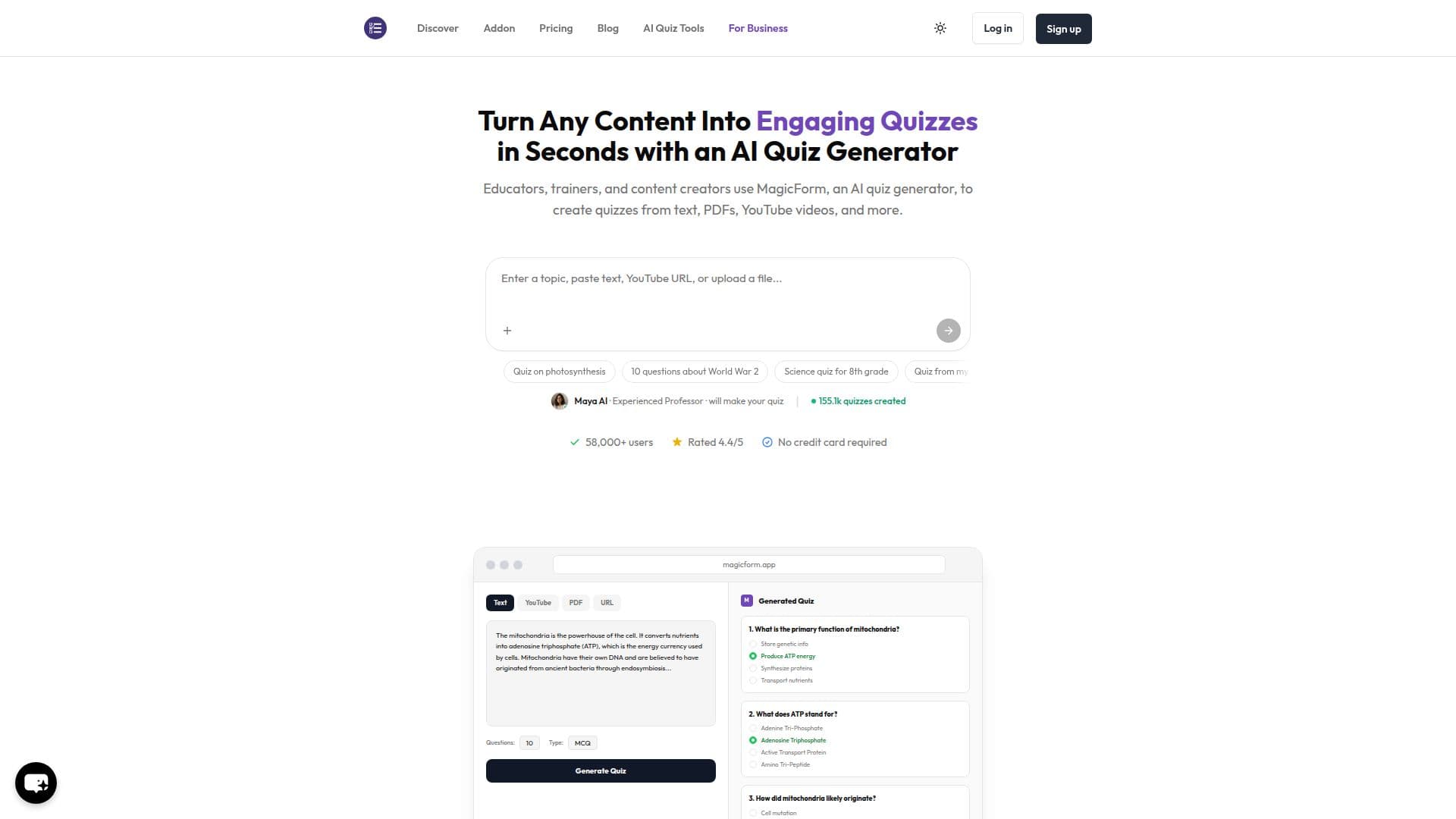
MagicForm is an AI quiz generator that turns any content into engaging quizzes in seconds. Educators, trainers, and content creators paste text, enter a topic, drop a YouTube link, upload a PDF or DOCX, add an image, or provide any URL, and MagicForm generates quiz questions from it. Its AI, presented as a professor character named Maya, analyzes the content, identifies key concepts, and creates questions that test real understanding.
Read More
The tool supports many input types: text to quiz, topic to quiz, YouTube to quiz using transcript extraction, PDF and Word documents, URL to quiz via content scraping, and image to quiz using AI vision to read diagrams, charts, and textbook photos. It produces multiple-choice, true/false, and short-answer questions that you can edit before sharing, and supports 100+ languages.
Every generated quiz can be exported to Google Forms in one click, with answer keys included, or exported to PDF and shared via a link. MagicForm works as a Google Forms add-on, licensed per Google Account, and a purchased license automatically upgrades the specified Gmail account with no license key needed. A separate business offering builds AI-generated personality quiz funnels with email capture and Mailchimp or Kit integration.
A free plan includes 5 quizzes per month, up to 8 questions per quiz, 12,000 characters of input, and access to URL, YouTube, and PDF inputs. A Pro plan at around $7.42 per month (billed $89 per year) adds unlimited quizzes, up to 40 questions per quiz, and custom quiz branding. MagicForm is built by IndianAppGuy Tech Pvt Ltd.
- CategoryAI Study Tools
- Pricing ModelFreemium
- DeploymentCloud
- PlatformsWeb
MagicForm's Core Features
Generate quizzes from text, topics, PDFs, DOCX, images, YouTube, and URLs
AI vision to build questions from diagrams, charts, and photos
YouTube transcript extraction for video-based quizzes
Multiple-choice, true/false, and short-answer question types
One-click export to Google Forms with answer keys
Export to PDF and shareable quiz links
Support for 100+ languages
Free plan available with paid Pro tier
How to use MagicForm?
Sign up: Create an account with Google in one click, no credit card required.
Add content: Paste text or a topic, drop a YouTube or web URL, or upload a PDF or image.
Generate: Let the AI create a quiz with questions and answer options in seconds.
Edit: Review and adjust the questions as needed.
Export: Send the quiz to Google Forms with answer keys, or export to PDF or a link.
MagicForm's Use Cases
- Classroom assessments
- Corporate training
- Student self-study
- Content engagement
- Lead-generation quiz funnels