Description
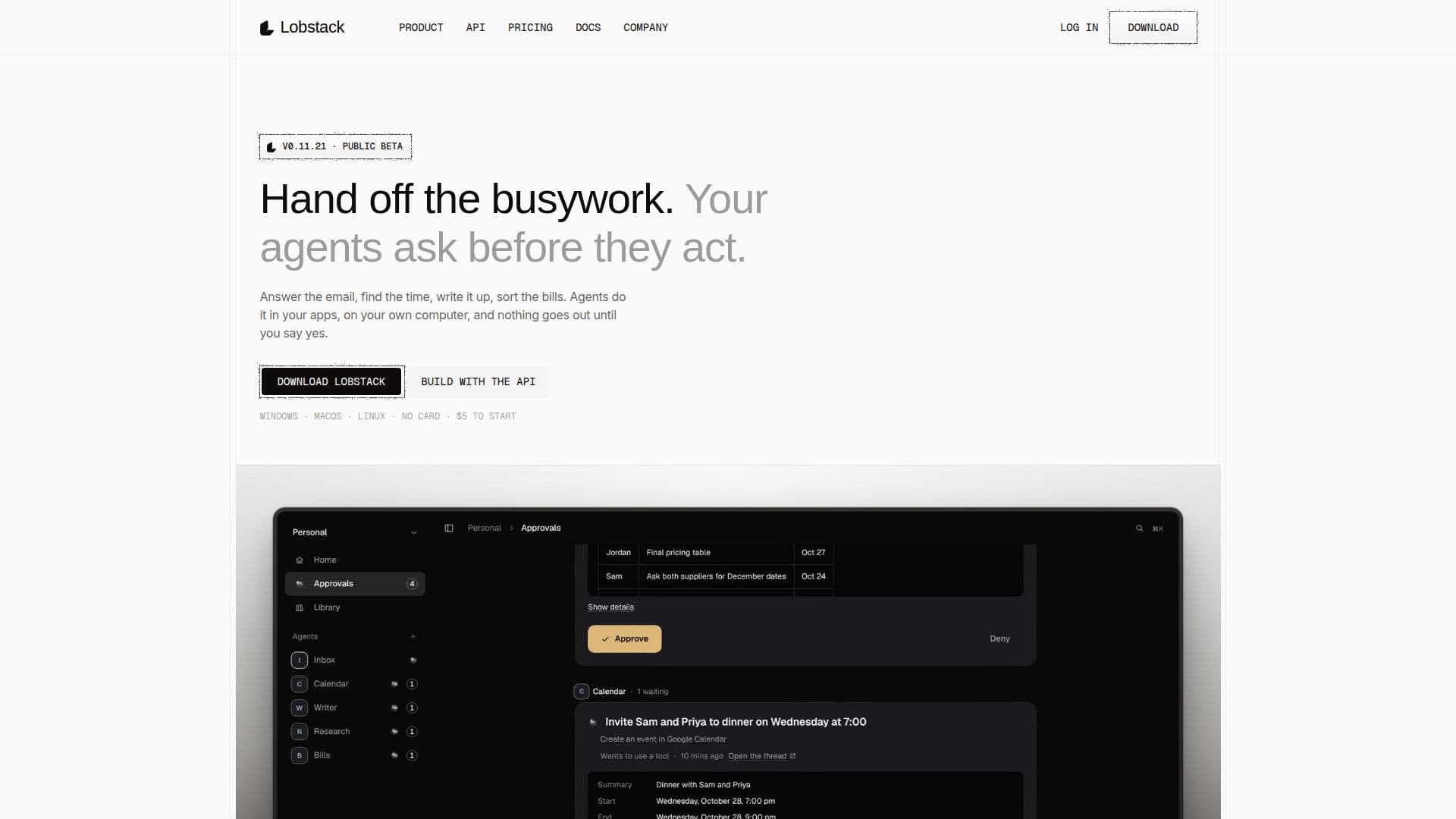
Lobstack offers a unique approach to AI automation through its desktop application and an OpenAI-compatible API. The core product is a local-first desktop app available for Windows, macOS, and Linux, where AI agents perform tasks directly within your repositories, files, and other connected tools. A key differentiator is the mandatory approval system: every action that modifies something, such as file changes, commands, or messages, waits for your explicit 'yes' before proceeding. This ensures that users maintain full control and oversight over the AI's operations.
Read More
The application allows users to delegate entire jobs to agents. An agent will first write a plan for your approval, then work in the background, and finally present the results for your review. It supports various document types, including Word, PDF, PowerPoint, and Excel files, and features a canvas alongside the conversation for comparing versions and requesting changes. For developers, coding agents can create pull requests on a branch. The app also includes a browser that agents can use, which users can watch live and even take over if needed. All memory, including notes and past conversations, is stored locally on your computer, with no telemetry or analytics leaving your machine without explicit user action.
Lobstack's API, known as the Lobstack Gateway, is an OpenAI-compatible endpoint that routes requests across four model providers (Anthropic, OpenAI, Google, and xAI). It uses a router called Nex to score request complexity and send it to the cheapest suitable tier. Every API response includes details on the model used, the tier, and the cost, providing transparency and a "receipt" for each call. The API supports streaming, org-scoped API keys with scopes, expiry, and revocation, and a usage API with a priced ledger. The platform is built with a focus on US models and is designed for the "road to superintelligence," ensuring a person remains in charge.
Pricing for Lobstack includes a free tier that offers $5 of credit for 30 days upon account creation. After this, users can continue for free by using their own provider keys or GitHub Copilot, or opt for paid plans starting from $29/month. Paid plans include a monthly usage allowance at provider price, with subsequent usage charged at provider price + 15%. The company is American, based in Chicago, and is currently in public beta, with frequent updates. It prioritizes data privacy by keeping workspace, vault, sessions, and logs on the user's computer, and encrypting credentials in the operating system's credential store.
- CategoryAI Agent Builders
- Pricing ModelFreemium
- DeploymentDesktop Application
- PlatformsWindows, macOS, Linux
Lobstack's Core Features
Desktop AI Agents for Windows, macOS, Linux
Explicit Approval for All Changes
Local-First Data Storage
OpenAI-Compatible API with Cost Receipts
Multi-Model Provider Routing (Anthropic, OpenAI, Google, xAI)
Delegate Full Jobs with Plan Approval
Interactive Canvas for Document Review
Agent-Controlled Browser with Live Monitoring
Scheduled Routines and Webhook Triggers
Mobile Phone Approvals
Detailed Ledger of Run Costs
Built-in Skills and One-Click Connectors
Support for GitHub Copilot and Custom Provider Keys
No Telemetry or Analytics
Encrypted Credential Storage
How to use Lobstack?
Download App: Obtain the free desktop application for Windows, macOS, or Linux from the Lobstack website.
Install & Open: Follow the installation instructions for your operating system; Windows may require an extra step due to new certificate.
Sign In & Get Credit: Sign in through your browser; a new account from the app adds $5 of credit for 30 days.
Give Agent a Job: Assign tasks to your AI agents, which can work in your files, repositories, and connected tools.
Approve Actions: Review and approve every command, file change, push, or message before the agent executes it.
Monitor & Review: Watch agents work in their browser, review their plans, and check results in the canvas or your library.
Lobstack's Use Cases
- Drafting Emails
- Scheduling Meetings
- Summarizing Notes
- Product Research
- Expense Tracking
- Sales Follow-ups
- Customer Support Triage
- Financial Reconciliation
- Content Calendar Management
- Code Review Assistance