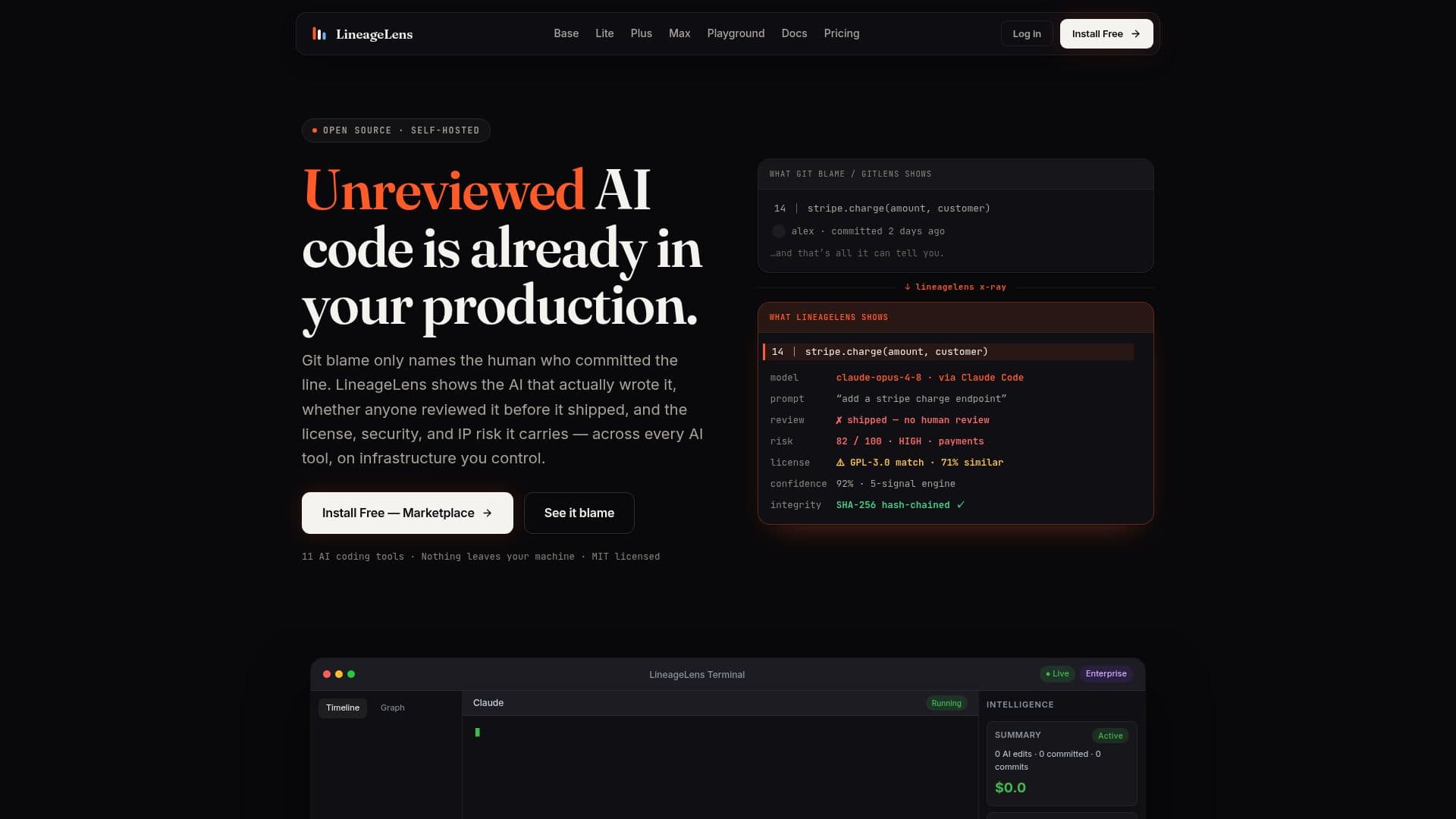
Description
LineageLens is an open-source, self-hosted platform designed to track AI-generated code. It provides detailed insights into which AI tools, such as GitHub Copilot, Claude, and Cursor, generated specific lines of code. The platform captures prompts and assesses associated risk levels, offering a centralized AI governance dashboard. This dashboard displays total AI code insertions, risk distribution across projects, and identifies the most active AI tools and riskiest files in real-time.
Read More
LineageLens operates entirely on your infrastructure, ensuring that all data, including prompts and code insertions, remain secure and private. It functions as a transparent local proxy, capturing prompts with minimal latency. The platform is capable of operating in air-gapped environments, making it suitable for organizations with strict security requirements.
The tool offers various tiers, including a free VS Code extension for local provenance capture, and a shared self-hosted dashboard billed per active developer per month. The Base tier is free, while the Plus tier costs $12 per developer per month. LineageLens is not a replacement for security analysis tools like Snyk or Semgrep but complements them by providing AI code provenance.
LineageLens is particularly useful for teams concerned about license and IP contamination, security vulnerabilities, compliance, and incident forensics. It helps trace the origin of AI-generated code, ensuring transparency and accountability in software development processes. The platform supports multiple AI coding tools and offers features like per-line attribution, risk scoring, and a comprehensive governance dashboard.
- CategoryAI Code Review & Testing
- Pricing ModelFreemium
- DeploymentSelf-hosted
- PlatformsVS Code, Docker
LineageLens's Core Features
Open-source and self-hosted
Tracks AI-generated code
Captures prompts and risk levels
Centralized AI governance dashboard
Supports multiple AI tools
Operates in air-gapped environments
Free VS Code extension
Shared self-hosted dashboard
How to use LineageLens?
Install: Set up the VS Code extension or Docker proxy
Configure: Point AI tools to the local proxy
Capture: Record AI-generated code and prompts
Analyze: Use the dashboard for insights and risk assessment
LineageLens's Use Cases
- AI Code Tracking
- Risk Assessment
- Compliance Auditing
- Security Analysis
- Incident Forensics