
Description
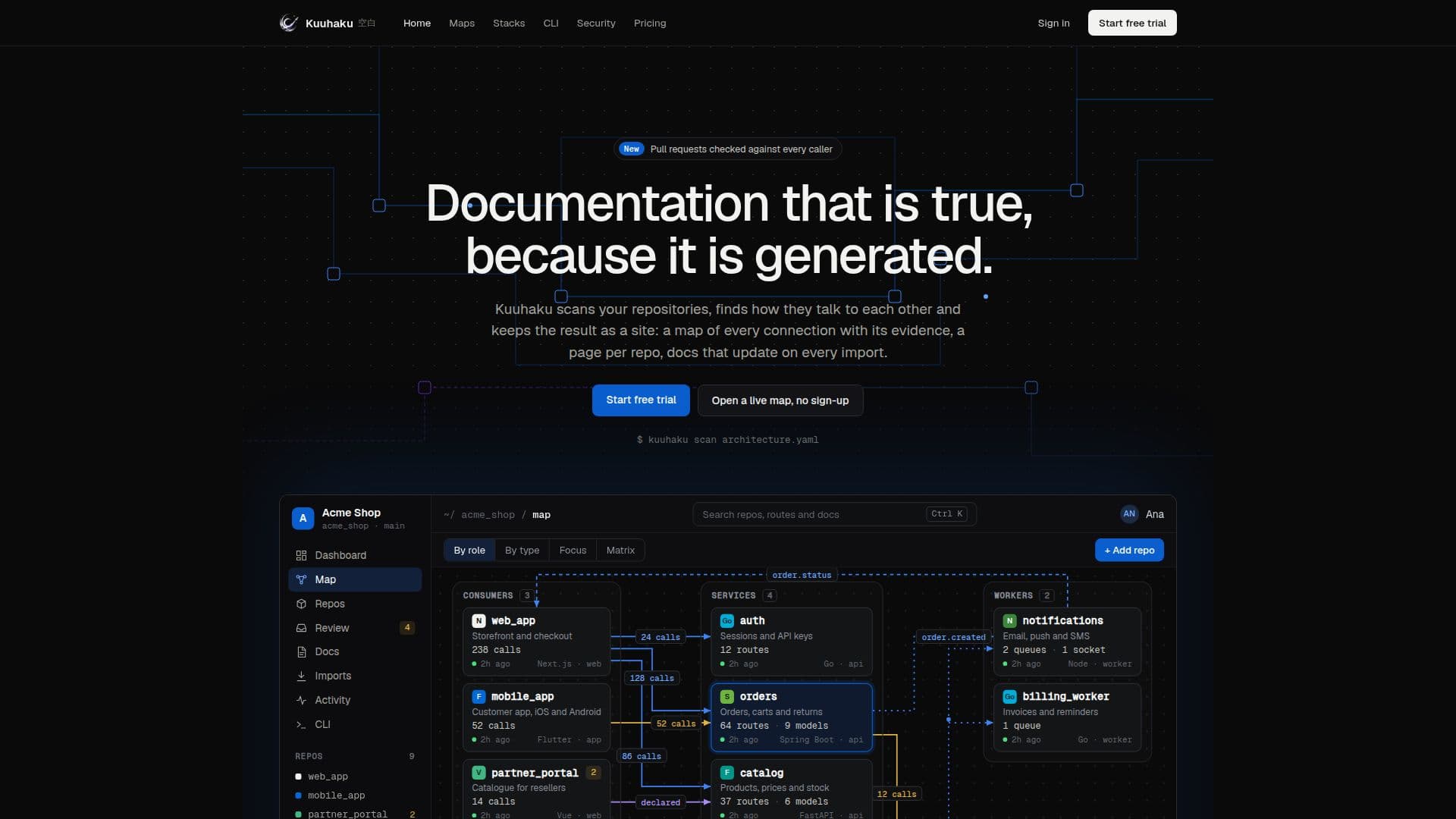
Kuuhaku is a tool designed to help developers and teams understand the architecture of their codebases by creating detailed service maps and architecture diagrams. It scans your repositories to identify how different services communicate with each other, mapping every call between services, including HTTP routes, gRPC, queues, and shared databases. Each connection is documented with file and line references, providing clear evidence of how services interact.
Read More
The tool automatically updates documentation with every import, ensuring that the architecture map remains accurate and up-to-date. Kuuhaku also offers a pull request check feature that identifies potential issues before code merges, such as broken routes or missing publishers for queues. This proactive approach helps developers avoid integration problems and maintain system stability.
Kuuhaku supports a variety of programming languages and frameworks, including Go, Java, Python, .NET, Node, PHP, Ruby, and Rust. It can be integrated into CI/CD pipelines using GitHub Actions or Bitbucket Pipelines, and it offers both hosted and CLI-based scanning options.
Pricing for Kuuhaku is based on the number of repositories and workspaces, with plans starting at $9 per month. Each plan includes a 14-day free trial, allowing users to explore the tool's capabilities without commitment. The tool is particularly beneficial for companies with multiple services and applications, providing insights into service dependencies and architecture rules.
Kuuhaku is designed for developers, system architects, and DevOps teams who need to manage complex systems and ensure seamless integration across services. Its comprehensive mapping and documentation capabilities make it a valuable asset for maintaining and optimizing software architecture.
- CategoryAI DevOps & Cloud Tools
- Pricing ModelFreemium
- DeploymentCloud
- PlatformsWindows, macOS, Linux
Kuuhaku's Core Features
Service map generation
Architecture diagram creation
Pull request checks
C4 export
Repository scanning
Connection evidence documentation
Integration with CI/CD pipelines
Support for multiple programming languages
How to use Kuuhaku?
Install: Use npm or CLI to install Kuuhaku
Scan: Point Kuuhaku at your repositories
Map: Generate service maps and architecture diagrams
Review: Use pull request checks to identify issues
Kuuhaku's Use Cases
- Service Mapping
- Architecture Documentation
- Pull Request Validation
- CI/CD Integration
- Multi-language Support