
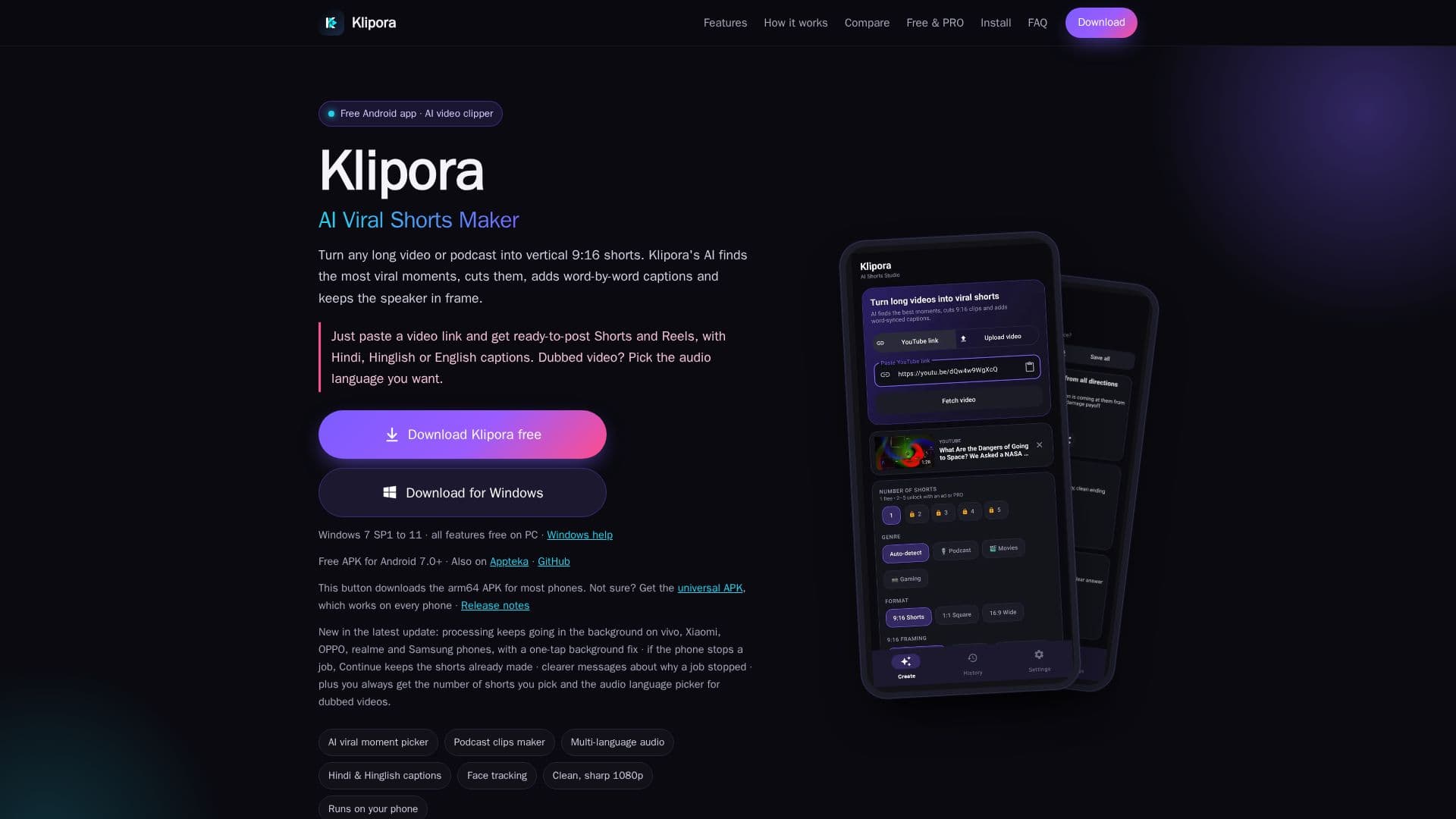
Description
Klipora AI is a versatile and free AI shorts maker application available for both Android and Windows PC. It streamlines the process of converting lengthy videos and podcasts into engaging, vertical 9:16 shorts, ideal for platforms such as YouTube Shorts and Instagram Reels. The core functionality involves users simply pasting a video link, after which Klipora's AI takes over to identify and extract the most viral and compelling moments.
Read More
The application offers advanced features like AI clip picking with viral scores, allowing for the generation of 1 to 5 shorts per video. It includes automatic podcast detection, ensuring that podcast clips start at a question and end after a full answer, creating complete, coherent stories typically between 45 seconds and 1:30 in length. For dubbed videos, an audio language picker is available, enabling users to select their preferred audio track for the shorts and captions.
Klipora AI provides word-by-word captions in Hinglish, Hindi, and English, synced precisely to the audio. Users can choose from 10 caption styles, apply keyword highlighting, and utilize the Caption Studio to restyle captions without re-generating the entire short. The AI face tracking feature ensures that speakers remain in frame, automatically switching to a split-screen view when two people are conversing.
Export options include 9:16, 1:1, and 16:9 formats, with resolutions up to 1080p. The app enhances video quality by cleaning compression noise and gently sharpening the output. Exports are processed efficiently in the background, allowing users to leave the app or lock their phones. Klipora AI operates by using free API keys from Google Gemini for viral moment picking and Groq for timed transcripts, ensuring user data privacy as processing largely occurs on the user's device. The Windows version offers all features completely free, without ads or limitations, while the Android version provides a free tier with optional ad-based unlocks for premium features.
- CategoryAI Short Video Makers
- Pricing ModelFreemium
- DeploymentCloud
- PlatformsAndroid, Windows
Klipora AI's Core Features
AI viral moment picking with scores
Generates 1 to 5 shorts per video
Automatic podcast detection and clip generation
Audio language picker for dubbed videos
Word-by-word captions in Hinglish, Hindi, and English
10 caption styles and Caption Studio for restyling
AI face tracking with auto split screen for multiple speakers
Supports 9:16, 1:1, and 16:9 video formats
Up to 1080p export with cleaner, sharper video
Faster background export that continues when app is closed
Works directly from a video link (no file upload)
Windows PC version with all features free and no ads
Uses free Google Gemini and Groq API keys for processing
Privacy-focused: video cutting and face tracking happen on device
Progress shown in notification bar with honest percent and time left
How to use Klipora AI?
Install Klipora: Download and install the Klipora app on your Android device or Windows PC.
Add API Keys: Obtain free API keys from Google AI Studio (Gemini) and Groq Console, then paste them into Klipora's settings.
Paste Video Link: Copy the link of any long video or podcast and paste it into the Klipora app.
Choose Options: Select the desired genre, format, export quality, and number of shorts. Optionally enable captions and face tracking.
Generate Shorts: Tap "Generate shorts" to let the AI process the video, cut clips, add captions, and save them to your gallery.
Save & Post: Watch your generated shorts, restyle captions if needed, then save them or share directly to social media.
Klipora AI's Use Cases
- Social Media Content Creation
- Podcast Highlights
- Video Repurposing
- Multi-Language Captioning
- Speaker-Focused Clips
- Content Marketing