
Description
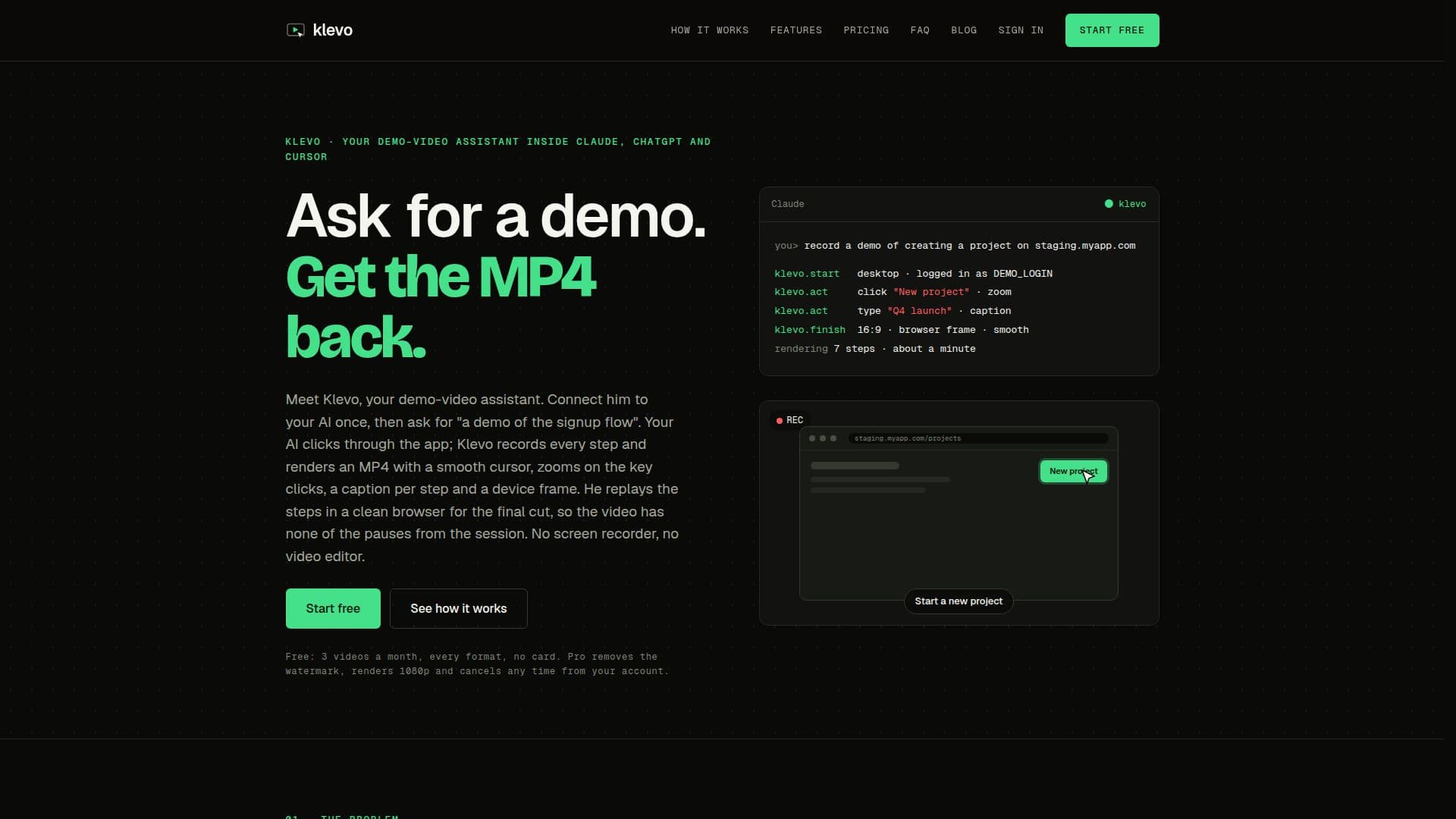
Klevo is a demo-video assistant designed to streamline the creation of video demonstrations for web applications. By integrating with AI tools such as Claude, ChatGPT, and Cursor, Klevo automates the recording process, capturing each click and interaction within a web app. Users receive an MP4 video complete with smooth cursor movements, zooms on key actions, captions for each step, and a device frame.
Read More
The service operates through an MCP server, allowing AI assistants to call Klevo automatically when a demo is requested. This seamless integration means users never have to leave the chat interface, and no installation is required. Klevo logs into the app using saved secrets, ensuring that login credentials are never exposed in the video.
Klevo offers different tiers: Free and Pro. The Free tier allows for 3 videos per month at 720p resolution, with a small watermark. The Pro tier removes the watermark, offers 1080p resolution, and supports up to 120 steps per video, among other features. Ultra tier provides even more capabilities, including longer video durations and additional voice credits for narration.
Users can customize their videos with various formats and styles, such as 16:9 for desktop or 9:16 for mobile stories. Klevo also provides voice narration options, using voice credits to read captions aloud. Failed steps during recording are reported with screenshots and console errors, aiding in debugging.
Klevo is ideal for developers and teams needing quick, professional demo videos without the hassle of manual recording and editing. It ensures that demos remain current by rendering videos from scripts that adapt to UI changes, making it a valuable tool for maintaining up-to-date content.
- CategoryAI Video Generators
- Pricing ModelFreemium
- DeploymentCloud
- PlatformsWeb
Klevo's Core Features
AI integration with Claude and ChatGPT
Automatic video recording of web app interactions
MP4 output with zooms and captions
Free and Pro tiers with different resolutions
Encrypted login credentials
Customizable video formats and styles
Voice narration using credits
Error reporting for failed steps
How to use Klevo?
Connect: Add Klevo as a connector in your AI tool
Describe: Specify the demo flow and format
Record: Klevo captures interactions and renders video
Download: Receive the MP4 video in chat
Klevo's Use Cases
- Product Demos
- Onboarding Videos
- Marketing Clips
- Bug Reporting
- Training Materials