Description
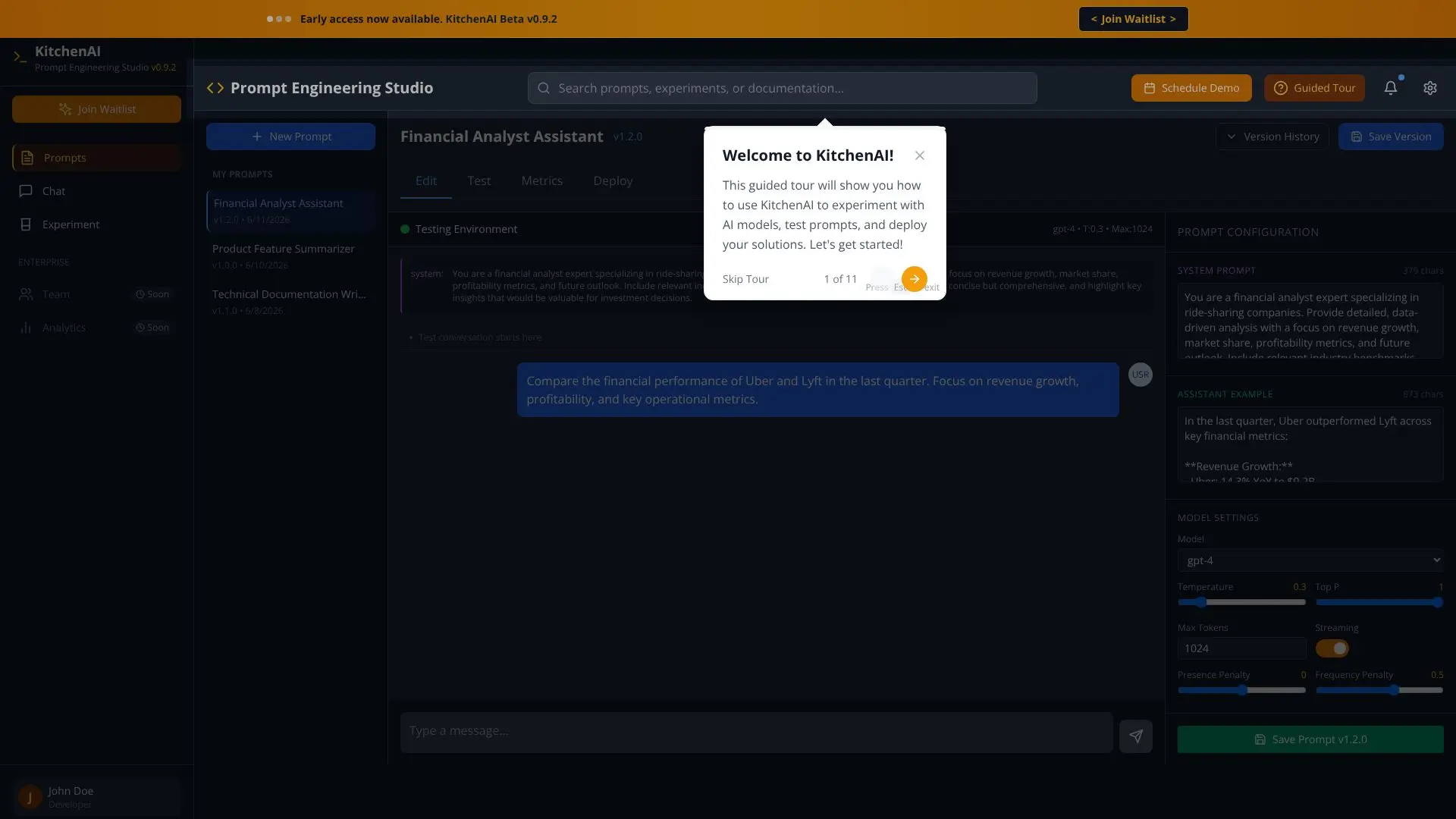
KitchenAI serves as a dedicated Prompt Engineering Studio, empowering users to craft, test, and deploy sophisticated AI prompts. The platform is currently in Beta v0.9.2, with early access available and a waitlist option for new users. It provides a structured environment for managing and iterating on AI prompts, making it an invaluable tool for developers and AI enthusiasts.
Read More
At its core, KitchenAI facilitates the entire prompt lifecycle. Users can create new prompts, manage existing ones under 'My Prompts,' and organize them by version. The studio supports a range of AI models, including GPT-4, GPT-3.5-turbo, and various Llama-2 models, allowing for diverse testing scenarios. Key features include version history, enabling users to track changes and revert to previous iterations, alongside editing capabilities for prompt refinement.
The platform emphasizes performance and reliability through its testing environment. Users can deploy prompts to a testing space where they can evaluate their effectiveness using metrics like temperature and token limits. The system prompt configuration allows for detailed instructions to the AI, as demonstrated by the 'Financial Analyst Assistant' example, which provides in-depth analysis of ride-sharing companies like Uber and Lyft.
KitchenAI's value proposition lies in its ability to streamline prompt engineering. By offering a centralized hub for prompt creation, testing, and deployment, it helps users achieve better results from AI models. The inclusion of model settings like temperature, top P, and max tokens, along with streaming and penalty options, provides granular control over AI output. This makes it suitable for a wide array of applications, from content generation to complex data analysis and technical writing.
The target audience for KitchenAI includes AI developers, prompt engineers, data scientists, and businesses looking to leverage AI more effectively. The platform's intuitive interface and robust features support both novice and experienced users in optimizing their AI interactions. Early access and beta programs suggest an evolving platform focused on user feedback and continuous improvement.
- CategoryPrompt Engineering Tools
- Pricing ModelFreemium
- DeploymentCloud
- PlatformsWeb
KitchenAI Prompt Engineering Studio's Core Features
Prompt creation and management
Version control for prompts
Testing environment for AI models
Support for multiple AI models (GPT-4, GPT-3.5-turbo, Llama-2)
System prompt configuration
Model settings (temperature, top P, max tokens)
Performance metrics tracking
Prompt deployment capabilities
Beta access program
Waitlist for early access
Prompt editing functionality
Assistant example demonstrations
How to use KitchenAI Prompt Engineering Studio?
Create Prompt: Start by defining a new prompt or selecting an existing one.
Configure Model: Choose your preferred AI model and adjust settings like temperature and max tokens.
Test Prompt: Deploy your prompt in the testing environment to evaluate its output and performance.
Refine Prompt: Edit and iterate on your prompt based on test results and metrics.
Save Version: Save your refined prompt with a new version number for tracking.
Deploy Solution: Once optimized, deploy your prompt for use in your applications.
KitchenAI Prompt Engineering Studio's Use Cases
- Prompt Optimization
- Model Testing
- Version Management
- AI Application Development
- Data Analysis Prompts
- Content Generation
- Technical Writing Assistance