Description
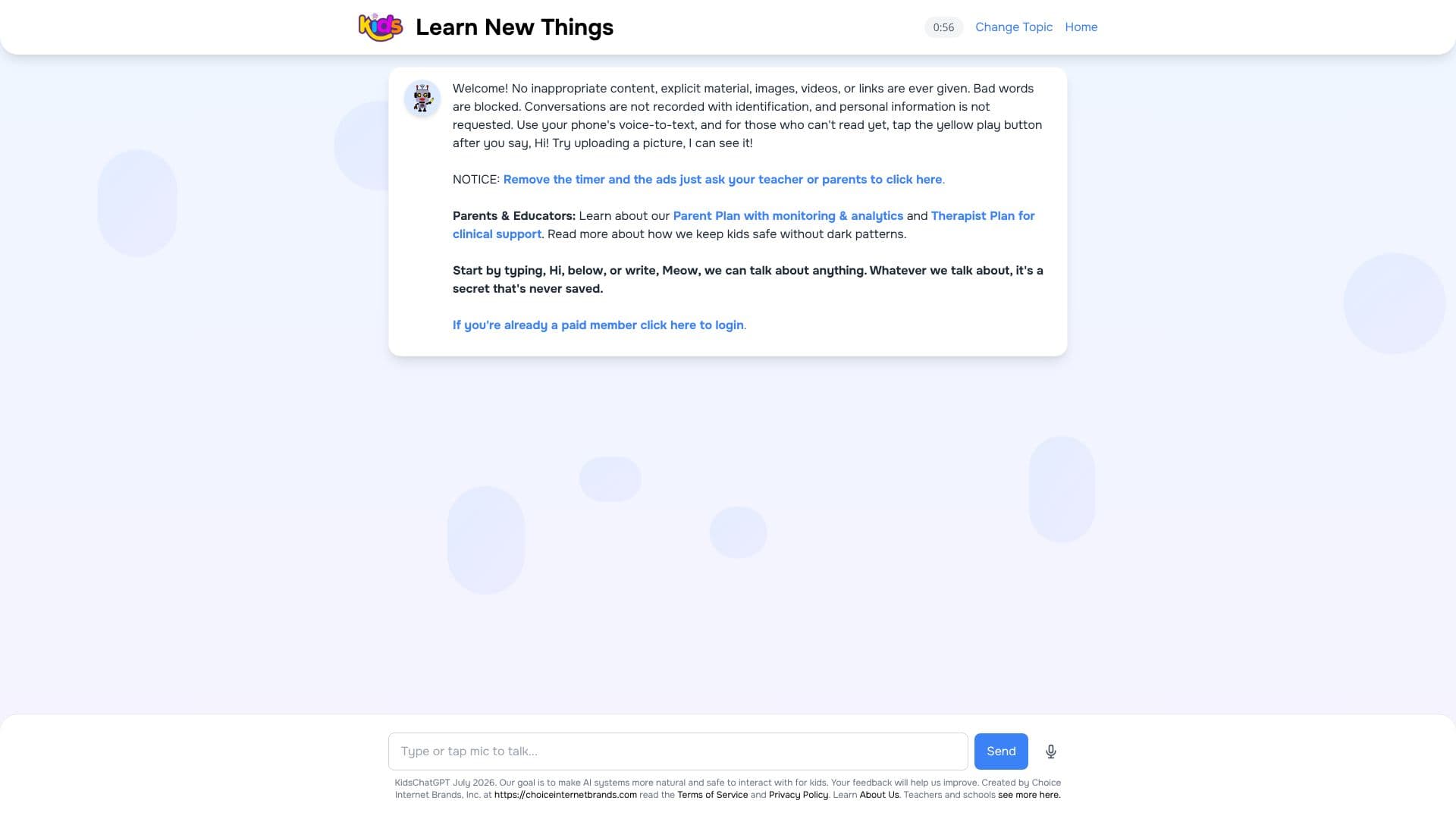
KidsChatGPT is designed to provide a secure and engaging AI chat experience specifically for children. The platform prioritizes safety by strictly filtering out any inappropriate content, explicit material, images, videos, or external links. It actively blocks offensive language, ensuring a clean conversational space for young users.
Read More
Privacy is a cornerstone of KidsChatGPT. Conversations are not recorded with any identifying information, and the system does not request personal details from its users. This commitment to privacy allows children to explore their curiosity without concern. For younger children or those who are still developing their reading skills, the platform includes a voice-to-text feature. Users can simply speak their questions or prompts, and the AI will respond. Additionally, a yellow play button is available for spoken input, making it accessible for pre-readers.
KidsChatGPT also offers an interactive visual element, allowing users to upload pictures for the AI to interpret. This feature enhances the learning experience by enabling discussions about visual content. Parents and educators can access additional features through a Parent Plan, which includes monitoring and analytics capabilities, and a Therapist Plan for clinical support. The platform is committed to transparency and educates users on how it maintains a safe environment without employing deceptive 'dark patterns'.
The goal of KidsChatGPT is to make AI interactions natural and safe for children. The creators, Choice Internet Brands, Inc., actively seek feedback to continuously improve the AI systems. Users can start a conversation by typing 'Hi' or explore different topics by typing 'Meow'. All conversations are treated as confidential and are not saved, reinforcing the secure and private nature of the platform.
- CategoryAI Chatbots
- Pricing ModelFreemium
- DeploymentCloud
- PlatformsWeb
KidsChatGPT's Core Features
Safe AI chat for kids
COPPA-compliant environment
Blocks inappropriate content
Filters explicit material
Blocks offensive language
No personal information requested
Conversations are not recorded with identification
Voice-to-text functionality
Image upload and recognition
Parent Plan with monitoring and analytics
Therapist Plan for clinical support
No dark patterns used for safety
Confidential conversations
How to use KidsChatGPT?
Start Chat: Type 'Hi' or 'Meow' to begin a conversation.
Ask Questions: Type or speak your questions to learn new things.
Use Voice Input: Tap the yellow play button to use voice-to-text.
Upload Pictures: Share images for the AI to see and discuss.
Explore Topics: Engage in conversations about anything.
Parent/Educator Features: Inquire about the Parent Plan for monitoring or the Therapist Plan for clinical support.
Login: Paid members can click here to log in.
KidsChatGPT's Use Cases
- Learning Facts
- Safe Exploration
- Homework Help
- Language Development
- Visual Learning
- Accessibility
- Parental Monitoring