
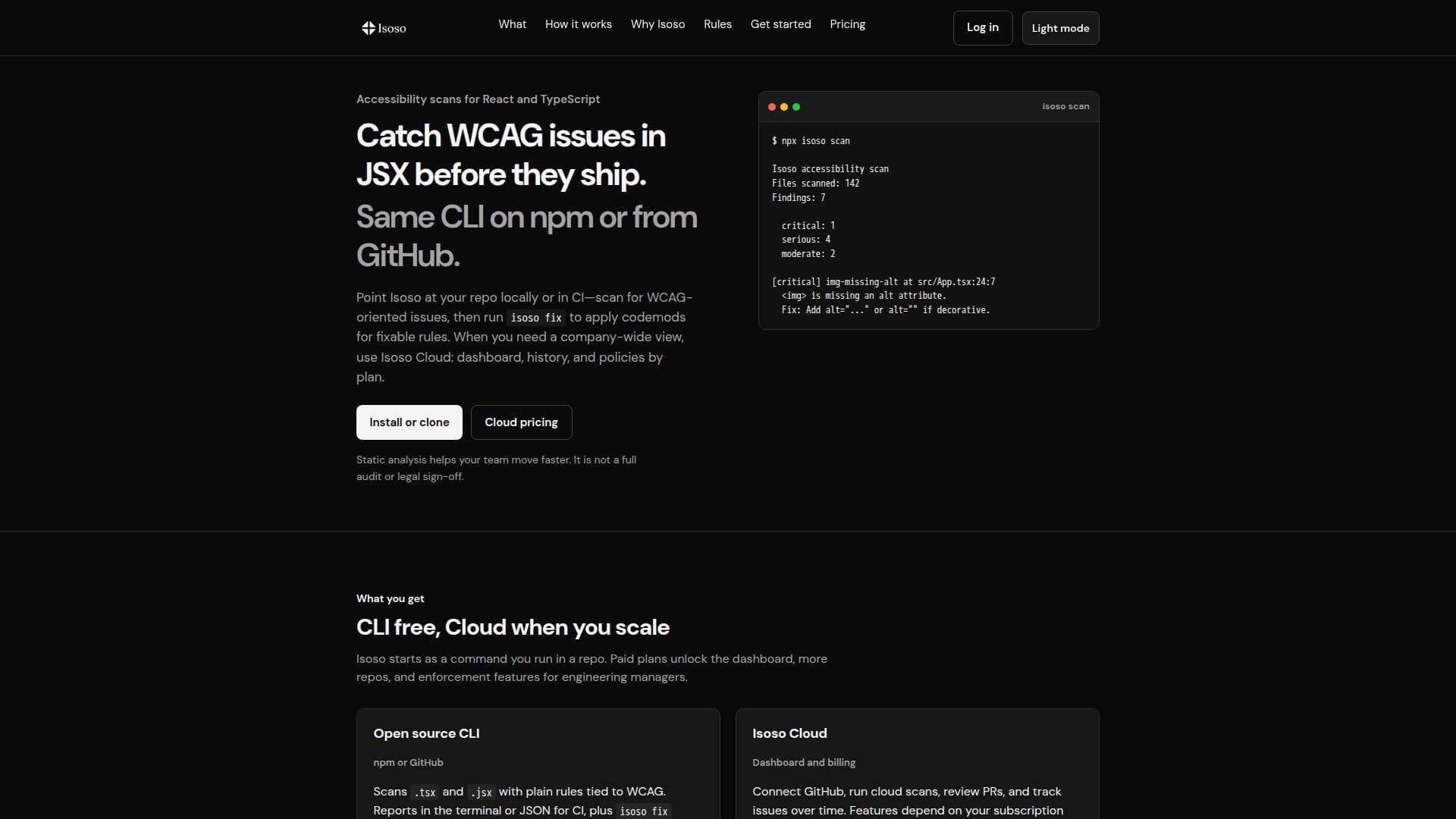
Description
Isoso is a specialized tool designed to help developers identify accessibility issues in React and TypeScript code. It operates through a command-line interface (CLI) that is open-source and free to use. Developers can install it via npm or GitHub and run static analysis to catch WCAG-related issues in JSX and TSX files. The tool provides terminal reports and JSON outputs for continuous integration (CI) environments, along with codemods for auto-fixing certain issues.
Read More
For teams and organizations, Isoso offers a Cloud service that adds a dashboard for tracking issues across multiple repositories. This service includes features such as GitHub integration, scan history, and team management. The Cloud plans are tiered, with the Team plan costing $29 per month per user and the Business plan at $299 per month, which includes additional features like policy enforcement and unlimited cloud scans.
Isoso is particularly useful for developers and engineering managers who need to ensure their code meets accessibility standards. While the tool provides valuable insights and automated fixes, it does not replace the need for manual testing and design reviews to achieve full compliance. The tool is designed to be easy to integrate into existing workflows, allowing developers to start with local scans and scale up to organizational use with the Cloud service.
Overall, Isoso offers a practical solution for improving code accessibility, making it easier for teams to adhere to WCAG guidelines and enhance the user experience for all users.
- CategoryAI Accessibility Tools
- Pricing ModelFreemium
- DeploymentCloud
- Platformsnpm, GitHub
Isoso's Core Features
Open-source CLI for accessibility scans
WCAG-related issue detection
Codemods for auto-fixing issues
JSON reports for CI integration
GitHub integration for Cloud users
Team and Business Cloud plans
Dashboard for issue tracking
AI-generated explanations with API key
How to use Isoso?
Install: Get the CLI from npm or GitHub
Scan: Run static analysis on your code
Fix: Use codemods for auto-fixing issues
Connect: Integrate with GitHub for Cloud features
Track: Use the dashboard for team-wide insights
Enforce: Apply policies for code compliance
Isoso's Use Cases
- Code Accessibility
- Team Collaboration
- CI Integration
- Policy Enforcement
- AI Explanations